A mental model is what users think and believe about how a visualization works. Understanding it helps you design interactions that feel discoverable rather than mysterious. section 7.2.2
Use mental models to make exploration easier:
- Match interaction patterns to what users already know, and provide clear feedback when their actions change the view. section 7.5
- Learn users’ expectations by asking questions and observing them use both familiar and unfamiliar visualizations. section 7.2.2
- Adjust guidance to experience: newcomers may need voiceover, animation, or demonstration, while experienced BI users may recognize selectable elements unaided. section 7.2.2
A selectable dashboard
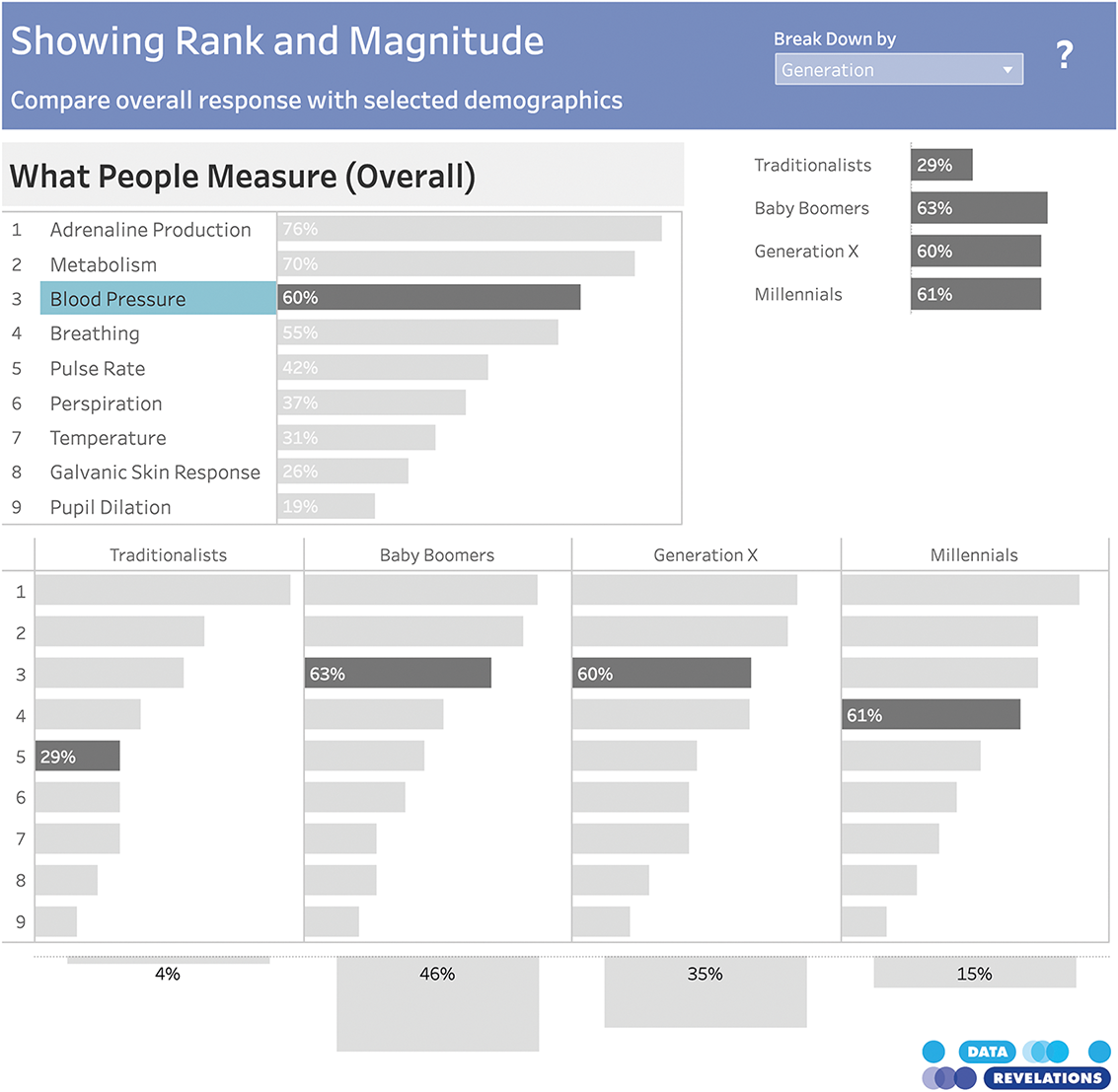
A dashboard leaves the Blood Pressure bar selected, signaling that bars can be selected and changed. Its compact interactive layout supports several ways to segment the data. section 7.2.2
Figure 7.8 The interactivity in this dashboard allows the user to explore multiple ways of segmenting the data set, and as a bonus, it packs a ton of information into a compact space: we learn about the popularity of doctors measuring various indicators themselves across all respondents and respondents broken down by generation, and then we also get a separate breakdown of total respondents by generation. You can interact with it yourself or download it from Steve’s blog at https://www.datarevelations.com/howmany/. (Steve Wexler, used with permission)
Explore the dashboard example to see how interactive segmentation packs multiple respondent breakdowns into a compact visualization. section 7.2.2