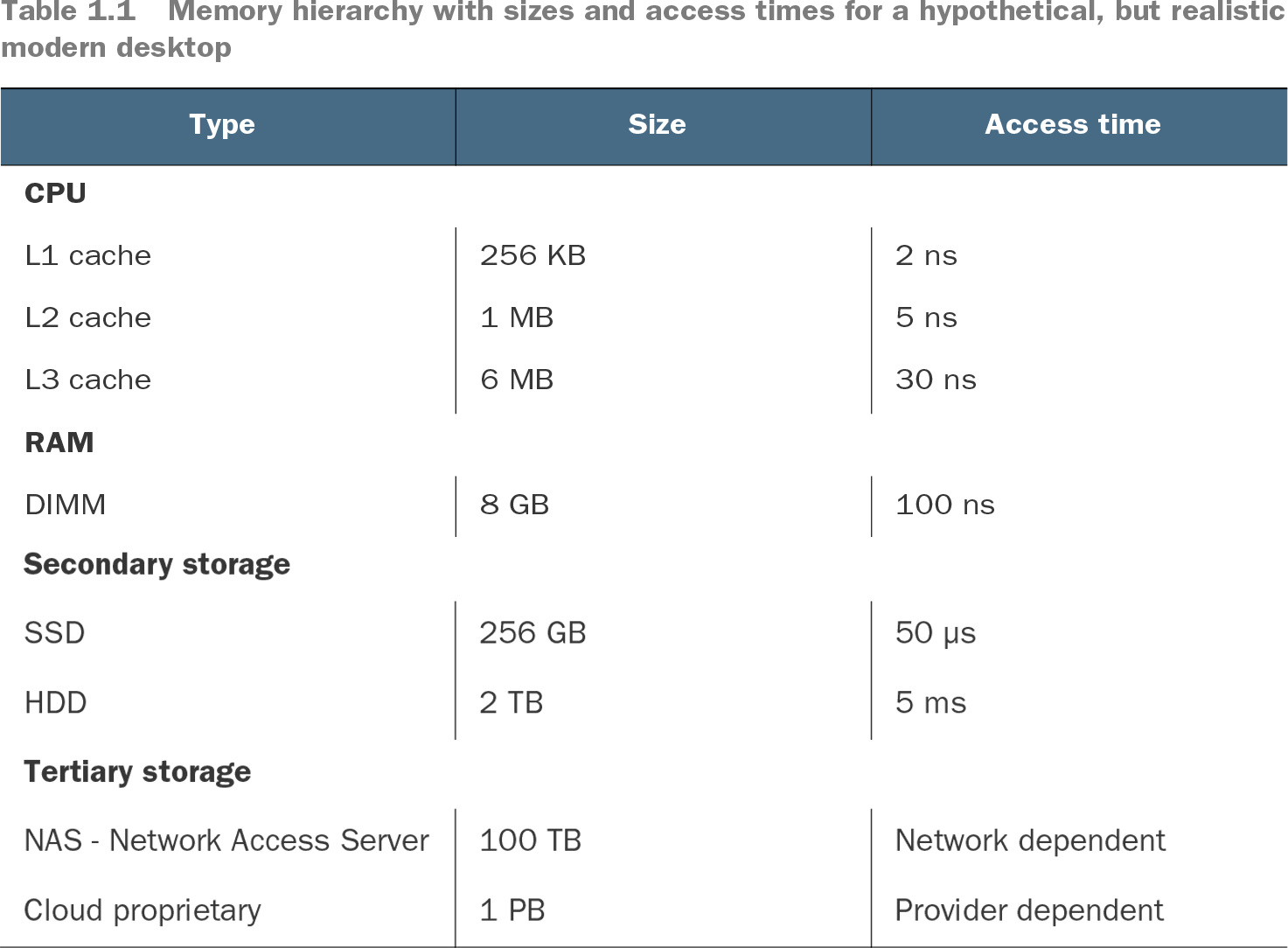
Memory is not a single, uniform place to keep data. A computer has a hierarchy spanning CPU caches, RAM, local storage, and networked storage. Capacity and access time differ sharply across those levels, so the time spent reaching data can matter as much as the computation performed on it. section 1.2.1 section 6.0
Measure two NumPy slices
Create a square NumPy matrix, then time `2 * mat[:, 0]` and `2 * mat[0, :]`. At 1,000 × 1,000 elements, the reported times are 1.99 μs and 1.5 μs. At 10,000 × 10,000 elements—about 800 MB—they are 4.51 μs and 74.9 μs. The apparently similar operations now differ by roughly 16 times. CPU-cache behavior and the matrix’s internal representation both contribute; the measurement alone does not isolate either cause. section 6.1.1
These effects can make extra computation worthwhile. Blosc compresses NumPy arrays into compact representations that can be accessed in about the same time as uncompressed arrays by making effective use of CPU caches. NumExpr likewise speeds expressions over very large arrays through cache-minded processing. Results depend on the hardware: an array that fits one machine’s cache might not fit another’s. section 6.0
Table 1.1 Memory hierarchy with sizes and access times for a hypothetical, but realistic modern desktop (view table figure)
Compare the hypothetical capacities and access times: CPU caches are small and fast, RAM is larger and slower, and SSDs and HDDs have much longer access times. The figures illustrate a hierarchy, not universal hardware timings. section 1.2.1