A Bézier curve makes a drawn stroke adjustable without redrawing it from scratch. Start with the straight line between two endpoints. Add one control point for each endpoint, and the controls pull the line into a curve. Moving a control point farther from the line makes the curve bend farther away; moving them can also leave it straight or make it bend in two directions. section 2.2
Figure 2.5 Several Bézier curves and their control points (shown as black dots)
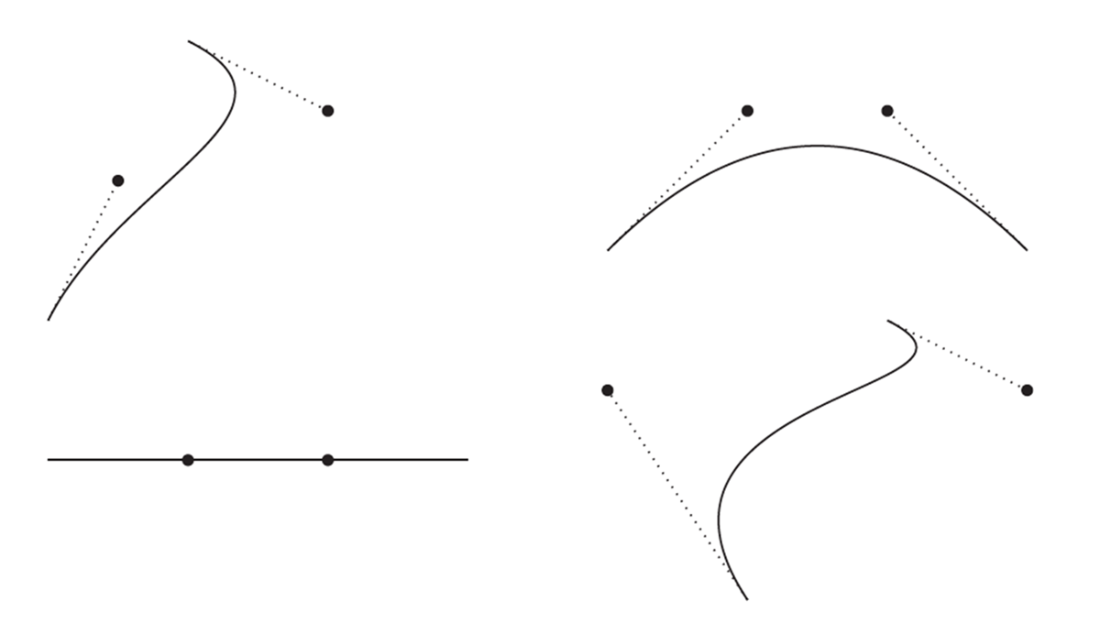
The black dots are the control points. Their dotted links to the endpoints make the otherwise invisible handles of the curve easier to reason about. section 2.2
The useful idea is not a single perfect curve but a chain of manageable pieces. Curves meet when an endpoint of one coincides with an endpoint of the next. To make a join smooth rather than merely connected, arrange the two control points at that join 180° from one another. Such chains are called paths. section 2.2
Drawing an ampersand
An ampersand can be built from three paths: one outlining the main shape and two outlining its holes. The example uses 58 curves, including 5 straight lines. This shows why a small, repeatable curve unit is more practical than attempting to describe a letter as one enormous shape. section 2.2
Figure 2.6 Three Bézier curve chains (paths) used to draw an ampersand character
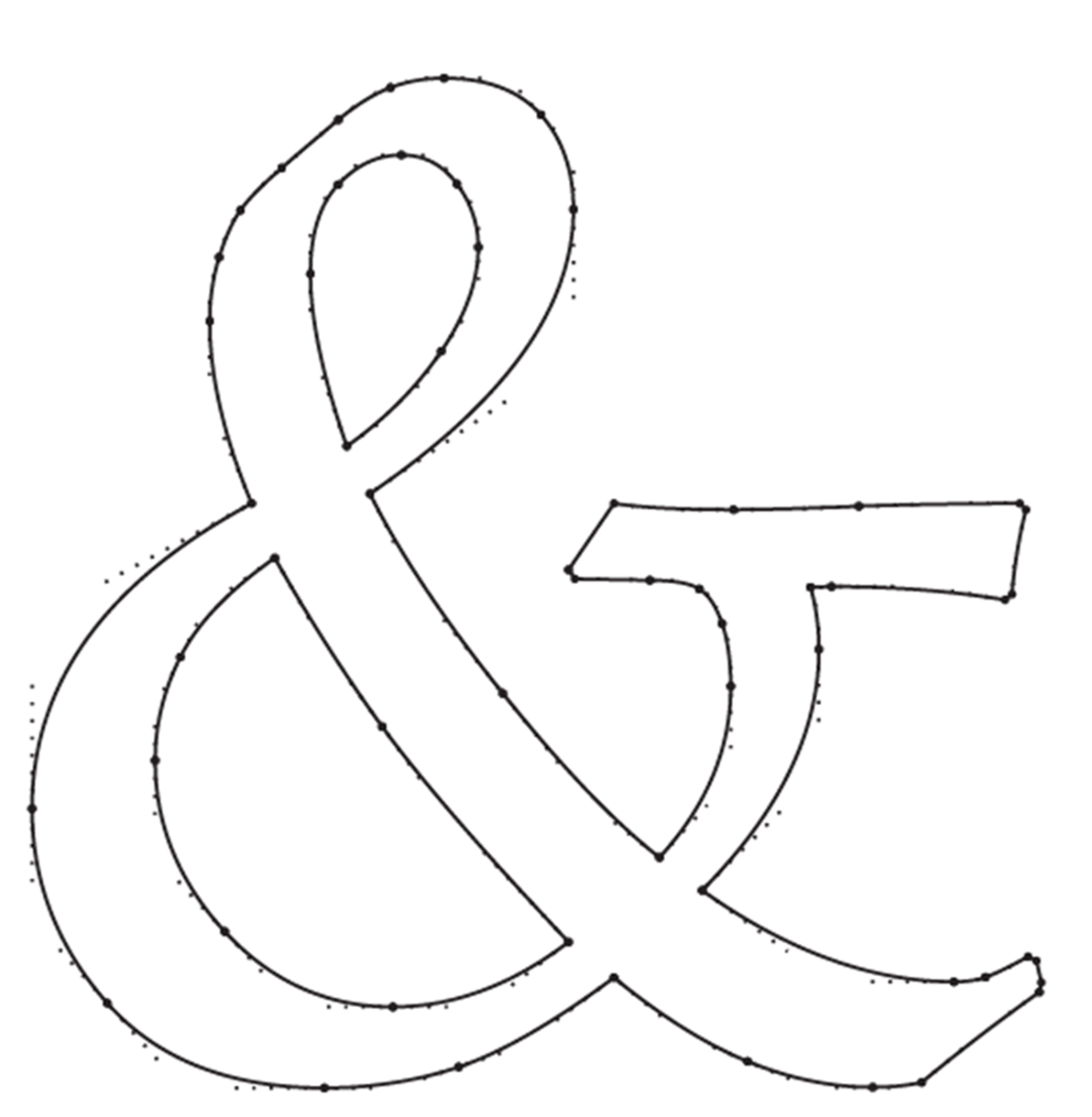
The paths reveal that a letterform is assembled from connected curve segments, with separate closed paths reserved for its holes. section 2.2
Bézier curves trade exactness for flexibility. They replace inflexible circular arcs, yet no combination of them exactly represents a circle or circular arc. A circle made from four curves can be close enough for drawing. Closed paths also need a filling rule: the even–odd rule leaves the middle of an O empty, while self-crossing paths may require the nonzero rule and a reversed path direction to produce the intended hole. section 2.3
A pencil-and-ruler experiment
Trace a curve and divide it in two using the De Casteljau procedure. Then try moving control points in a drawing program such as Inkscape. The hands-on comparison helps connect the fixed points on paper with interactive curve manipulation on screen. section 2.4




