A computational notebook combines executable code, explanatory text, and interactive output in a document for exploring analytics problems and communicating results. section 12.2.1
Notebook workflows support iterative analysis, from querying and combining data through manipulation, visualization, and report preparation. Completed work can be rendered with only the results intended for stakeholders. section 12.2.1
Interactive notebook platforms can support:
- Collaborating and pairing with coworkers on the same project. section 12.2.1
- Querying a data warehouse and combining its data with information retrieved from an API. section 12.2.1
- Creating reports with interactive charts and preserving records of published deliverables. section 12.2.1
- Enabling stakeholders to perform simple exploratory analysis through native visualization features. section 12.2.1
Common notebook environments
Jupyter Notebook, Google Colab, and RStudio provide code and markdown cells for exploring and iterating on analytics problems. section 12.2.1
Figure 12.3 Notebooks are nearly ubiquitous in the data analytics space.
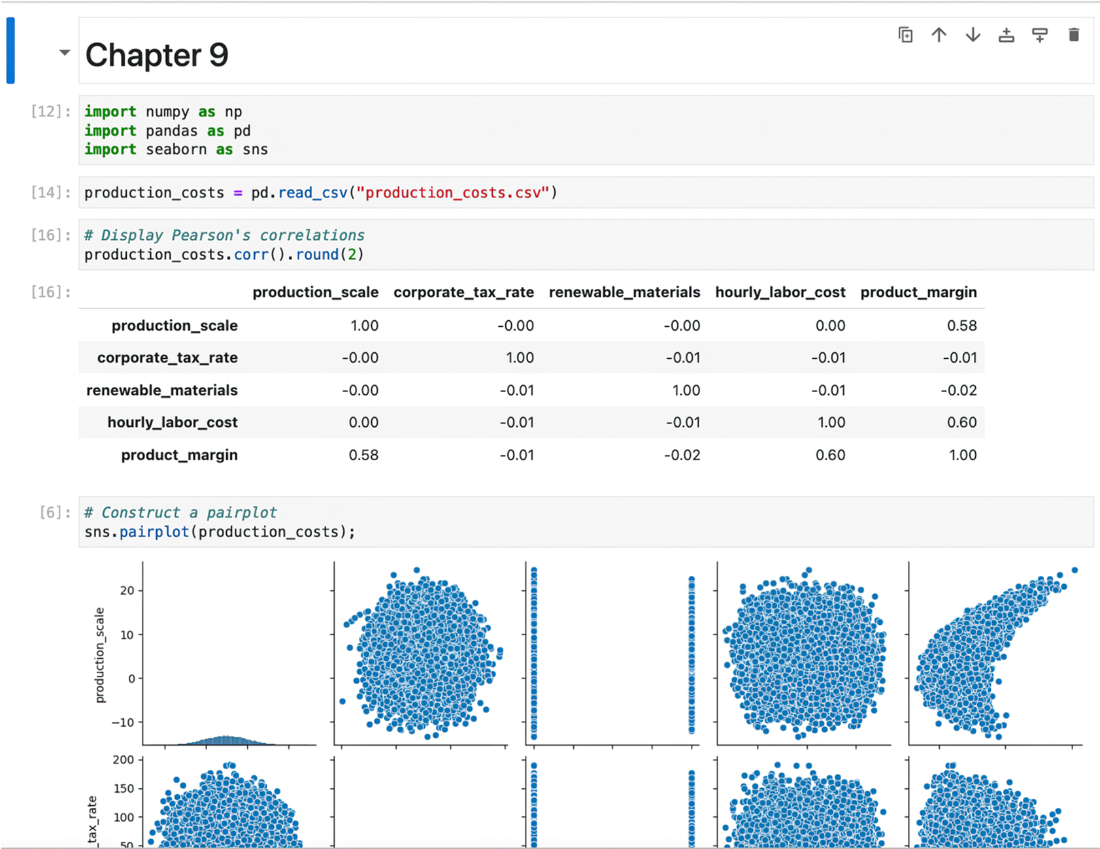
Use the figure to orient the notebook as a common environment in modern data analytics. section 12.2.1
Notebook tools complement dashboards when analysis is exploratory, collaborative, or too complex for a fixed published view; tool choice should reflect stakeholder needs and workflow pain points. section 12.0 section 12.2.1



