Jupyter Notebook provides an interactive workspace for copying, executing, and inspecting Python code alongside explanatory prompts and tabular outputs. Launched through JupyterLab, it keeps the coding companion separate from the development environment so generated solutions can be run, checked, debugged, and understood. section 2.2.1
A practical notebook workflow:
- Open JupyterLab and a conversational coding companion side by side. section 2.2.1
- Copy generated Python into notebook cells and run it against structured data. section 2.2.1
- Use Python and regex to request API data, clean fields, format values, and verify the resulting records. section 4.4
- Compare actual outputs with expected results rather than treating generated code as automatically correct. section 2.2.1 section 4.4
Orders transformed into a DataFrame
A notebook processes nested orders, skips canceled records, extracts product name, brand, and color from descriptions with regex, applies status-dependent tax, and displays the resulting DataFrame. section 2.2.1
Figure 2.2 Reading from bottom to top, this timeline compares the traditional manual steps (left) versus an AI-assisted workflow (right) for API data extraction. The "Without AI" column illustrates the cumulative time and effort required to manually code each part of the task. In contrast, the "With AI" column shows how a well-structured prompt and a few refinements can significantly compress the workflow.
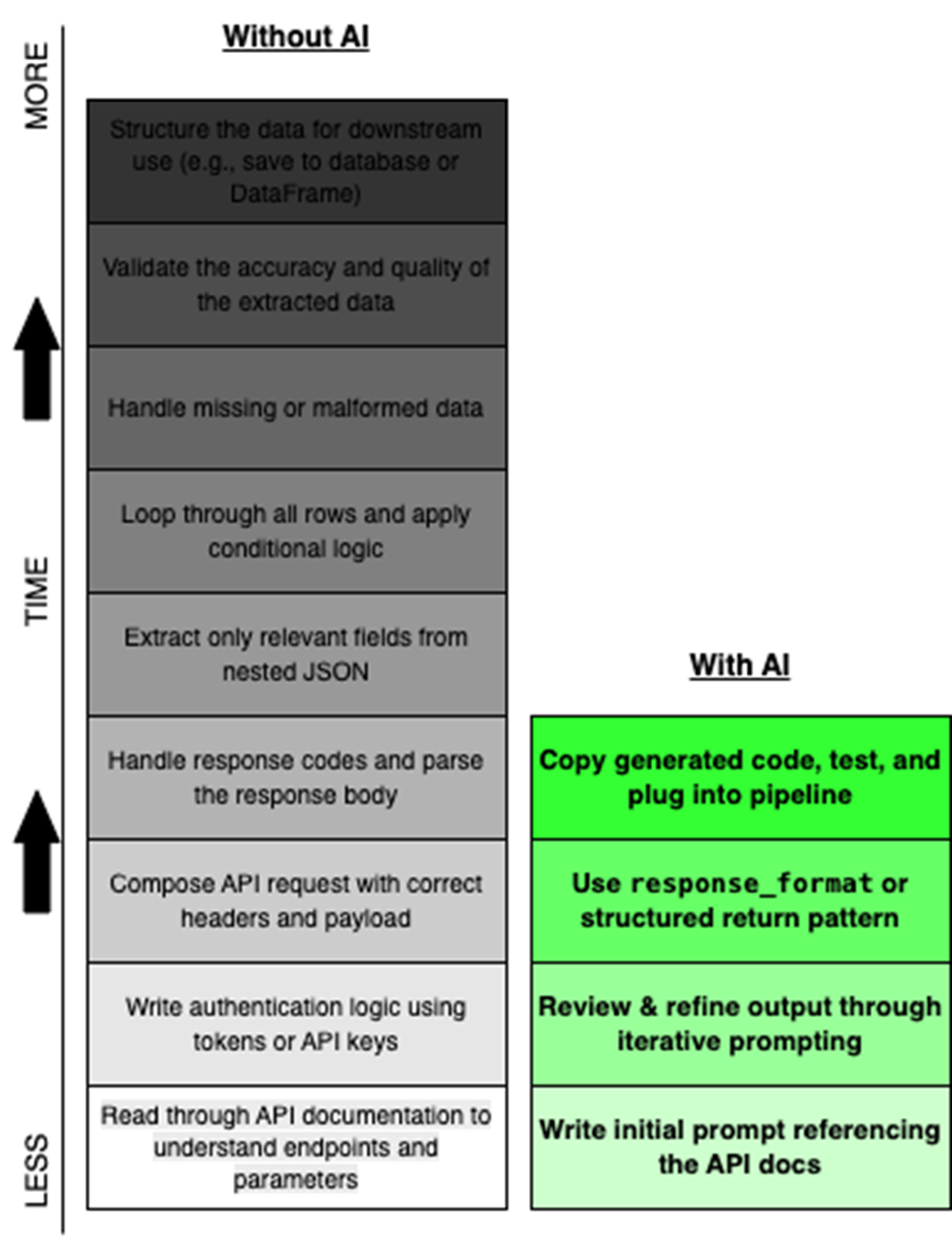
Use the timeline to contrast manual API extraction with an AI-assisted workflow refined through prompts and notebook execution. section 2.2.1