A line plot connects values across an ordered dimension, making change and relationships visible. It works especially well when the horizontal dimension is continuous, such as time, because the connected marks help viewers perceive the values between labeled points. section 3.4.1 section 3.6
Fruit, seasons, and a badly chosen axis
Fruit types are discrete categories, so connecting their taste scores with a line implies an order that does not exist. A bar chart communicates the comparison more honestly. Plotting taste scores over time, however, could show when fruits reach peak season—provided enough observations exist. section 3.4.1
Use a line plot thoughtfully:
- Choose it for continuous or meaningfully ordered dimensions, especially time. section 3.4.1 section 3.6
- Do not connect unrelated categories merely because they can be placed beside one another; the line adds a relationship viewers may interpret as real. section 3.4.1
- Keep multiple lines from becoming spaghetti; separate them into small multiples or aligned panels when comparison becomes difficult. section 6.4
- Remove automatic gridlines, labels, and axes that do not support the message, while preserving what users need to understand the data. section 6.4
Figure 3.1 The fruit data shown as a line on the left just doesn’t work because the fruits aren’t continuous, nor could one approximate them as such. On the right, the viz works much better as a bar chart.
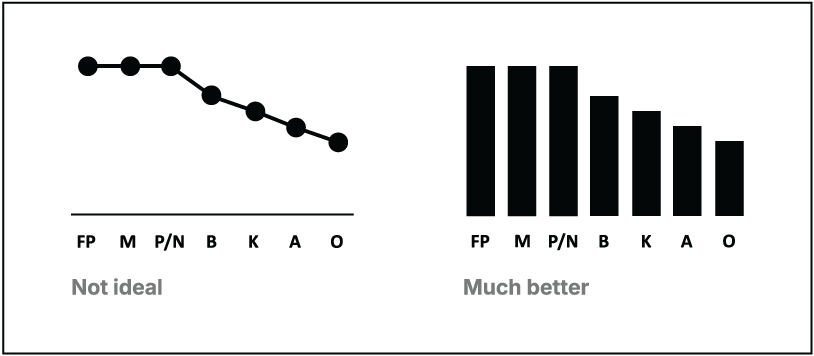
Compare the same fruit data rendered as a misleading line and a clearer bar chart. section 3.4.1





