A model architecture is the structural design of a machine learning model: its computational components, connections, and arrangement. Choosing one in production means balancing training efficiency, resource limits, accuracy, and training time. section 8.1.2
Architecture selection must follow the final model’s requirements rather than public metrics alone. The relevant trade-offs include data access, available compute, performance targets, and the operational cost of training and serving. section 8.2 section 2.1
YOLOv8 for ID card detection
A production training component initializes a pretrained YOLOv8 model, reads a versioned data configuration, and trains with explicit image size, epoch count, batch size, artifact name, and project path. The project path stores weights, evaluation plots, and inference samples for later inspection. section 8.1.2
Treat architecture as part of an iterative, observable workflow:
- Compare architectures when evaluation metrics, data quality, or fit indicate that the current design is inadequate. section 9.2.2 section 1.1.1
- Track the architecture, weights, supporting code, data lineage, and metrics separately but together across pipeline runs. section 8.2 section 2.1
Listing 8.3 Writing the data configuration to YAML
from ultralytics import YOLO

model = YOLO('yolov8n.pt') #1
results = model.train( #2
    data='custom_data.yaml',
    imgsz=640,
    epochs=epochs,
    batch=batch,
    name='yolov8n_custom',
    project=project_path) #3
Inspect a concrete YOLO initialization and training configuration, including the architecture checkpoint, dataset file, image size, epochs, batch size, and artifact location. section 8.1.2
Figure 9.10 Viewing the model architecture from TensorBoard
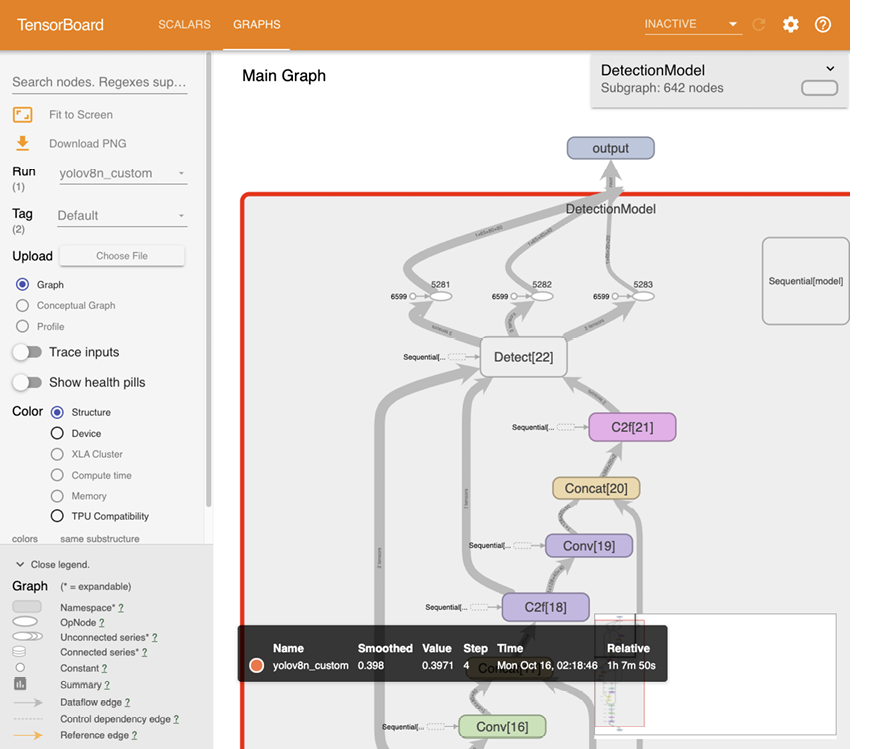
Use the TensorBoard architecture graph to inspect how data flows through YOLOv8’s layers and connections and to reason about model complexity. section 9.2.2












