PowerShell combines a command-line tool with a scripting language for managing Azure and Windows. Its cmdlets perform focused operations, while scripts combine cmdlets and ordinary control logic into repeatable automation. section 1.6.3
PowerShell is useful when a single command is not quite enough:
- Create, update, and maintain Azure resources through specialized cmdlets. section 1.6.3
- Batch commands into customized automation scripts. section 1.6.3
- Manage Windows generally while also running on macOS and Linux. section 1.6.3
- Interact with Azure alongside the Portal, CLI, and Azure SDK. section 1.8
Create an Azure virtual network
A small business can connect PowerShell to Azure with Connect-AzAccount, create a resource group with New-AzResourceGroup -Name 'AlpacaRG' -Location 'Australia Southeast', and add a VNet with New-AzVirtualNetwork -Name AlpacaVNet -ResourceGroupName 'AlpacaRG' -Location 'Australia Southeast' -AddressPrefix '10.0.0.0/16'. section 4.1
Figure 1.10 PowerShell console showing 10 Azure cmdlets
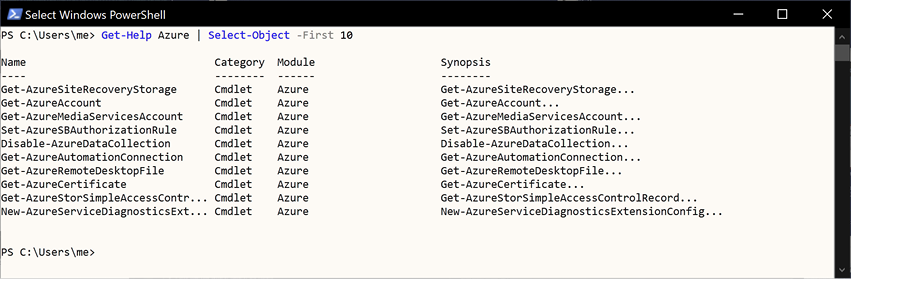
View a console example listing ten Azure cmdlets with one command. section 1.6.3



