PowerShell
PowerShell is Microsoft's cross-platform command shell and scripting language for administering computer systems and automating tasks.
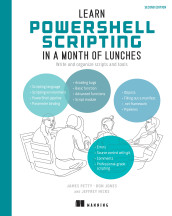
Learn PowerShell Scripting in a Month of Lunches, Second Edition: Write and organize scripts and tools
Windows PowerShell is the Windows-only edition of Microsoft's PowerShell command shell and scripting environment.
- How it is used
- Automates administration, configuration management, reusable toolmaking, and composed workflows.
- How deep it goes
- Explains commands, wrappers, toolmaking, testing, security, errors, and scripting practices, while deferring arbitrary low-level .NET coding.
- Examples
- Uses system inventory, local and remote CIM queries, text-file logging, console experiments, virtual labs, and reusable tool-controller designs.
- What you can do after
- Build it from scratch as small tested commands, reusable tools, and scripts that manage larger automation workflows.

Learn PowerShell in a Month of Lunches: Fourth Edition, Covers Windows, Linux, and macOS
PowerShell 3 is the third major version of the PowerShell command-line shell.
- How it is used
- Runs administrative commands interactively, connects commands into automation, and exposes product functionality beyond what graphical interfaces provide.
- How deep it goes
- Builds from command execution through cmdlets, pipelines, objects, scripting, and remoting, while deferring deeper external technologies.
- Examples
- Uses Get-Process, Verb-Noun commands, cross-platform setup, regular-expression labs, and disconnected remoting sessions.
- What you can do after
- Operate PowerShell interactively, compose commands, begin scripts, and manage administrative tasks across supported operating systems.
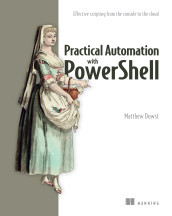
Practical Automation with PowerShell: Effective scripting from the console to the cloud
Windows PowerShell is the Windows-only implementation of Microsoft's PowerShell command shell and scripting language, with version 5.1 as its final major release.
- How it is used
- Automates repeatable IT workloads by chaining cmdlets into maintainable, shareable workflows.
- How deep it goes
- Explains tool selection, modules, scheduling, execution contexts, and operational testing rather than language internals.
- Examples
- Uses log-file archival to Azure Blob Storage and Git installation testing under administrator, user, and system contexts.
- What you can do after
- Apply it via PowerShell modules and companion schedulers to build portable, maintainable IT automations.
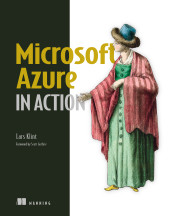
Microsoft Azure in Action
The PowerShell scripting language is the programming language for expressing commands, automation scripts, and control logic in PowerShell.
- How it is used
- Automates, maintains, creates, and updates Azure resources through commands and scripts.
- How deep it goes
- Defines cmdlets and scripting, demonstrates VNet creation, and defers setup and connection details.
- Examples
- Demonstrates Azure cmdlet listing, resource-group creation, Azure login, and virtual-network deployment.
- What you can do after
- Operate and configure Azure resources through PowerShell commands and reusable automation scripts.
Related concepts
- command-line interfacekind of · A command-line interface is a text-based interface through which users or programs interact with software or a computer by entering commands and receiving output.
- pipelineuses · A pipeline is an ordered or coordinated sequence of connected processing stages or tasks that passes data, work, or results toward an outcome.
- Objectuses · java.lang.Object is the root class of Java’s reference-type hierarchy and defines methods inherited by Java reference types.
- Visual Studio Codeused by · Visual Studio Code is Microsoft’s cross-platform source-code editor, extensible with tools for programming, debugging, and other development workflows.
- automationuses · Automation is the execution of tasks or processes by machines or software with reduced direct human intervention.
These guides are generated from the text of Manning books by Manning's knowledge graph and link to the sections they draw on. The full books are available on liveBook and at manning.com.