Deployment installs and configures an application and its required artifacts on an environment where users can access it. Production deployment requires both a server that can run the application and a way to load it there. section 27.0 section 27.1.2
Publishing prepares an ASP.NET Core application for deployment, unlike running it locally with dotnet run. A reverse proxy can then manage the application while exposing it to users. section 27.0
Common deployment approaches include:
- Use CI/CD to detect version-control changes, build the application, and potentially deploy it with limited human intervention. section 27.1.2
- Publish from Visual Studio to Azure App Service, IIS, an FTP site, or a local folder. section 27.1.2
- On Windows, configure an IIS application pool and website, then copy the published application to IIS’s hosting folder. section 27.2
Windows deployment with IIS
Publish the ASP.NET Core application, configure IIS as its reverse proxy, create the application pool and website, and copy the published files into the hosting folder. section 27.2
Figure 27.4 The Publish application screen in Visual Studio 2022. This provides easy options for publishing your application directly to Azure App Service, to IIS, to an FTP site, or to a folder on the local machine.
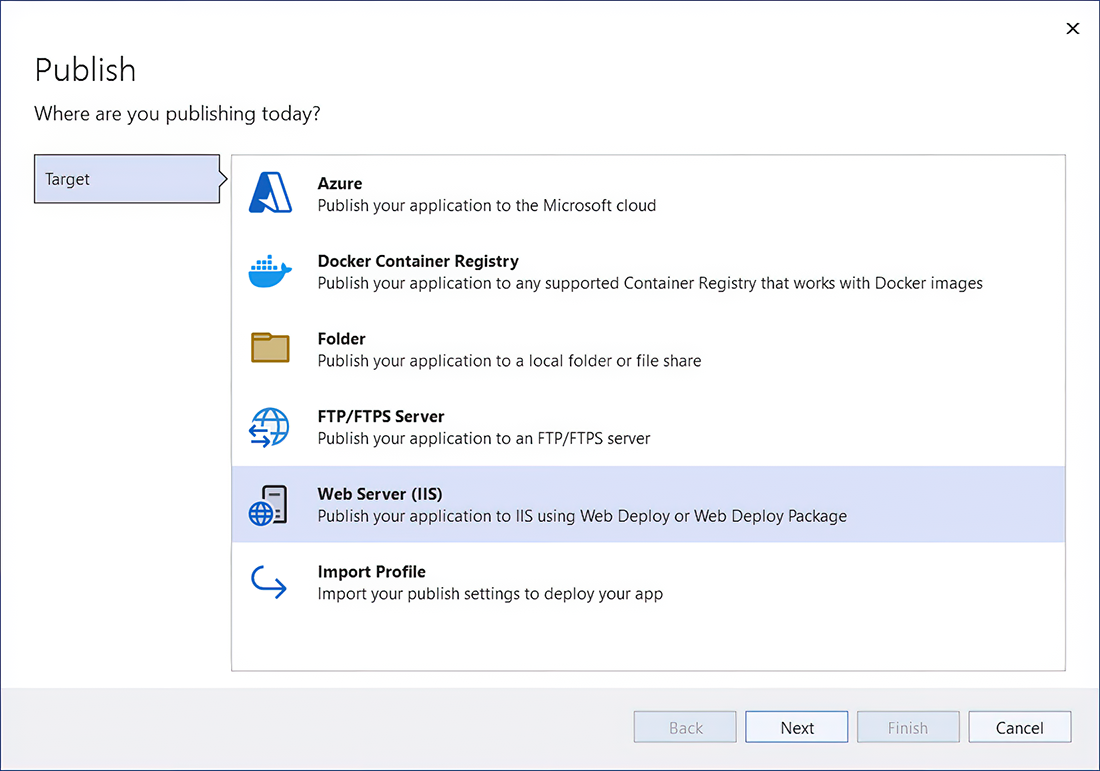
Use the Visual Studio Publish screen to compare direct destinations such as Azure App Service, IIS, FTP, and a local folder. section 27.1.2






















