Symmetry creates matching or mirrored visual relationships around an axis or center. In page design, a horizontal center line can produce equal top and bottom halves, but exact symmetry often feels static, old-fashioned, or inert. The stronger goal is usually visual balance: distributing content zones, white space, shapes, and detail so the composition feels pleasing without becoming rigid. section 6.7.2 section 6.7.1
Use symmetry as something to notice and evaluate rather than an automatic layout recipe:
- Divide a page into four zones and compare their visual weight, considering both shape size and design complexity. section 6.7.2
- Check the page diagonally as well as horizontally and vertically; curves, color, typography, and nonrectangular shapes can change the result. section 6.7.2
- Prefer balanced contrast and varied proportions over three equal zones or a perfectly mirrored arrangement. section 6.7
- Squint at the composition to judge overall relationships, and ask an AI for another opinion after making your own assessment. section 6.7.2 section 6.7.3
When removing detail creates unwanted symmetry
A layout may initially feel balanced because its quadrants differ in line complexity and shape size. Removing lines from one quadrant can make the page blatantly symmetrical, producing a less interesting result. Retaining intentional variation preserves balance without making the composition boring or inert. section 6.7.2 section 6.7.3
Figure 6.3 When an image is separated into a quadrant, you can more easily check the balance.
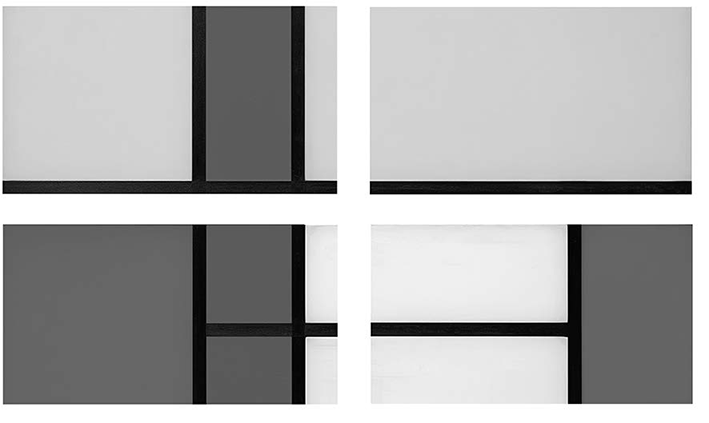
Use the quadrant diagram to inspect whether the page's zones carry comparable visual weight. section 6.7.2



