A command-line interface (CLI) is a text-based shell for controlling and interacting with a device by entering commands. Cisco routers and switches use the Cisco IOS CLI for configuration, verification, and operational tasks. section 5.1 section 5.1.1
Distinguish the CLI from related interfaces and access methods:
- A graphical user interface uses graphical controls; a CLI uses lines of text entered as commands. section 5.1.1
- Access a Cisco CLI locally through the console port or remotely over the network with Telnet or Secure Shell (SSH). section 5.1.2
- Use a terminal emulator, such as PuTTY, after connecting a computer to the console port. section 5.1.2
- Treat the console connection as local configuration access: it requires physical proximity and does not communicate over the network. section 5.1.2
Moving through Cisco IOS modes
After connecting, the CLI starts in user EXEC mode, shown by a prompt such as hostname>. Enter enable to reach privileged EXEC mode, shown as hostname#. Enter configure terminal to reach global configuration mode, shown as hostname(config)#. Use hostname to change the device name, no before a command to undo it, and end, exit, Ctrl-C, or Ctrl-Z to return toward privileged EXEC mode. section 5.5
Editing and repeating commands
Correct a command without retyping it: use the left and right arrows to move the cursor, Backspace to delete, Ctrl-A or Ctrl-E to jump within the line, and the Up arrow to recall an earlier command. section 5.2.3
Figure 5.2 The Command Prompt CLI of a Windows PC, accessed from within the Windows shell GUI
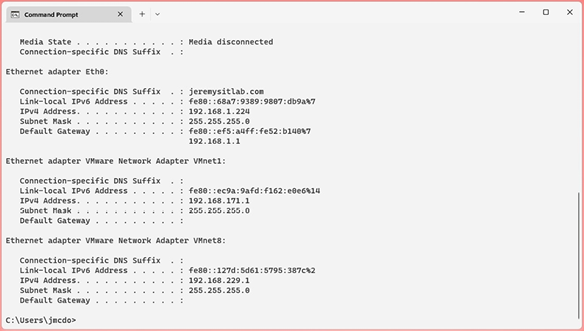
Compare a familiar Windows Command Prompt with the text-based interaction model used by device CLIs. section 5.1.1








