A command-line interface is a text-based interface for invoking software operations by entering commands.
A command-line interface is a text-based interface for invoking software operations by entering commands. Podman’s CLI deliberately matches the Docker CLI, making Docker workflows transferable with minimal changes. section 1.3.5section 2.0
Use the Podman CLI to:
Manage containers with run, stop, start, ps, inspect, rm, and commit. section 2.4
Manage images and registries with pull, push, login, rmi, and build. section 2.4
Reuse Docker commands by aliasing docker to podman or installing podman-docker. section 1.3.5
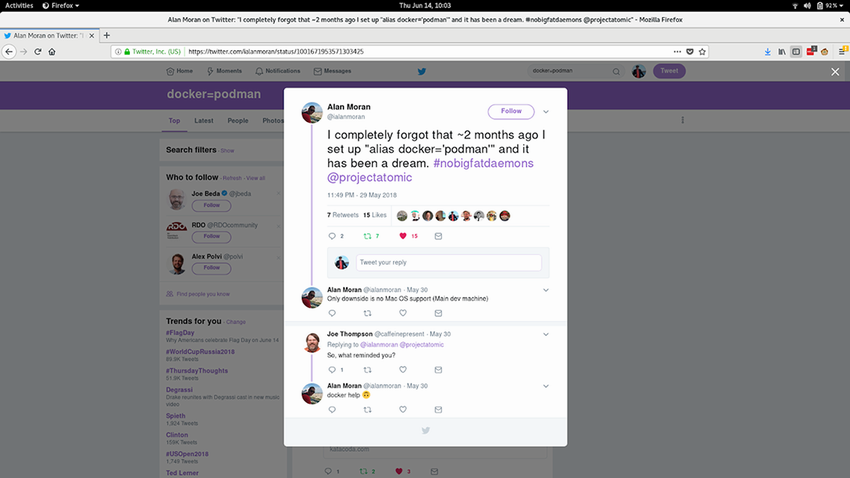
Figure 1.10 Tweet about “alias docker=’podman’”
An example of the docker=podman alias illustrates transparent CLI replacement. section 1.3.5
How Podman in Action: Secure, rootless containers for Kubernetes, microservices, and more covers it
How deep it goes
Defines the interface and demonstrates operational commands, while deferring advanced features such as image mounting.
Examples
Demonstrates podman run, ps, inspect, build, push, and the docker=podman alias.
What it assumes
Assumes Podman 4.1 or later is installed and lets experienced Docker users transfer familiar CLI knowledge.
What you can do after
Operate containers and images, build images, and share them through registries using Podman’s CLI.
How it connects
Connects Docker CLI compatibility with containers, images, container registries, and automated image builds.
Effective Platform EngineeringA command-line interface is a text-based interface through which users or programs invoke commands and interact with software.
PowerShellincludes · PowerShell is Microsoft's cross-platform command shell and scripting language for administering computer systems and automating tasks.
tool usagecontrasts with · Tool use is an AI system's invocation of external software functions, services, or other capabilities to obtain information or perform actions.
natural language interfacealternative to · A natural language interface enables interaction with a system through human-language text or speech.
contractuses · An API contract is a specification of the operations, data, and behavioral expectations that govern interactions between software components.
Podmanused by · Podman is a daemonless, open-source container engine for building, running, and managing containers and container images.
This explainer was generated by Manning's knowledge graph from the text of Podman in Action: Secure, rootless containers for Kubernetes, microservices, and more. The section links point to the parts of the book it draws on.