liveBook · Manning

Visual Studio Code

As explained in Learn PowerShell Scripting in a Month of Lunches, Second Edition: Write and organize scripts and tools

Visual Studio Code is a free, cross-platform source-code editor from Microsoft that supports extensions for many languages and development environments.

Visual Studio Code is a free, cross-platform scripting editor recommended for PowerShell. Install the latest stable release rather than a preview build, and let automatic updates restart the editor when needed. section 1.3.3 section 2.4

Prepare VS Code for PowerShell work:

  • Install the PowerShell extension from the Extensions panel, choosing the non-preview version. section 2.4
  • Optionally set PowerShell as the default language for new files and enable bracket-pair colors through settings.json. section 2.4
  • Save an empty .ps1 file and type Get-P; IntelliSense should suggest commands such as Get-Process. section 2.7
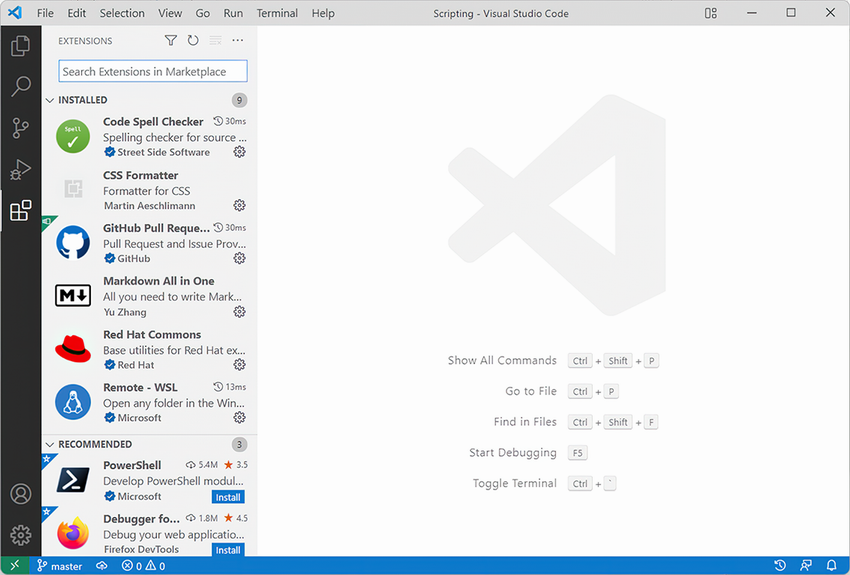
Figure 2.2 The Extensions panel lets you install and manage VS Code add-ins.

Use the Extensions panel to install and manage the PowerShell add-in. section 2.4

How Learn PowerShell Scripting in a Month of Lunches, Second Edition: Write and organize scripts and tools covers it

How deep it goes
Explains installation, extension setup, settings, updates, and an IntelliSense check, but not deeper editor capabilities.
Examples
Uses an empty .ps1 file, Get-P completion, Get-Process, the Extensions panel, and settings.json configuration.
What it assumes
Assumes access to PowerShell and a computer, while teaching the editor installation and extension setup from the beginning.
What you can do after
Operate VS Code for PowerShell by installing its extension, configuring basic settings, and verifying command completion.
How it connects
Connects Visual Studio Code with PowerShell, the PowerShell extension, IntelliSense, and settings.json.

Also explained in

Compare how 7 books explain Visual Studio Code →

Related concepts

This explainer was generated by Manning's knowledge graph from the text of Learn PowerShell Scripting in a Month of Lunches, Second Edition: Write and organize scripts and tools. The section links point to the parts of the book it draws on.





