Debugging means finding the source of a problem and applying a fix that addresses its cause. Ask questions, form hypotheses, and test them with evidence. This is especially challenging in a microservices application, where the problem may lie among several interacting processes. section 11.3
Use this sequence as a guide, not a rigid checklist; investigations often loop back through earlier steps.
- Triage: prioritize problems by their effect on customers and the business. section 11.3.1
- Gather evidence: inspect logs, error reports, request traces, user reports, crash call stacks, code versions, and information from operational tools. section 11.3.1
- Mitigate customer impact while investigating. Rolling back to a previous working version can reduce risk. section 11.3.1
- Isolate and reproduce the problem. Narrow the search area, then run experiments that test plausible causes. If it works locally but fails in deployment, compare the environments, including their variables. section 11.3 section 8.9.10
- Fix the cause, check that the fix resolves the problem rather than merely hiding it, and reflect on how to prevent a recurrence. section 11.3 section 11.3.1
A failed deployment workflow
A GitHub Actions workflow reports “Permission denied” for index.sh. Start with the workflow history and its error message, then check whether the shell script is marked executable in the Git repository. Deployment failures may also involve missing environment variables or authentication details, so test the process locally where possible before repeating a slow production deployment. section 8.9.10
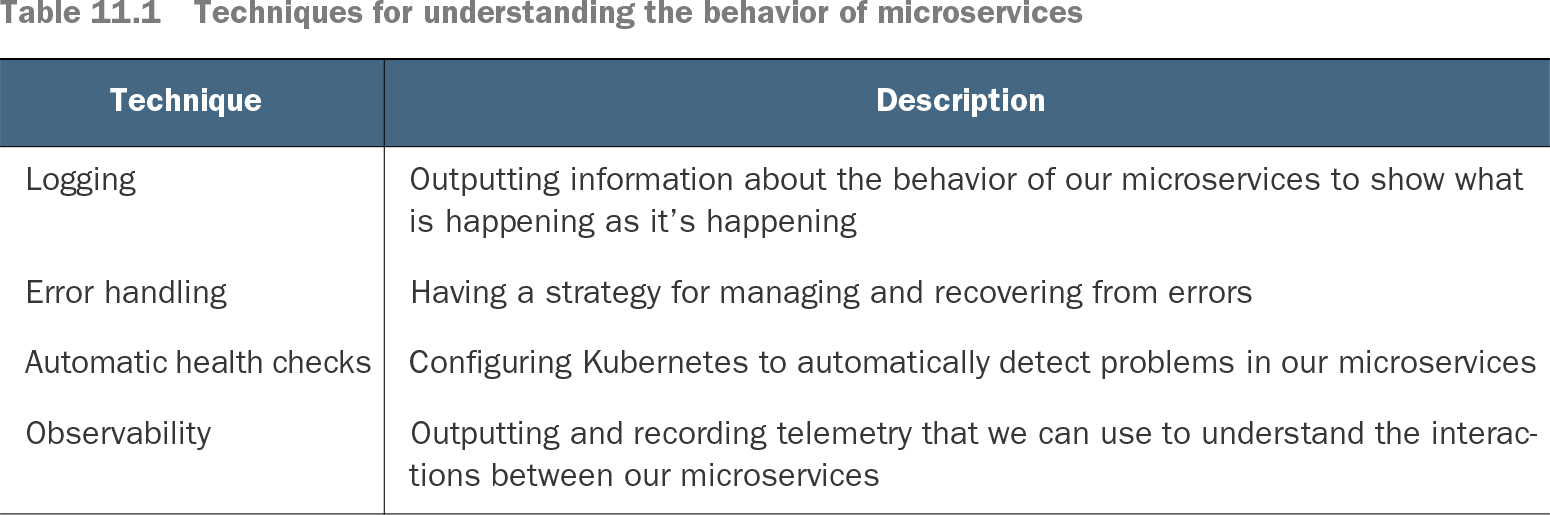
Table 11.1 Techniques for understanding the behavior of microservices (view table figure)
Logging, error handling, automatic health checks, and observability provide different ways to detect problems and understand microservice behavior before and during an investigation. section 11.1