An MCP server exposes tools, resources, and contextual information through a standard interface. In a coding environment, the agent is the client: it discovers available tools, calls one with structured inputs, and receives the result to guide its next action. section 10.4.3
With Aspire, configure the server from the folder containing the host project for a coding assistant such as Claude Code, Codex, or Copilot CLI. The assistant can then access tools for inspecting and working with the current Aspire instance. section 10.4.1
Aspire’s available tools support tasks such as:
- Listing hosted services and executing commands supported by a resource. section 10.4.1
- Inspecting console logs, structured logs, and traces for diagnostics. section 10.4.1
- Finding integration packages and their documentation, or selecting the relevant app host. section 10.4.1
aspire mcp init
Use the Aspire MCP initialization command when setting up the server from the host-project folder. section 10.4.1
Figure 10.4 Data flow between the agent and the MCP server
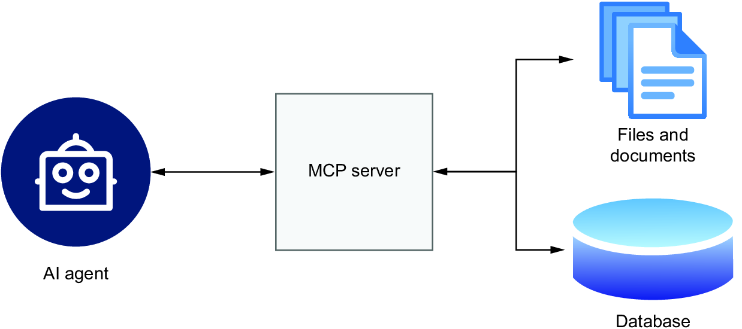
The data-flow diagram shows how an agent interacts with an MCP server. section 10.4.3











