MCP server
An MCP server is software that implements the Model Context Protocol to expose capabilities or information to compatible clients.
Spring AI in Action
An MCP server is an application component that communicates through the Model Context Protocol to expose capabilities or contextual information to an MCP client.
- How it is used
- Exposes reusable tools, prompts, and resources so LLM applications can access capabilities beyond the model itself.
- How deep it goes
- Builds servers from Spring Boot setup through tool registration, inspection, client integration, transports, prompts, and resources; defers Streamable HTTP.
- Examples
- Uses filesystem access, board-game database queries, MCP Inspector invocations, and structured game prompts and resources.
- What you can do after
- Build it from scratch with Spring AI, test it with MCP Inspector, and connect it to an LLM application over STDIO or HTTP+SSE.

AI Agents in Action, Second Edition
An MCP server is a service that exposes tools, prompts, and resources to AI applications through the Model Context Protocol.
- How it is used
- Provides agents and other AI clients with discoverable, reusable tools, resources, and prompts instead of separate per-agent integrations.
- How deep it goes
- Works through single-tool creation, client registration, STDIO and SSE consumption, and deployment trade-offs without descending into protocol internals.
- Examples
- Uses a research-source tool, a journaling server, and a Brave Search connection to show creation and consumption.
- What you can do after
- Build it from scratch with FastMCP, then operate/configure it through Claude Desktop or connect an agent over STDIO or SSE.
Read how AI Agents in Action, Second Edition explains MCP server →
Grokking AI Applications
An MCP server is a service that implements the Model Context Protocol to expose tools and related capabilities to compatible clients or agents.
- How it is used
- Connects assistants and applications to reusable tools through a standard discovery-and-invocation protocol.
- How deep it goes
- Explains tool reuse, governance, automatic Langflow setup, and Python client-server mechanics including handshake, discovery, and invocation.
- Examples
- Uses enterprise assistants, culinary travel flows, a calculator server, stdio communication, and embedded website chat.
- What you can do after
- Build it from scratch with FastMCP, expose tools, connect a client, list capabilities, and invoke selected tools programmatically.
Build AI-Enhanced Web Apps
An MCP server is a server-side program that implements the Model Context Protocol and exposes tools, prompts, and resources to clients or AI applications.
- How it is used
- Exposes reusable external capabilities to AI applications through a standardized client–server interface.
- How deep it goes
- Works through server registration, an API-backed tool, stdio communication, client integration, and operational considerations.
- Examples
- Uses a Next.js chat app, a public jokes API, a registered tool, and MCP Inspector testing.
- What you can do after
- Build it from scratch with the MCP SDK, then connect and test it through the Vercel AI SDK and MCP Inspector.
AI Agents and Applications
An MCP server is a service endpoint that exposes tools through the Model Context Protocol.
- How it is used
- Provides agents with discoverable service tools without requiring a custom wrapper for every agent–service pairing.
- How deep it goes
- Works through server setup, client connection, and verification; focuses on tool exposure rather than MCP prompts and resources.
- Examples
- Uses an AccuWeather-backed weather server to replace a travel assistant’s mock tool, then checks its output and trace.
- What you can do after
- Build it from scratch with FastMCP 2, then connect and verify its tool in an agent alongside local tools.

Hugging Face in Action
An MCP server is a software service that implements the Model Context Protocol to expose data or executable capabilities to AI assistants and clients.
- How it is used
- Bridges AI assistants and applications to external data sources and executable tools through a standardized interface.
- How deep it goes
- Explains components, JSON-RPC communication, transports, Python construction, testing, configuration, and client integration without deeper protocol internals.
- Examples
- Demonstrates weather retrieval, file and PDF access, temperature conversion, prompts, location lookup, and Claude Desktop workflows.
- What you can do after
- Build an MCP server in Python, validate it with MCP Inspector, configure it for Claude Desktop, and connect third-party servers.

Build an AI Agent (From Scratch)
An MCP server is a protocol component that exposes tools, executes requested tools, and returns their results, potentially by connecting to external services or data.
- How it is used
- Separates an agent host’s tool decisions from discovery and execution handled through a client and server.
- How deep it goes
- Works through discovery, execution, Python client calls, and a FastMCP implementation rather than stopping at the protocol diagram.
- Examples
- Uses an Inspector-tested Tavily server and a custom Python search_web server connected through the same client methods.
- What you can do after
- Build it from scratch with FastMCP, then operate and verify it through a Python MCP client.
Read how Build an AI Agent (From Scratch) explains MCP server →
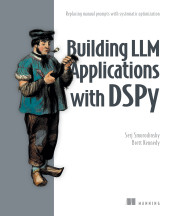
Building LLM Applications with DSPy
A component that exposes tools or data to an MCP client through the Model Context Protocol.
- How it is used
- Exposes reusable knowledge-base operations so AI applications can discover and invoke them without duplicating retrieval integrations.
- How deep it goes
- Works through server registration, tool schemas, client discovery, and invocation; stops short of a broader treatment of MCP capabilities.
- Examples
- Uses a WixQA server offering article-title search and full-article reading, followed by a support agent’s tool-call trajectory.
- What you can do after
- Build it from scratch with FastMCP decorators, then connect its discovered tools to a DSPy ReAct agent.
Read how Building LLM Applications with DSPy explains MCP server →

Authorization in Action
An MCP server is a software component that exposes tools and data-source capabilities through the Model Context Protocol.
- How it is used
- Connects AI applications to external tools and data sources while supporting structured agent operations.
- How deep it goes
- Explains discovery, schemas, API translation, and result handling, but stops short of defining authorization decisions.
- Examples
- Uses document search, calendar access, database queries, workflow actions, and a customer-document JSON tool schema.
- What you can do after
- Apply structured tool exposure to integrate agents with multiple systems without custom integration code for each one.
Introduction to Generative AI, Second Edition
An MCP server is a component that exposes selected data sources, services, prompt templates, and executable tools through the Model Context Protocol.
- How it is used
- Connects language models with selected organizational data, services, prompts, and tools through a standardized interface.
- How deep it goes
- Defines exposed resources and gives concrete examples, but stops short of implementation details or protocol mechanics.
- Examples
- Uses Splunk queries, cloud-provider logs, log analysis prompts, and time-based log filtering as concrete examples.
- What you can do after
- Apply MCP through a client to query monitoring data and invoke tools using natural-language requests.
Read how Introduction to Generative AI, Second Edition explains MCP server →
Building Reliable AI Systems
An MCP server is a server component that implements the Model Context Protocol and exposes tools or data capabilities to compatible AI applications.
- How it is used
- Connects AI applications to external tools or data through a shared interface instead of one-off integrations.
- How deep it goes
- Traces tool discovery, schema exchange, execution, and results, but does not detail protocol internals.
- Examples
- Uses a CSV product catalog, a vest-search request, and an email-tool schema to illustrate server tools.
- What you can do after
- Build and expose a product-search server, then connect it to an AI runtime for tool discovery and execution.
Building Distributed Applications that Work
An MCP server is a software component that exposes tools, resources, or contextual information to a language model through the Model Context Protocol.
- How it is used
- Connects a coding assistant to an Aspire instance so it can inspect services, diagnose problems, and work with resources.
- How deep it goes
- Defines the client-server interaction and lists Aspire tools, while treating the available tool list as non-exhaustive.
- Examples
- Uses service discovery, resource commands, logs, traces, integration documentation, and app-host selection as tool examples.
- What you can do after
- Configure an Aspire MCP server for a coding assistant and use its tools to inspect and work with the Aspire instance.
Read how Building Distributed Applications that Work explains MCP server →
Related concepts
- mcp clientused by · An MCP client is a software component that connects a host application to an MCP server to discover and invoke capabilities exposed through the Model Context Protocol.
- MCP inspectorused by · MCP Inspector is a developer tool for connecting to Model Context Protocol servers to inspect, test, invoke, and diagnose their exposed capabilities.
- contractuses · An API contract is a specification of the operations, data, and behavioral expectations that govern interactions between software components.
- list_toolsimplements · list_tools is a Model Context Protocol operation that requests the tools exposed by a server, including their descriptions and input schemas when provided.
- MCPimplements · The Model Context Protocol is an open standard protocol that defines how AI applications connect with external tools, data sources, and other contextual resources.
- toolhas part · A tool is an instrument or software capability that enables a person or system to perform a task, obtain information, or interact with resources.
These guides are generated from the text of Manning books by Manning's knowledge graph and link to the sections they draw on. The full books are available on liveBook and at manning.com.