A node is one running ScyllaDB instance in a cluster. Nodes store and serve distributed data together rather than relying on one all-powerful leader. Data is replicated across nodes, so a query can still succeed when a configured number of replicas respond even if a node fails. section 1.0 section 1.1.3
Nodes make scaling practical: add nodes to add capacity. A new node joins the cluster, takes ownership of slices of data, and receives data from existing replicas until it catches up. More nodes also create operational work, since upgrades and operating-system patches must reach every node. section 1.3.2
A useful node design keeps these consequences in view:
- Treat every node as an equal cluster participant; no single node is the permanent leader. section 1.1.3
- Choose replication and query consistency together so the cluster can tolerate node loss while serving requests. section 1.1.2 section 2.1
- Size nodes using tested workload needs for disk, CPU, memory, network bandwidth, and cost rather than a universal formula. section 9.2.2
- Run production nodes on dedicated cloud or on-premises servers rather than together on one local machine. section 9.1
A three-node local cluster
Run three Docker containers named scylla-1, scylla-2, and scylla-3 on a dedicated Docker network. Three nodes let a quorum be a majority of two, so one failed node does not make quorum operations unavailable. This setup provides a compact way to observe distributed behavior before deploying nodes on separate servers. section 2.1 section 2.1.1
Figure 2.1 Launching three Scylla nodes in Docker containers lets you test a cluster on a local machine.
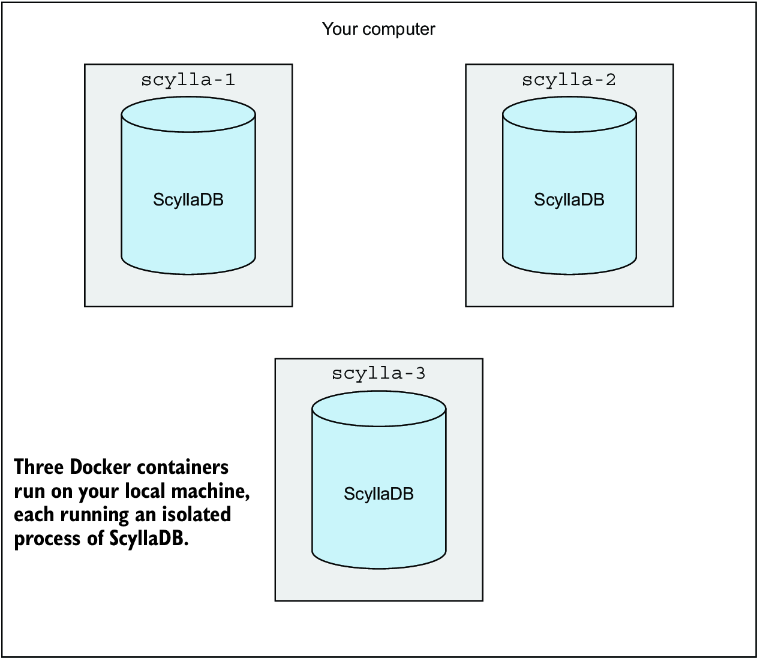
This figure shows three local Docker containers acting as separate nodes in one test cluster. section 2.1
Nodes do not remain fixed forever. Lifecycle work includes taking nodes offline for maintenance and safely adding or removing them as traffic, capacity, and operational needs change. section 9.4


















