A command-line interface (CLI) is a terminal program that accepts typed commands and produces textual output. Treat it as a product for developers: its commands, flags, and defaults reveal the workflow friction it is designed to remove. section 5.2
To orient yourself in an unfamiliar CLI, inspect:
- Commands: the operations the tool makes available. section 5.2
- Flags and defaults: the workflow assumptions encoded in its interface. section 5.2
- Configuration: the CLI's schema, read when the program starts. section 7.2
- Execution flow: parse the command, dispatch it, then execute the selected operation. section 7.2
Reading a CLI as a product
When examining an internal operations or deployment CLI, begin with its commands, flags, defaults, and startup configuration. These artifacts show which developer workflow it serves and which assumptions its stable interface makes. section 5.2 section 7.2
Figure 5.3 You open a web app, import a library, run a CLI, or pipe data through a tool. Each interface reveals the specific customer the codebase is built to win.
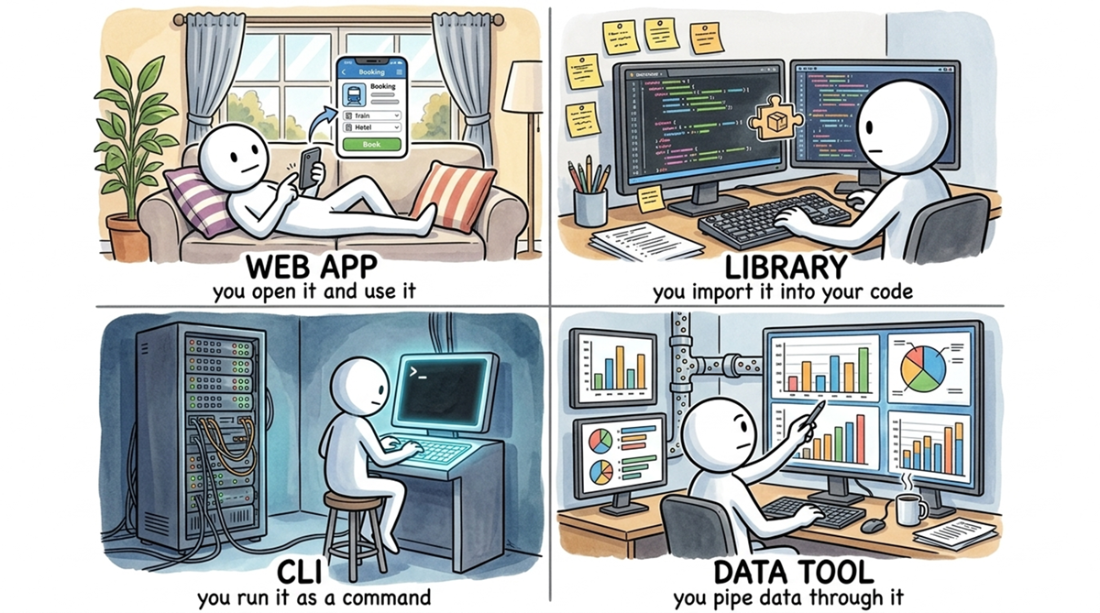
Use the interface map to distinguish a CLI from web apps, libraries, and data tools by the action used to interact with it. section 5.2
Figure 7.3 A schema takes a different form in each of the four kinds of codebases. A web app's schema is its database tables (schema.prisma); a library's is its core types (types.ts); a CLI's is its configuration file (.eslintrc); and a data pipeline's is both its own configuration and the shape of the data it transforms (config.yaml).
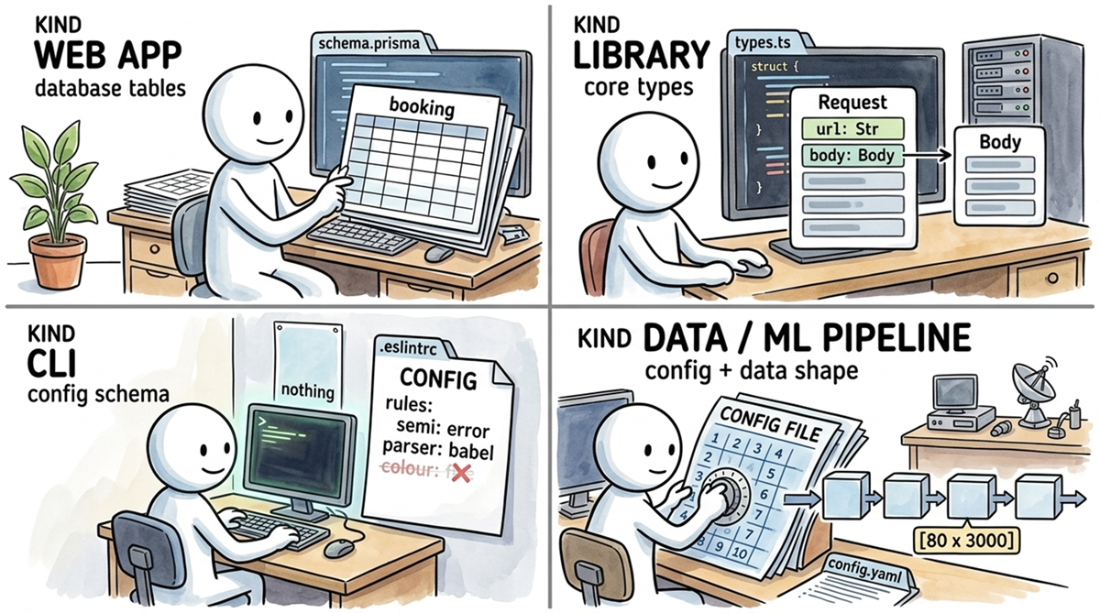
Use the schema map to locate a CLI's configuration file and compare its role with schemas in other codebase types. section 7.2