A bar chart represents values across categories with rectangular bars: each bar’s length encodes its quantity. Horizontal bars are commonly called bar charts; vertical bars are column charts. They are a direct way to compare categories, but a chart alone is not necessarily an insight. section 6.3.2 section 1.4.1
Start with the audience’s question. A useful bar chart answers that question at a glance rather than asking viewers to decipher a generic display. Sorting categories by value makes the leading categories clear; titles and axis choices should support the intended answer. section 5.1.1 section 6.3.2
From counts to a decision
For a pet event, bars of participant counts reveal that cats greatly outnumber dogs and other pets. The more useful takeaway is not the raw display but the simplified message: about 9 pets out of 10 are cats and 1 out of 10 is a dog. That insight can guide a promotion plan, including whether to deprioritize or target the low-participation Other category. section 1.4.1
Raw counts can mislead when categories differ in size. A ranking of Italian regions by homeless population initially identifies four regions with the highest counts, but populous regions tend to produce higher totals. Normalize homeless counts by population before comparing the situation meaningfully. section 5.1.1
Build a readable categorical comparison in Altair by following a short progression:
- Create an Altair chart with mark_bar(), mapping the category field to y and the numeric field to x. section 6.3.2
- Sort the category encoding by descending numeric value to foreground the largest bars. section 5.1.1 section 6.3.2
- Declutter the result by removing unnecessary gridlines and axis titles; place value labels at bar ends when they can replace x-axis labels. section 6.3.2
- Add a separate bar chart of proposed alternatives and their expected success percentages when a data story needs a concrete call to action. section 3.3.3
Figure 6.11 A decluttered bar chart
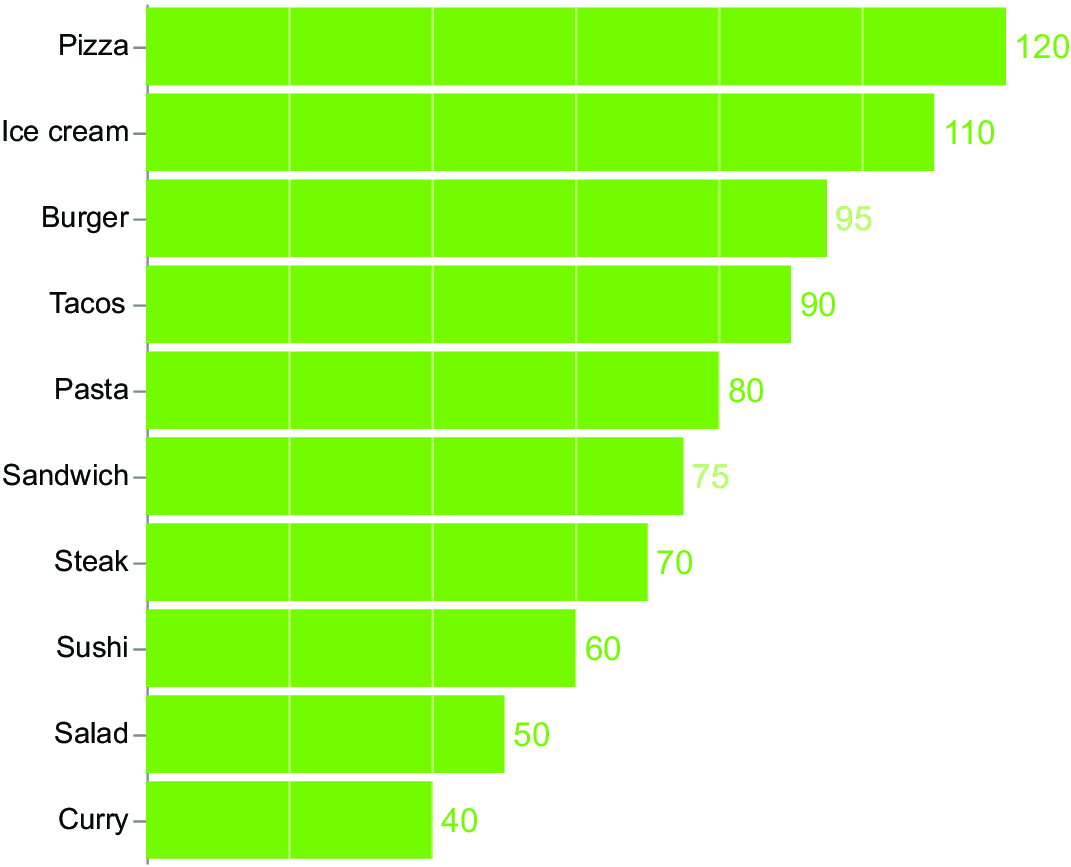
Compare the plain categorical display with a decluttered version that uses end labels and removes unnecessary visual elements. section 6.3.2








