JSON is a language-independent text format for representing structured data. In a graph workflow, it can encode relationships as keys and values, making it a practical raw-data starting point before schema validation, preprocessing, or training. section 8.3.1
A practical JSON-to-graph workflow follows these steps:
- Store relationships in JSON, using identifiers such as candidate hashes as keys and related identifiers as values. section 8.3.1
- Load the file with Python’s json module into a dictionary with the same structure as the JSON data. section 8.3.2
- Convert the dictionary into an adjacency list or edge list that fulfills the graph schema. section 8.3.2
- Save the resulting representation for exploration in NetworkX or preprocessing in PyG. section 8.3.2
Recruitment relationships
A JSON object can map one candidate identifier to the identifiers of recommended candidates. Loading that object into a Python dictionary allows the relationships to become adjacency-list entries or source–destination pairs in an edge-list file. section 8.3.1 section 8.3.2
Figure 8.8 View of raw data: JSON file. The figure on the left is in key/value format. The keys are the members, and the values are their known relationships. The figure on the right shows unhashed values, demonstrating example names for these individuals.
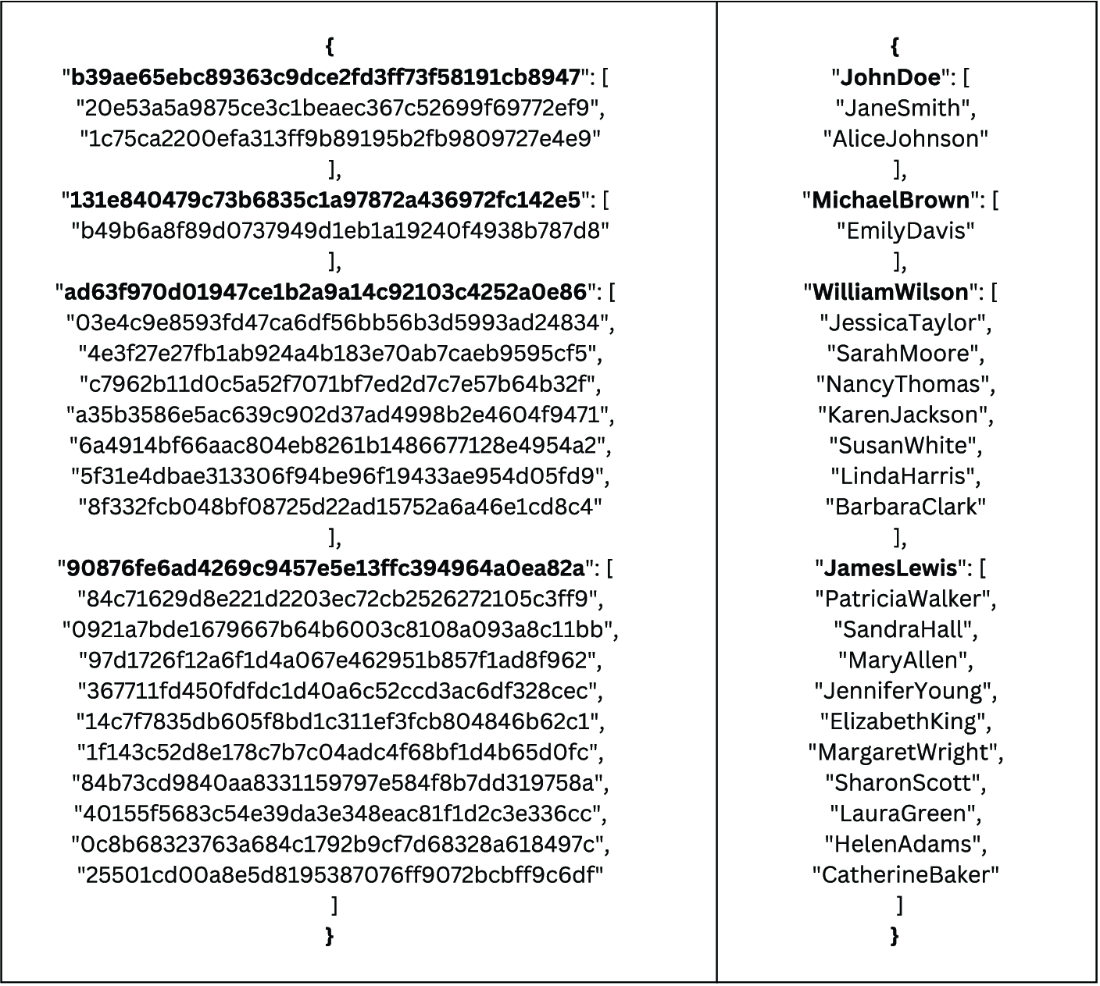
Inspect the JSON key/value representation of relationship data, including hashed identifiers and illustrative unhashed values. section 8.3.1
Listing 8.1 Create an adjacency list from relationship dictionary
def create_adjacency_list(data_dict, suffix=''):
   list_of_nodes = []

   for source_node in list(data_dict.keys()):  #1

       if source_node not in list_of_nodes:
           list_of_nodes.append(source_node)

       for y in data_dict[source_node]:               #2
           if y not in list_of_nodes:                 #2
               list_of_nodes.append(y)                #2
           if y not in data_dict.keys():              #2
               data_dict[y]=[source_node]             #2
           Else:                                      #2
               if source_node not in data_dict[y]:    #2
                   data_dict[y].append(source_node)   #2
               else: continue                         #2

   g= open("adjacency_list_{}.txt".format(suffix),"w+")  #3
   for source_node in list(data_dict.keys()):  #4
       dt = ' '.join(data_dict[source_node])   #5
       print("{} {}".format(source_node, dt))  #6
       g.write("{} {} \n".format(source_node, dt))   #7

   g.close
   return list_of_nodes
Follow the Python procedure that turns a relationship dictionary into a symmetric adjacency-list text file. section 8.3.2


































