A color palette is a coordinated set of color values for an interface. It usually centers on a primary brand color, related shades or complementary colors, black, white, and grays. section 11.2
Treat repeated palette values as design tokens by assigning them to CSS custom properties. Updating one variable can then change the design consistently instead of requiring repeated edits. section 11.2
A practical palette workflow includes:
- Start with the designer’s named swatches and associated hex values. section 11.2
- Extend the palette deliberately when an unplanned need, such as an error message or informational box, appears. section 11.3.3
Centralized theme colors
A theme layer can define :root variables such as --brand-green: #076448, --dark-green: #099268, --text-color: #212529, and --extra-light-gray: #f8f9fa. Components then consume them with declarations such as background-color: var(--extra-light-gray) or color: var(--white).
Figure 11.5 The color palette for the site
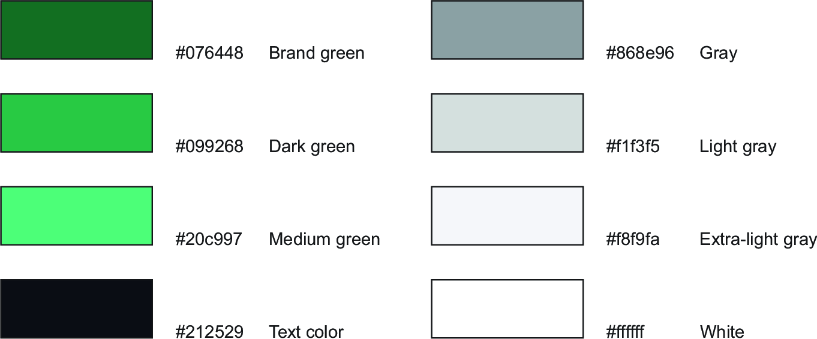
Inspect the site’s swatches and associated color values as a visual reference for the palette. section 11.2










