liveBook · Manning

User experience

As explained in Delivering Machine Learning Projects: From design to deployment

UX design is the design of user interfaces and interactions to support users' needs and the effects of system use.

User experience (UX) design shapes interfaces and interactions around users’ needs and the effects of system use. In an ML project, UX designs translate a refined business problem into an application concept that can be validated with users. section 5.3

Develop UX alongside these sprint-1 activities:

  • Describe the business application and formalize the user-story backlog. section 5.3
  • Validate the application description and backlog with users. section 5.3
  • Identify and validate ML model performance requirements before finalizing the application design. section 5.3
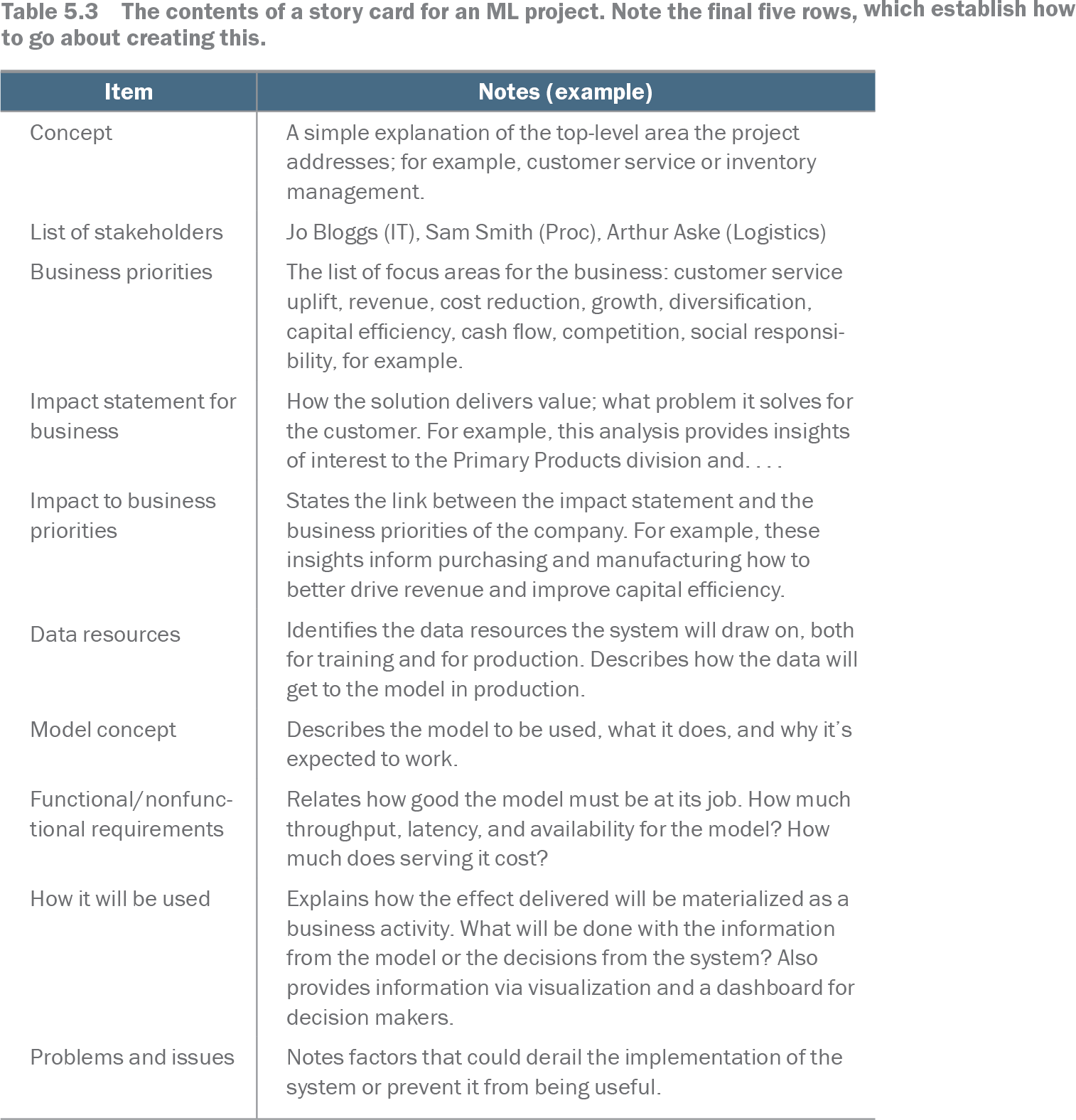
Table 5.3 The contents of a story card for an ML project. Note the final five rows, which establish how to go about creating this. (view table figure)

Item

Notes (example)

Concept

A simple explanation of the top-level area the project addresses; for example, customer service or inventory management.

List of stakeholders

Jo Bloggs (IT), Sam Smith (Proc), Arthur Aske (Logistics)

Business priorities

The list of focus areas for the business: customer service uplift, revenue, cost reduction, growth, diversification, capital efficiency, cash flow, competition, social responsibility, for example.

Impact statement for business

How the solution delivers value; what problem it solves for the customer. For example, this analysis provides insights of interest to the Primary Products division and. . . .

Impact to business priorities

States the link between the impact statement and the business priorities of the company. For example, these insights inform purchasing and manufacturing how to better drive revenue and improve capital efficiency.

Data resources

Identifies the data resources the system will draw on, both for training and for production. Describes how the data will get to the model in production.

Model concept

Describes the model to be used, what it does, and why it’s expected to work.

Functional/nonfunctional requirements

Relates how good the model must be at its job. How much throughput, latency, and availability for the model? How much does serving it cost?

How it will be used

Explains how the effect delivered will be materialized as a business activity. What will be done with the information from the model or the decisions from the system? Also provides information via visualization and a dashboard for decision makers.

Problems and issues

Notes factors that could derail the implementation of the system or prevent it from being useful.

Use the story-card table to connect the UX concept to stakeholders, business priorities, organizational impact, and the application’s purpose. section 5.3


How Delivering Machine Learning Projects: From design to deployment covers it

How deep it goes
Explains UX through workflow tasks and validation checkpoints but stops short of detailed interface methods or interaction specifications.
Examples
Uses UX designs, application descriptions, user-story backlogs, validation conversations, and ML-project story cards as concrete artifacts.
What it assumes
Assumes a project hypothesis, roadmap, and initial user and model stories, while developing deeper business understanding through stakeholder conversations.
What you can do after
Apply it by creating an application description and user-story backlog, validating them with users, and documenting UX designs.
How it connects
Connects UX design with business problem refinement, user stories, application design, stakeholders, and ML model performance requirements.

Also explained in

Compare how 11 books explain user experience →

Related concepts

This explainer was generated by Manning's knowledge graph from the text of Delivering Machine Learning Projects: From design to deployment. The section links point to the parts of the book it draws on.