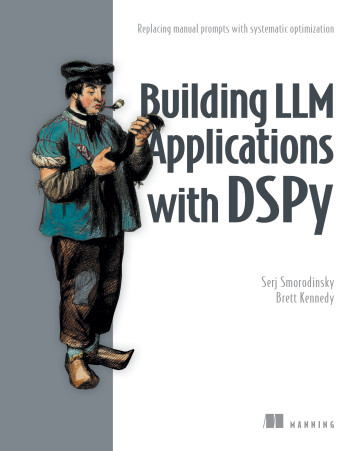
What you will learn in Building LLM Applications with DSPy
Replacing manual prompts with systematic optimization
Chapter by chapter
Chapter 1: Introduction to prompt programming and DSPy
This introduction explains why manual prompt tuning is difficult and how DSPy replaces it with a code-based, evaluable approach to prompt programming.
What you learn in chapter 1 →Chapter 2: Basic prompting and DSPy
The introduction explains why software-driven LM applications need reliable prompts, notes that prompts often use task-dependent components, and explains why those components remain useful to understand when using DSPy.
What you learn in chapter 2 →Chapter 3: Classifying user intent
The introduction explains text classification and frames intent classification as mapping varied customer requests to a predefined set of intents.
What you learn in chapter 3 →Chapter 4: Evaluating DSPy programs
The introduction explains why baseline evaluation matters and what makes comparisons of LM prompts reliable.
What you learn in chapter 4 →Chapter 5: Optimizing prompt examples
Introduces DSPy prompt optimization as a data-driven search over candidate prompts and distinguishes optimizing demonstrations from optimizing instructions.
What you learn in chapter 5 →Chapter 6: Optimizing prompt instructions
The chapter introduces instruction optimization in DSPy, explains its meta-prompting foundation, and frames how to compare optimizers and their costs.
What you learn in chapter 6 →Chapter 7: Custom modules
The introduction explains why custom DSPy modules are useful for implementing prompting techniques and building LM-based applications.
What you learn in chapter 7 →Chapter 8: Summarization and more effective metric functions
This introduction explains why evaluating open-ended LM outputs, especially summaries, requires more sophisticated metric functions than evaluating simple classification-style answers.
What you learn in chapter 8 →Chapter 9: Creating an agentic RAG-based chatbot
The introduction explains how retrieval, tool-using agents, and conversation history help DSPy chatbots answer questions and carry out requests.
What you learn in chapter 9 →Concepts explained in this book
- moduleA DSPy module composed within another module and invoked as part of its computation.
- metric functionA metric function is a callable that assigns a score to an example–prediction pair according to an evaluation criterion.
- prompt engineeringThe practice of manually iterating on and rephrasing prompts to improve language-model responses.
- evaluation datasetInputs and associated evaluation information used to assess a prompt or language-model system.
- demonstrationAn input paired with an appropriate output to illustrate a task to a language model.
- evaluationThe systematic assessment of an application’s or model’s outputs against specified quality criteria.
- bootstrappingBootstrapping is the automatic selection of demonstrations by retaining examples whose language-model execution satisfies a quality criterion.
- signatureA declarative specification of the inputs and outputs of a DSPy language-model operation.
- MIPROv2MIPROv2 is a DSPy optimizer that uses dataset summaries and grounding information to guide prompt proposals and includes demonstrations in task prompts.
- optimizationThe systematic selection or refinement of configurations to improve application performance.
- BootstrapFewShotBootstrapFewShot is a DSPy optimizer that bootstraps prompt demonstrations from program-generated examples.
- prompt programmingA programming paradigm in which developers specify language-model inputs, expected outputs, and evaluation criteria in code rather than manually authoring prompts.
- promptTextual instructions or input supplied to a language model to elicit a response.
- instructionText within a prompt that directs a language model’s behavior or specifies how it should perform a task.
- DSPyThe programmatic interface for defining and executing DSPy language-model operations.
- GEPAGEPA is a DSPy optimizer that reflectively generates prompt candidates using task information, prior prompts, and evaluation feedback.
- COPROCOPRO is a prompt-optimization algorithm that generates candidate instructions, evaluates them, and uses prior attempts and scores to propose further variations.
- metricA criterion or measurement used to assess the quality of a language-model application's outputs.
- embeddingA numerical vector representation of an item, such as text, that encodes useful features.
- training datasetThe portion of a dataset used to fit or configure a machine-learning model or application.
- validation setA validation set is a dataset partition used to tune choices or configurations during model development.
- demonstration optimizationThe selection or refinement of input-output demonstrations included in prompts to improve a language-model task.
- ReActReAct is a DSPy module that implements an agent loop in which a language model selects tools and uses their results to guide subsequent steps.
- lexical comparisonLexical evaluation assesses text by comparing its words or word sequences with those of reference text.
- judge programA DSPy program configured to assess generated outputs against evaluation criteria.
- reward functionA reward function is a callable that evaluates a response and returns a score, with higher scores indicating better responses.
- KNN optimizerA KNN optimizer selects prompt demonstrations using nearest-neighbor similarity between an input and available examples.
- SIMBASIMBA (Stochastic Introspective Mini-Batch Ascent) is a DSPy optimizer that iteratively analyzes performance and adds demonstrations or rules to prompts.
- LabeledFewShotLabeledFewShot is a DSPy optimizer that selects labeled training examples as prompt demonstrations.
- forwardThe method that defines a DSPy module’s synchronous computation.
- parallelismThe overlapping execution of multiple operations so they can progress at the same time.
- MCP serverA component that exposes tools or data to an MCP client through the Model Context Protocol.
- semantic evaluationA technique for evaluating whether texts express similar meanings without requiring similar wording.
- k-nearest neighborsThe k examples most similar to a query according to a measure of similarity.
- asyncioasyncio is Python’s standard library for writing concurrent code using the async and await syntax.
- demonstration setA demonstration set is a collection of task examples selected to accompany a language-model instruction.
- development datasetA development set is a dataset partition used to evaluate and compare candidate application configurations during iterative development with held-out examples.
- asynchronous operationAsynchronous execution lets a task proceed without blocking while it waits for another operation to complete.
- retrieval-augmented generationA language-model application pattern that retrieves external information and supplies it as context for response generation.
- knowledge baseThe knowledge base is the example application's collection of Wix knowledge-base articles used as supporting information for answers.
- completenessCompleteness is the degree to which a summary includes the important information from its source document.
- multi-step moduleA DSPy module that performs a task through multiple language-model calls, potentially passing intermediate results between calls.
- prompt language modelA language model assigned to generate candidate instructions during prompt optimization.
- task language modelThe language model assigned to perform an application's task, including when evaluating candidate prompts.
- groundingA method of preparing a language model with substantial information about a task so its responses and instructions reflect that task.
- await keywordThe Python await keyword suspends a coroutine until an awaitable completes, then returns its result.
- coroutineA coroutine is a function-like unit of computation that can pause and resume execution, enabling cooperative concurrency.
- event loopAn event loop schedules and runs asynchronous tasks, switching between them when they complete or suspend.
- DSPy programAn executable DSPy composition of one or more modules.
- InferRulesInferRules is a DSPy optimizer that adds demonstrations to prompts and generates rules from training examples to update prompt instructions.
- RefineRefine is a DSPy module that iteratively evaluates responses and uses feedback to improve subsequent outputs.
- early stoppingEarly stopping is a technique that halts an evaluation or training process before its planned completion when further work is unnecessary or unproductive.
- classificationThe task of assigning an input to one or more predefined categories.
- PredictPredict is a DSPy module that represents a basic prompting operation for invoking a language model.
- cross-validationCross-validation is an evaluation technique that repeatedly partitions data into training and validation subsets to produce a more reliable estimate.
- synthetic dataArtificially generated data designed to resemble data from a real domain or process.
- rejection samplingRejection sampling is a method that accepts candidate samples meeting a criterion and rejects those that do not.
- crossoverCrossover is an optimization operation that combines parts or information from candidate solutions to produce a new candidate.
- mutation operatorMutation is an optimization operation that modifies a candidate solution to produce another candidate.
- mcp clientA protocol component that connects to MCP servers to discover and invoke their capabilities.
- ChainOfThought moduleA DSPy module that elicits intermediate reasoning before producing an answer.
- DSPy Evaluate classA DSPy component that evaluates a program against a dataset using a metric.
- Hugging Face DatasetsHugging Face Datasets is a Python library for downloading, processing, sharing, and loading machine-learning datasets.
- zero-shot promptingZero-shot prompting is a prompting technique that asks a language model to perform a task without providing task-specific demonstrations.
- BootstrapFewShotWithRandomSearchBootstrapFewShotWithRandomSearch is a DSPy optimizer that combines bootstrapped demonstrations with random search over candidate prompt configurations.
- consistencyConsistency is the degree to which a language model produces similar results across repeated calls with the same input and configuration.
- output format descriptionA prompt component that specifies the required form, style, length, or encoding of a language model's output.
- task descriptionA prompt component that states the overall goal the language model should accomplish.
- ReActThe ReAct pattern guides an agent to interleave reasoning with actions such as selecting and invoking tools.
- single-label categorical classificationA single-label problem is a classification setup in which each input is assigned at most one class label.
- Pareto frontierA Pareto front is a set of candidate solutions that are not uniformly outperformed across the objectives being evaluated.
- vector databaseA vector store is a data system that indexes and retrieves numerical vector representations, typically by similarity.
- semantic precisionSemantic precision measures how well the ideas in a generated summary match the ideas in a reference summary, regardless of wording.
- semantic recallSemantic recall measures how well the ideas in a reference summary are covered by a generated summary, regardless of wording.
- unlabeled dataData examples that lack target outputs or labels.
- summarizationSummarization is the task of producing a shorter representation that preserves the important information in a source text.
- exploitationIn optimization, the selection of candidate configurations expected to perform well based on existing evaluations.
- ensembleA modeling technique that combines outputs from multiple models or programs.
- feedbackText returned by an evaluation metric that explains why a response received its score.
- DSPy ExampleA DSPy structured record containing fields for an input-output case in a dataset or program.
- optimal promptA prompt selected as the best-performing configuration for a particular language-model call under an evaluation criterion.
- trajectoryA history of language-model calls, candidate prompts, and the model's responses.
- predictionA DSPy prediction is the structured object representing a language model's output, with fields specified by a signature.
- asyncio.create_taskasyncio.create_task schedules a coroutine to run as an asyncio task.
- asyncio.gatherasyncio.gather runs multiple awaitables concurrently and collects their results.
- asyncio.runasyncio.run is a function that runs an asynchronous entry-point coroutine in a new event loop.
- language modelA language model is a machine-learning model that generates or evaluates language based on textual context.
- MCP hostThe MCP host is the application that manages an MCP connection and decides when to invoke tools exposed by an MCP server.
- toolAn invocable software capability that performs an operation on behalf of an application or agent.
- search spaceThe set of candidate solutions that can be searched when solving a problem.
- evaluatorA language model assigned to assess the quality of responses produced by another language model.
- MultiChainComparisonA DSPy module that compares multiple reasoning chains to produce a response.
- EvaluationResultEvaluationResult is the DSPy evaluation return type containing the final score and per-example evaluation results.
- ProgramOfThought moduleProgramOfThought is a DSPy module that prompts a language model to generate and execute Python code as part of producing a response.
- confidenceA confidence score is a numerical estimate of how certain a model is in an answer or prediction.
- extractive summarizationAn extractive summary is a shortened text composed of passages selected from a source.
- modularityModular organization is a structural pattern that separates an application into composable components with distinct responsibilities.
- input-output descriptionA prompt component that specifies what information is given to a language model and what it is expected to return.
- f-scoreA metric that combines precision and recall using their harmonic mean.
- cachingCaching is the practice of storing a language model provider's response so repeated identical requests can be served without querying the provider.
- MCPModel Context Protocol is a standard protocol for connecting language-model applications with external tools and data sources.
- baselineA reference performance result against which other results are compared.
- asynchronous programmingAsynchronous processing is a programming approach in which an operation can proceed without blocking other work while it waits for completion.
These guides are generated from the text of Manning books by Manning's knowledge graph and link to the sections they draw on. The full books are available on liveBook and at manning.com.