A dataset is the pile of examples a model learns from, but it should be more useful than a random camera roll. For a custom image LoRA, a small collection of 10–30 well-chosen images can be enough, provided the images are clear, lightly compressed, and close to the resolution you want to generate. section 13.2.1
Build an image dataset around what the model needs to recognize:
- Use varied views, distances, poses, and backgrounds so the subject does not become confused with a couch, harness, or other repeated detail. section 13.2.1
- Add image files to a new AI-Toolkit dataset, then name it so it is easy to select during training. section 13.2.2
- Caption each image. Captions act as labels: descriptions of the image and, effectively, the prompts the model should learn to associate with it. section 13.2.2
- Confirm that the intended dataset is selected when creating the training job; the correct images are not much help if the job uses a different set. section 13.3
A dataset for a dog LoRA
A “Keats” dataset can contain phone photos of the dog from close up and far away, standing, running, lying down, and viewed from several angles. Captions label what each image shows. This variety helps separate the dog’s identity from recurring props such as a couch or walking harness. section 13.2.1 section 13.2.2
Figure 13.3 A few photos of Keats that we’ll be using.
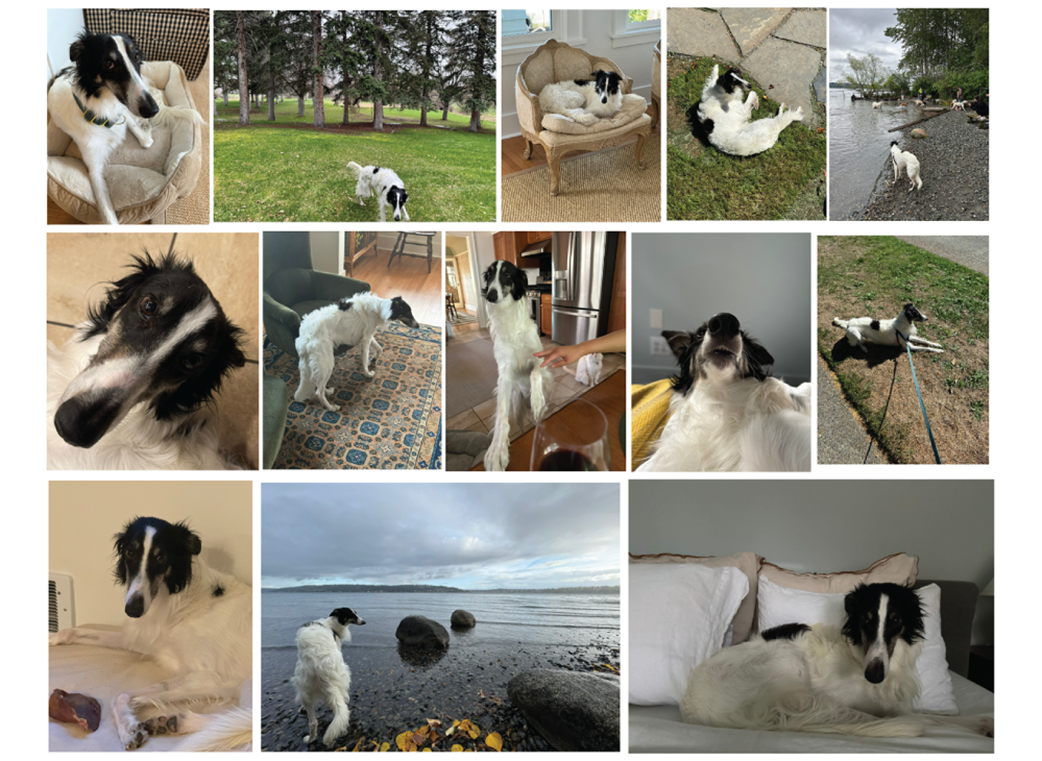
Browse the sample photos to see the useful mix of poses, framing, and viewpoints in an image dataset. section 13.2.1