GPT is an OpenAI chatbot used for language generation, reasoning, website planning, writing, design feedback, programming help, and content review. Its strength is conversational work: give it a goal, add relevant details or an upload, inspect the response, and ask follow-up questions to refine it. Different AI systems have different strengths, so GPT can also be paired with tools that focus on current research or other tasks. section 1.4.1 section 6.6
Use GPT as a practical assistant during website work:
- Rewrite stiff copy in a warmer, more welcoming voice, especially opening text that needs to engage visitors. section 4.2.2
- Suggest color schemes for a site purpose, then narrow the advice by describing the brand impression you want. section 6.6
- Research strong comparable sites and critique an uploaded home-page image against the patterns it finds. section 6.9
- Compare alternative designs and explain which visual direction better fits a warm, artisanal or modern brand goal. section 6.9.2
- Generate CSS and HTML for a visual effect, then paste it into the appropriate WordPress page and CSS areas and test it. section 7.4.4
- Read copied visitor comments and identify which ones appear suitable for publication. section 9.6.2
Turn a formal introduction into friendly website copy
Start with the draft you already have and request a specific change: “Rewrite this paragraph to be less formal and more colloquial.” A recipe-site introduction about novice cooks becomes direct, reassuring copy that speaks to visitors as “you” and emphasizes simple, tested recipes. The useful instruction is not merely “make it better”; name the tone and audience experience you want. section 4.2.2
Figure 6.19 GPT had several ideas about how to improve this comfy, warm version of our recipe practice site’s home page.
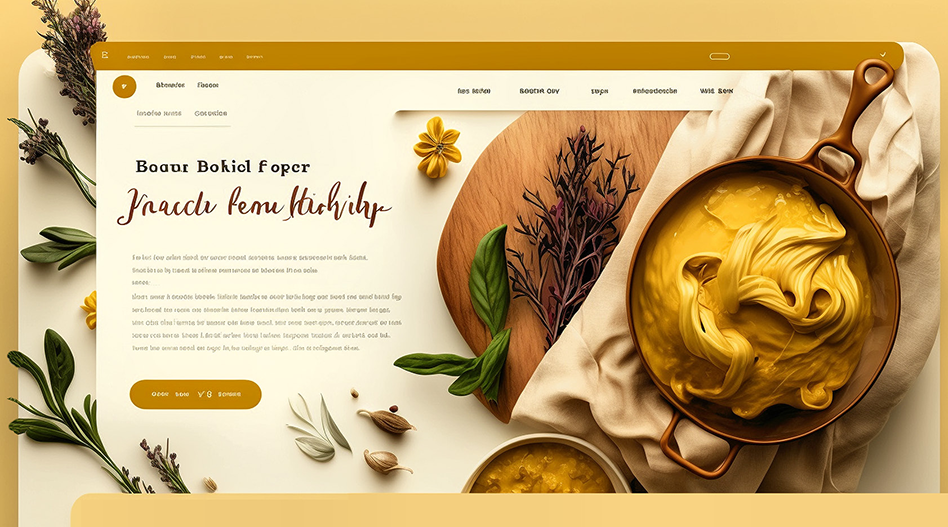
Upload a home-page image and ask GPT to compare it with successful sites in the same category. Its feedback can point to typography, imagery, calls to action, and layout changes to consider. section 6.9
For design feedback, make the request concrete. Ask GPT to examine successful sites, identify what they share, compare them with your uploaded page, list the differences, and recommend improvements. A second prompt can test a contrasting design direction, such as a minimalist version, before you choose between them. section 6.9 section 6.9.1
Ask for a hover animation
Describe the behavior in plain language: ask for CSS that makes an image slowly grow when a visitor hovers over it. GPT can provide the image container markup, a CSS transition, and comments. Replace the placeholder image URL, add the markup and CSS where required, publish, and test the effect on the live page. section 7.4.4
GPT can also be used for reasoning-oriented prompts. In one puzzle, it recognized a scrambled message as a QWERTY keyboard-shift error and decoded it. For responses involving logic, the interface may offer a View Analysis control, though the displayed account can omit intermediate causal steps. section 9.11

















