Python is a practical next step when a Playground experiment needs to leave the Playground. Rather than manually recreating a prompt and its settings, use View Code with Python selected to generate runnable API code, add a valid API key, and run or adapt it on an internet-connected computer. section 2.3
The useful trick is not memorizing every argument on day one. Experiment with the model, prompt, and configuration in the Playground first; the generated Python preserves those choices, turning a successful trial into a starting point for automation. section 2.3
For learning Python itself, keep the task small and the question specific:
- Start with beginner-oriented tutorials and simple programs on your own computer before expecting an AI assistant to teach the entire language in one reply. section 7.4
- Ask about the exact obstacle: for example, iterating over a list with a for loop, or applying an operation to every item in a long list. section 7.4
- Use GPT to clarify confusing code or concepts after providing the problem context; broad requests tend to produce less focused help. section 7.4
From generated code to a video task
A focused request can ask for Python that imports a 4K MP4 and converts it to 1080p. One suggested route uses MoviePy, loads a VideoFileClip, resizes it to 1920 by 1080, and writes an H.264/AAC output; installing the library with pip is shown alongside it. section 7.4
Figure 2.3 The Playground’s View Code tool with Python code
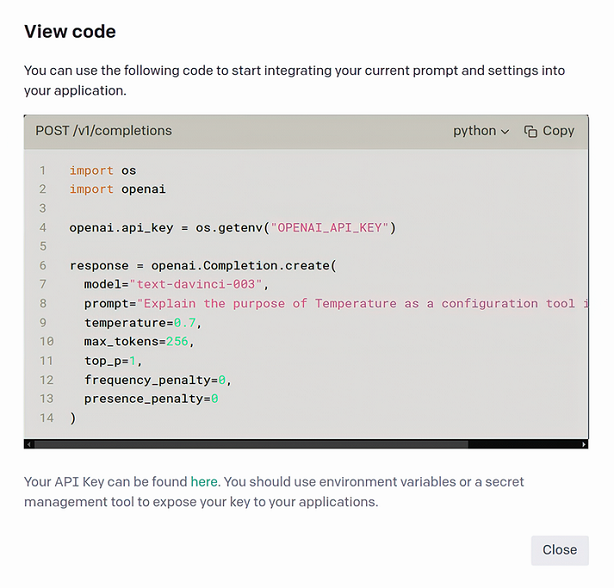
See how a Playground prompt, selected model, and configuration appear in generated Python API code. section 2.3

























