A database schema defines how data is organized through tables, columns, and relationships. Applications depend on this structure, so changing it requires keeping the stored data and application data model in sync. section 12.3
Use Entity Framework Core to connect an application’s data model to its database schema:
- Choose a database provider such as SQLite, PostgreSQL, or SQL Server. section 12.2
- Define the application’s entities and DbContext, then register the DbContext with dependency injection. section 12.2
- Generate a migration describing changes to the data model and apply it to update the database schema. section 12.2 section 12.3
Adding a new column
When the application’s data model gains a property, create a new EF Core migration and apply it. The migration records the change and updates the existing database without deleting its data. section 12.3
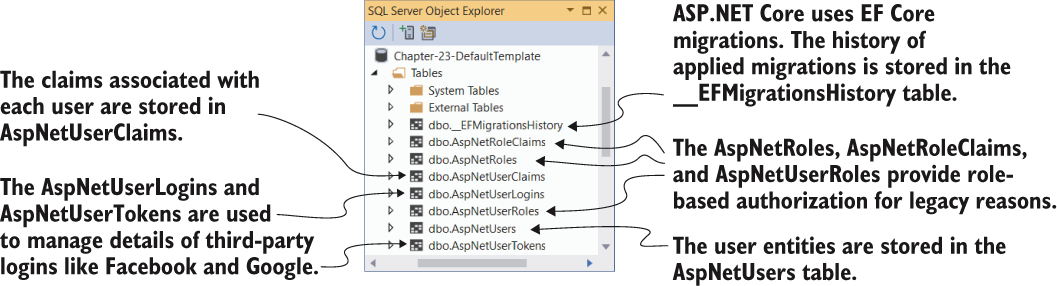
Use the Identity schema diagram to inspect the tables required for users and authentication. section 23.3.3











































