ChatGPT is a conversational generative AI service that can accelerate database design, from requirement analysis through SQL generation and visualization. Treat its responses as starting points: verify and revise them against the requirements and database-design knowledge. section 8.0 section 8.6
Use three prompt habits to make ChatGPT's responses more useful:
- Be specific, descriptive, and detailed instead of relying on ChatGPT to infer unstated requirements. section 8.1
- Separate instructions from context with markers such as ### or triple quotation marks. section 8.1
- Show the desired output format through examples so the response is easier to interpret or parse. section 8.1
Apply ChatGPT step by step when designing a database:
- Start with a new project, such as a spaceship-manufacturer database, and provide the requirements and design context. section 8.0 section 8.1
- Request entities and attributes, then inspect each milestone for omissions, incorrect relationships, or other design problems. section 8.13
- Store each verified milestone as formatted text so it can be communicated to ChatGPT again later. section 8.13
- Ask for SQL when collaborators need a shareable representation, then import it into dbdiagram.io to create a visual design. section 8.6
Request SQL from a text design
I am designing a database. Help me generate MySQL code based on the following description of entities and attributes. Keep the entities independent from one another. Provide entity names, attributes, data types, primary keys, and notes in the formatted description that follows. section 8.6
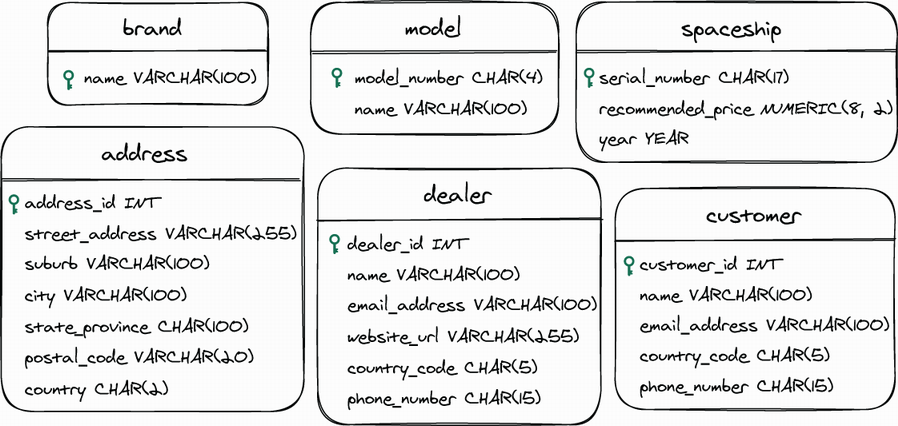
Use the generated SQL with a visualization tool to turn a text-based database design into a diagram that is easier to share. section 8.6



















