A cluster is a set of machines, each with a container runtime, grouped together by Kubernetes. You work with the cluster as a whole rather than managing each machine individually. section 15.1
Clusters can include Linux or Windows machines using Intel or Arm, with Docker or containerd as the runtime. A platform may provision the cluster for you; Azure AKS is one example. section 15.1
Figure 15.1 A multi-platform Kubernetes cluster can run containers of any kind.
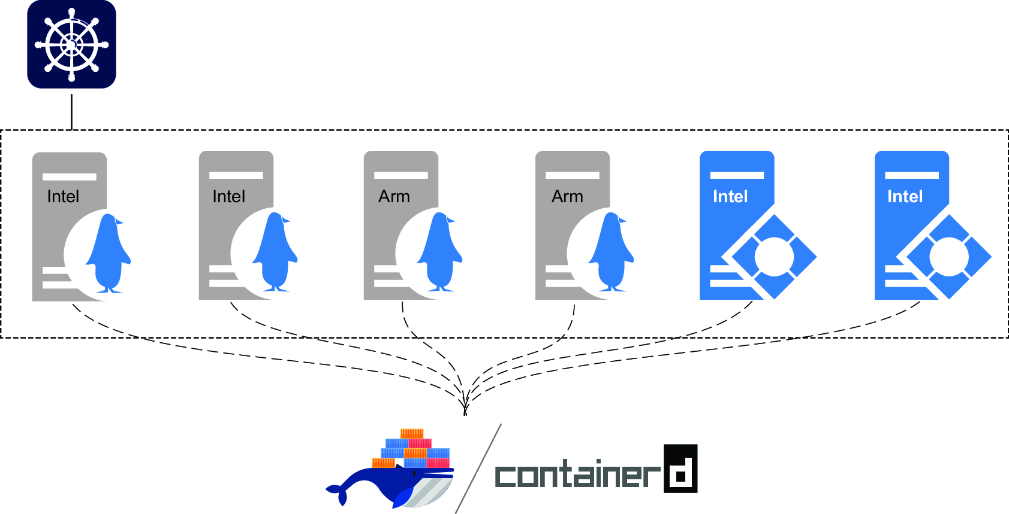
The diagram illustrates a multi-platform Kubernetes cluster running different kinds of containers. section 15.1
# make sure you're connected to the Docker Desktop cluster:
kubectl config use-context docker-desktop
# print information about the machines in the cluster -
# Kubernetes calls them "nodes":
kubectl get nodes
Use kubectl to select the Docker Desktop cluster and list its nodes, the Kubernetes name for its machines. section 15.1

















