A database migration is a versioned change to a database schema. Applied in sequence, migrations construct the later schema state. Unlike the live schema, which shows only what exists now, the migration history records how the product's stored data changed over time. section 7.7
Treat a migration folder as a product roadmap written in database changes. Chronological scripts may add tables, rename columns, change types, or add indexes. Most changes are maintenance; the useful historical signals are migrations that introduce a new business concept. Reading them in order can reveal when teams, payments, workflows, or enterprise organizations became part of the product. section 7.7 section 7.8
Use migrations to investigate a database systematically:
- Locate the migration directory: common paths include Rails db/migrate/, Django app migrations, Prisma packages/prisma/migrations/, and raw SQL migrations folders. section 7.3 section 7.7
- Read filenames oldest first, then separate maintenance changes from migrations that add a meaningful business concept. section 7.7
- Cluster major additions into four to six chronological acts, naming each act after the business problem solved rather than after migration filenames. section 7.7
- Compare the resulting history with the current schema: neighboring tables may have arrived years apart, and the final structure can hide the product decisions that created it. section 7.7 section 7.8
From migration folders to product eras
Cal.com's migration directory contains 591 timestamped folders reaching back to June 2021. Reading the names chronologically and filtering out renames, type fixes, and index additions exposes larger movements: team features such as Team, Payment, and Workflow, followed later by Organization and an enterprise-oriented pivot. The current schema preserves the resulting tables but not the gap or sequence between those decisions. section 7.7 section 7.8
Figure 7.8 The migration folder tells the story that the final schema erases. On the left, migrations from August 2021 to March 2023 add tables for team features (Team, Payment, Workflow). On the right, a pivot to enterprise features begins in May 2023 with the Organization table. This history is obvious when reading the migrations in order but invisible in the current schema.
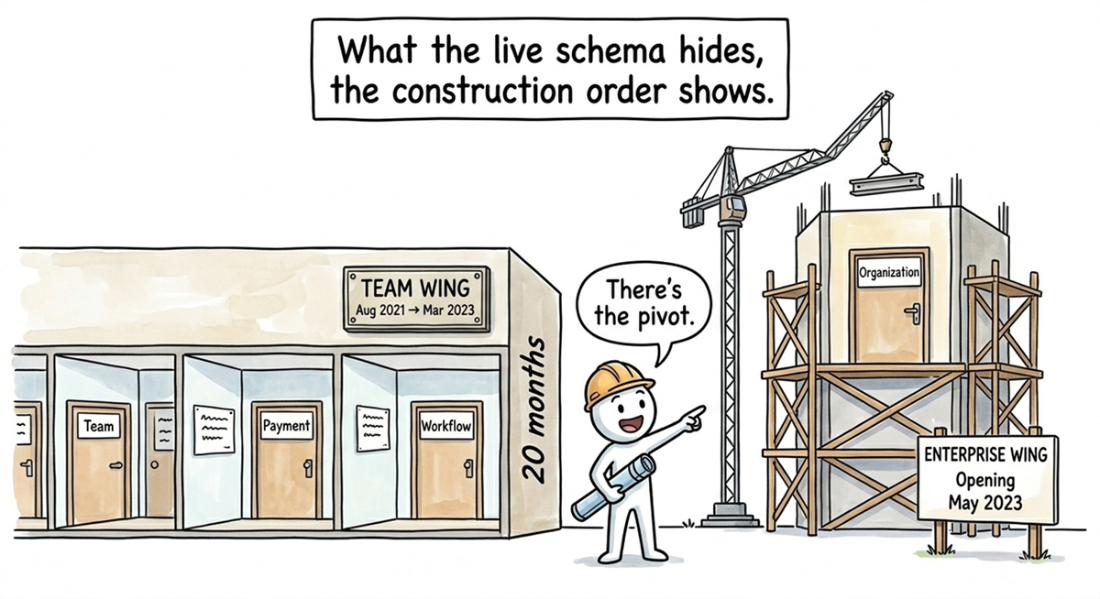
Use the timeline comparison to see how migrations preserve product history that the final schema erases. section 7.8