Feedback turns a RAG chatbot’s real-world failures and successes into a practical improvement loop. Capture a rating and comment after each answer, then use the reported interaction to distinguish unmet expectations from a retrieval or response defect. Clear disclaimers and user guidance matter alongside feedback: users need to know which data the system can search and what it cannot know. section 6.0 section 6.2
Figure 6.2 The whole cycle for incorporating feedback into improving your RAG. The user searches for a product, gives feedback and then we search the logs and diagnose the problem. We update the code to fix the problem, redeploy, check to make sure the answer is improved, and then email the user to thank them and inform them the problem is solved.
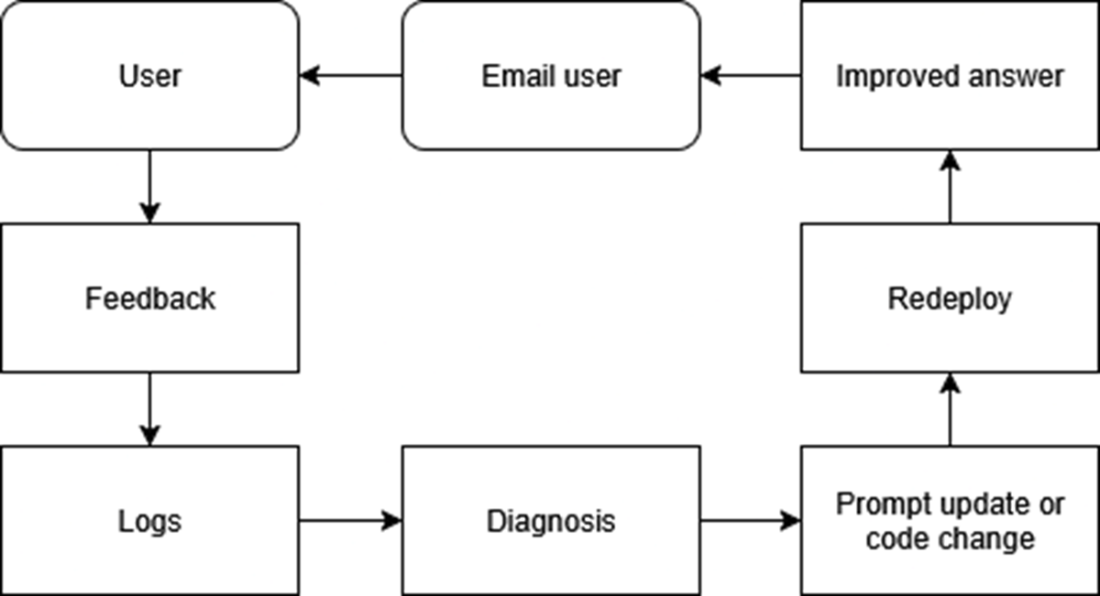
The loop runs from a user’s complaint through log inspection, a code or prompt fix, redeployment, verification, and a follow-up message. section 6.2
Build feedback as an operational pipeline, not merely a UI reaction:
- Offer thumbs-up, thumbs-down, and a short comment box after the answer. section 6.0
- Send the payload through a serverless function and store it in a feedback container; keep database keys out of the browser. section 6.18 section 6.3
- Treat each negative rating as a bug report and inspect chat logs containing both retrieved results and the generated answer. section 6.18 section 6.2
- Fix the identified prompt, retrieval configuration, or code path in source control, redeploy, and rerun the original query. section 6.18
Figure 6.7 This is the workflow to follow when your RAG chatbot is returning the wrong data. Check the chat history logs. If you see bad search results, modify your search parameters. If you see no search results, check to make sure your API keys are set for your search service functions.
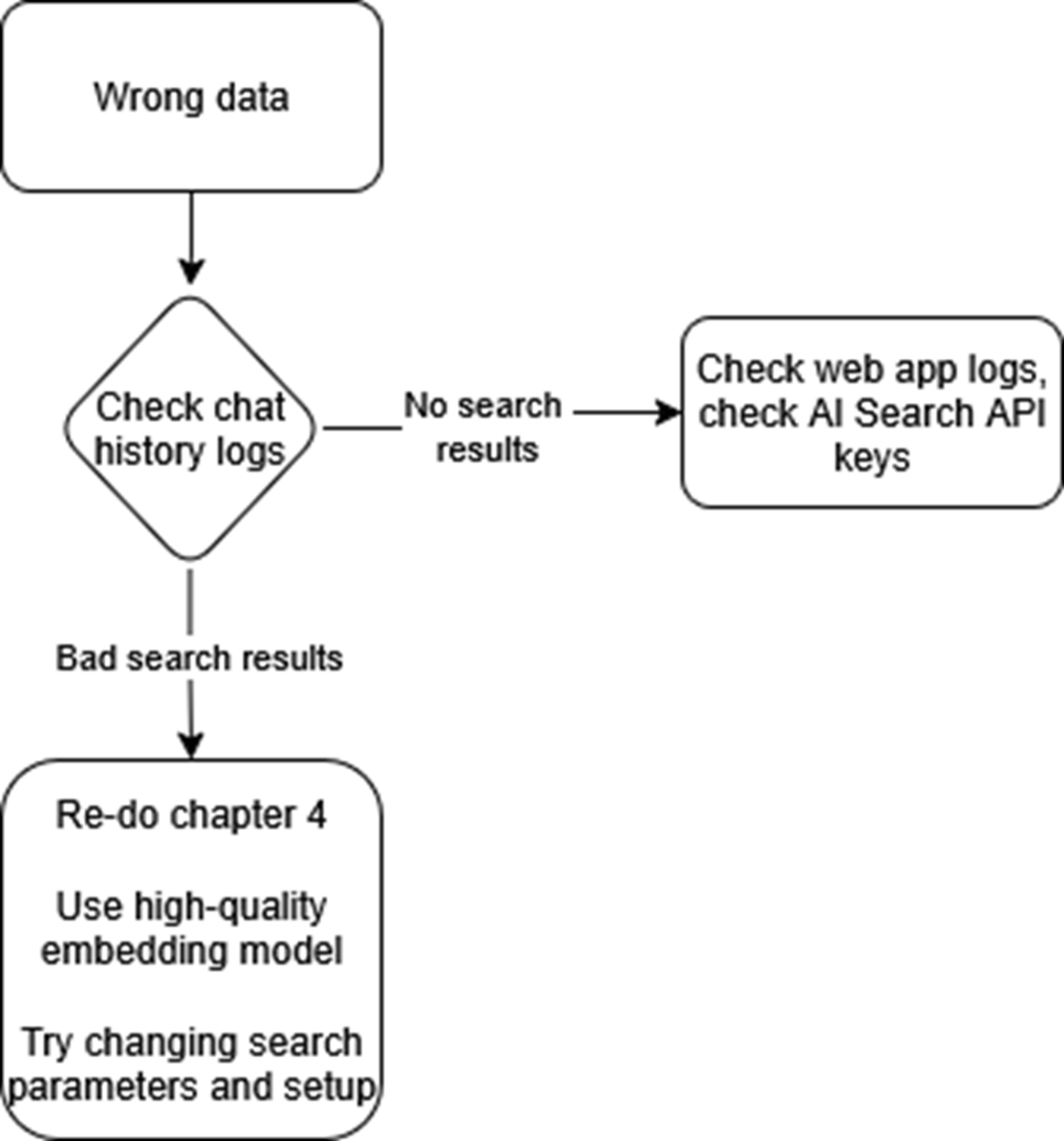
Negative feedback narrows diagnosis: empty search results point toward search-function failures; off-topic results call for checking indexed data, searchable fields, and semantic-ranking parameters. section 6.12
Closing the loop
After verifying that the reported question now returns an improved answer, send a concise thank-you and invite the user to try again. For complaints caused by missing context or unavailable data, respond politely, restate the system’s scope, and ask for the information or data source needed to resolve the gap. section 6.15 section 6.17