A digital image is visual data representing depicted objects, people, scenes, or other visual information. It can be analyzed alongside text, video, audio, and tables. section 1.2 section 6.0
A practical image-processing workflow treats images as files that can be loaded, compared, analyzed, and organized:
- Load PNG files from input directories and represent them as filename-to-image dictionaries. section 6.3.4
- Encode locally stored image bytes as base64 strings before sending them with text instructions. section 6.3.4
- Compare images with multimodal prompts that define both the task and the expected answer. section 6.3.1 section 6.3.4
- Write analysis results into an output directory, using filenames to represent discovered tags. section 6.3.1
Tagging people in pictures
Given reference images named Joe.png and Jane.png, compare each reference with a beach.png file. If both people appear, create Joebeach.png and Janebeach.png in the output directory, making related pictures searchable by filename. section 6.3.1
Figure 6.2 Multimodal prompt containing two images and text: the prompt instructs the language model to check whether the two pictures show the same person (expected answer: “Yes”) or not (expected answer: “No”).
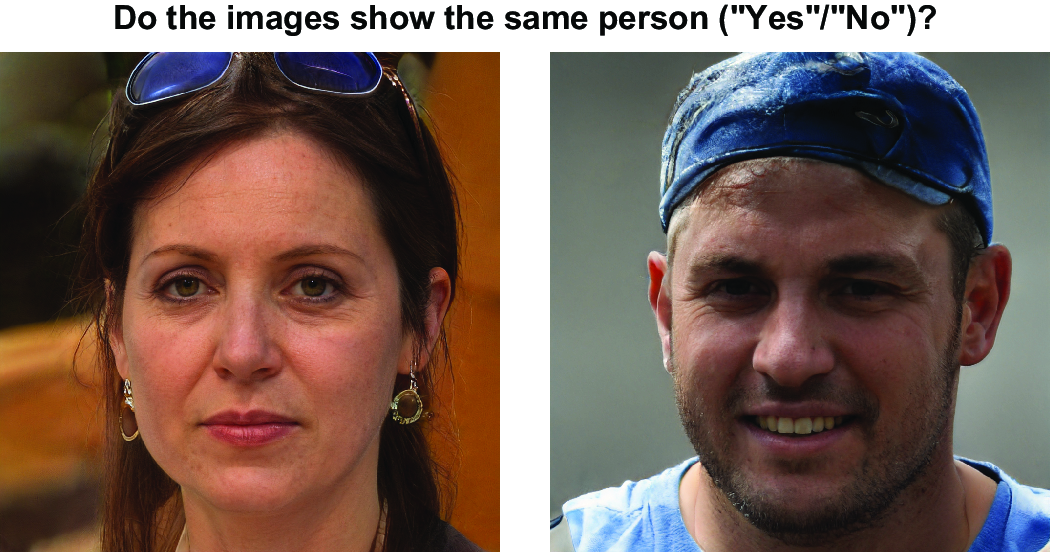
Use the multimodal prompt figure to see how two images and text instructions produce a Yes-or-No comparison. section 6.3.1















