A digital image is the visible result Stable Diffusion produces from a text prompt and generation settings. For a graphic-novel page, each image is a candidate illustration: generate several, then choose the one that best fits its panel. The first result is not sacred; it is a draft wearing pixels. section 3.4.5 section 4.2
A pipeline can return a list of images even when only one was requested. Access the first result with `.images[0]`; request multiple candidates with `num_images_per_prompt`, then select another position such as `.images[1]`. Keeping slow generation in its own notebook cell makes prompt and setting changes less annoying. section 3.4.5
For panel illustrations, treat each image as a configured deliverable rather than a random souvenir:
- Give every panel its own prompt, width, and height so the illustrations support the intended page layout. section 3.5
- Store panel configurations in a dictionary, then reuse one pipeline to generate candidates for every panel. section 3.5
- Create a folder per panel and save each generated candidate, making later comparison and selection practical. section 3.5
- Generate multiple images per prompt instead of betting the page on a single roll of the diffusion dice. section 3.4.5 section 3.5
Five-panel candidate set
Break a difficult poetic line into five concrete subjects, label the panels A–E, and assign each a prompt and shape. One panel might use a wide 1800×320 image for twin suns over a lake; another might use an 800×400 portrait-shaped image for a figure. Generate ten candidates for each panel, then place a chosen image with its text. section 3.5
Images also play a different role during custom LoRA training: they are examples of the subject the model should learn. A small collection should be clear, lightly compressed, near the intended output resolution, and varied in angle, distance, pose, and surroundings. Repeating the same accessory or background can blur what the model learns to associate with the subject. section 13.2.1
Before training changes anything, sample images reveal the baseline: prompts may produce results that do not resemble the intended subject. Those initial outputs give a before-and-after reference for judging whether training has made the generated images more useful. section 13.4
Figure 3.4 Images generated for panel E
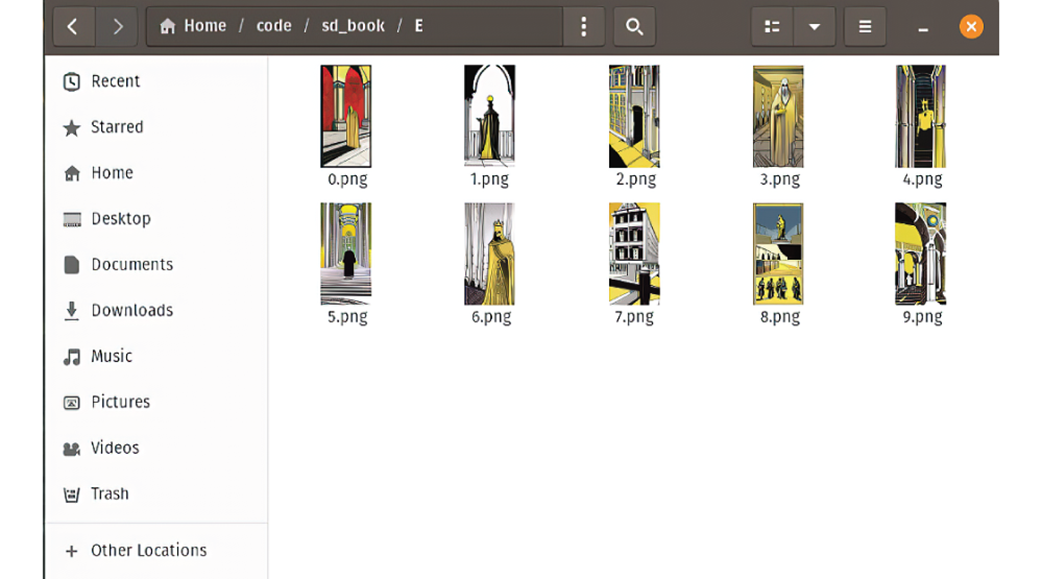
Compare the generated candidates for one panel before choosing the illustration that will join the page. section 3.5