A deployment pipeline automates the path from a code change to a deployed application. Vercel can connect to Git and use its build and deployment tools for this workflow. Automation belongs alongside secret management, monitoring, and a deployment strategy that limits downtime; it does not replace them. section 9.6.3 section 9.6.2
For a Vercel deployment:
- Confirm the application builds locally, then create a Vercel account and project. section 9.6.3
- Add required environment variables in the Vercel dashboard rather than committing secrets to version control. The example application needs credentials for Google AI, Upstash Redis, and Clerk. section 9.6.3 section 9.6.2
- Check the build configuration, including the Node.js version used for the build and serverless functions, and use Vercel’s Git integration to automate subsequent builds and deployments. section 9.6.3
- After deployment, inspect monitoring and logs for problems. Consider blue-green, canary, or rolling updates where minimizing downtime matters. section 9.6.3 section 9.6.2
Manual deployment and troubleshooting
The Vercel CLI offers a separate way to deploy: install it with `npm install -g vercel`, then run `vercel`. A successful run provides a preview domain and an option to promote to production with `vercel --prod`. For a failed deployment, inspect the dashboard or use `vercel logs`. These commands demonstrate deployment and diagnosis; they do not by themselves define an automated test stage. section 9.6.3
Figure 9.8 Vercel dashboard build configuration settings screen showing where we set the Node.js version to 18.x for both the build step and serverless functions
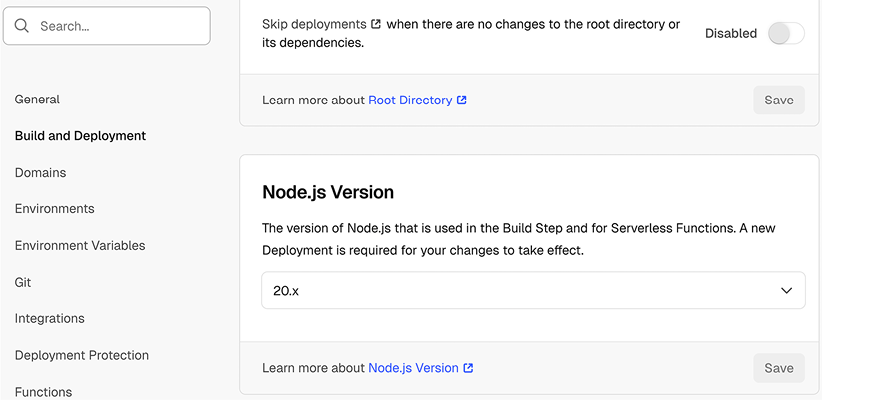
The build-settings screen shows Node.js 18.x selected for both the build step and serverless functions. section 9.6.3





























