A graph represents objects and the connections between them. The objects are nodes, or vertices; the connections are edges, or links. Graphs describe relationships that may connect many things to many others. section 12.0
Represent a graph through:
- A node dataset containing the objects in the network. section 12.5
- An edge dataset containing the relationships between objects. section 12.5
- An adjacency matrix, arc diagram, or force-directed diagram, depending on the network and audience. section 12.5
A force-directed graph
A social network can represent people as nodes and following relationships as edges. D3’s d3.forceSimulation() dynamically updates node positions: link forces pull connected nodes together, collision forces prevent overlap, and many-body forces create attraction or repulsion. section 12.0 section 12.5
Figure 3.6 Network data consists of objects and the connections between them. The objects are typically referred to as nodes or vertices, and the connections are referred to as edges or links. Networks are often represented using force-directed algorithms, such as the example here, that arrange the network in such a way as to pull connected nodes toward each other.
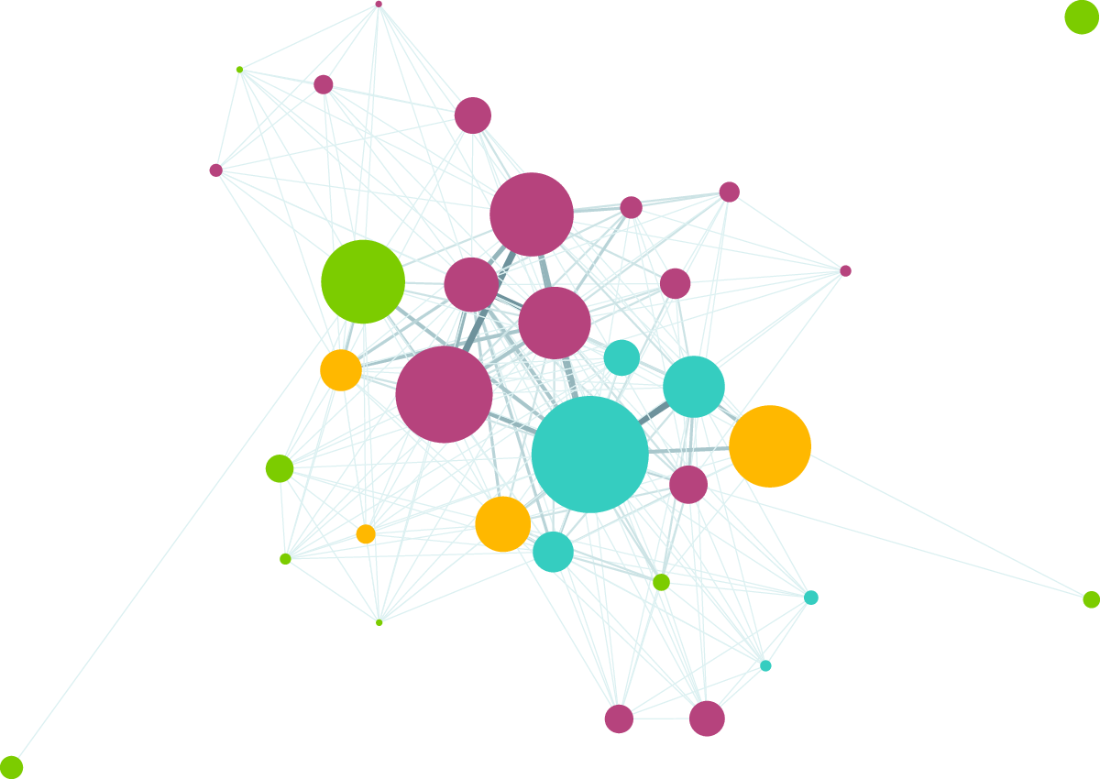
Use the node-link diagram to see how objects become nodes and relationships become edges, with a force-directed algorithm arranging connected nodes near one another. section 3.1.3 section 12.0




















