A virtual machine is a software-defined computer that can host an operating system and applications in an isolated environment. For SQL Server, cloud VMs provide an Infrastructure as a Service option: Azure offers SQL Server VM images, while AWS provides EC2 instances and AMIs with SQL Server installed. section 1.2.2
Mistake #38: choosing a SQL Server VM when a managed database service will suffice. A VM leaves the team responsible for instance management, configuration, failed patches, downtime, and related operations. In a greenfield application with uncertain capacity and an already-stretched DBA team, Azure SQL Database or another DBaaS offering may be safer and more economical. section 8.6
MagicChoc's extra instance
MagicChoc's DBA team recommended building a SQL Server VM in Azure for a new application. That decision added another instance to configure, patch, and operate while the team was already handling performance problems and project work. The safer practice is to compare the management burden with Azure SQL Database before selecting a VM. section 8.6
Choose a VM deliberately:
- Use an Azure VM image or AWS EC2/AMI when infrastructure-level control is required. section 1.2.2
- Compare the VM's administration workload with Azure SQL Database, AWS RDS, or another DBaaS service. section 1.2.2 section 8.6
- Treat licensing as part of the decision: use license-included pricing or bring an eligible existing license. section 1.2.2
Figure 1.5 Hosts supported by SQL Server
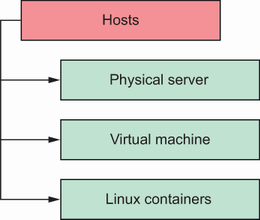
Use the supported-hosts figure to compare where SQL Server can run, including virtualized and cloud hosting choices. section 1.2.2















