A virtual machine is a compute workload that runs an operating system and supports digital services. A Windows virtual machine runs a Windows operating system. Securing it requires defense in depth because attackers, misconfiguration, and misuse can expose services. section 4.1
Azure VMs can collect operating-system performance and security data through the Azure Monitor Agent (AMA). AMA supports Windows and Linux, replaces earlier monitoring agents, and can send different data categories to separate Log Analytics workspaces through data collection rules. section 9.1.4
Prepare an Azure VM for AMA by ensuring:
- Required permissions include Virtual Machine Contributor, Azure Connected Machine Resource Administrator, and Log Analytics Contributor capabilities. section 9.1.4
- The VM can reach the required Azure Monitor and Log Analytics HTTPS endpoints. section 9.1.4
- A user-assigned or system-assigned managed identity is enabled on the VM. section 9.1.4
Install AMA on a Windows VM
Use the Azure CLI VM extension with the AzureMonitorWindowsAgent extension name, Microsoft.Azure.Monitor publisher, the VM resource ID, automatic upgrades, and managed-identity settings. Replace the subscription, resource group, identity, and VM identifiers with your values. section 9.1.4
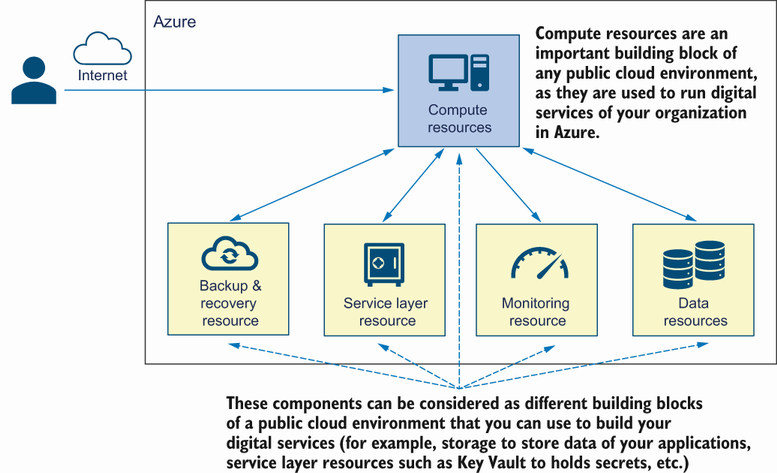
Use the compute-resources figure to place virtual machines alongside Azure App Service and Azure Kubernetes Service as Azure workload types. section 4.1















