Context window
A context window is a bounded span of sequence elements or contextual information that a model or processing operation can consider together.
Vibe Engineering
The finite amount of input information a language model can consider during a single inference or conversation state.
- How it is used
- Uses the context window as a budget for reliable AI-agent sessions and text-to-SQL prompts.
- How deep it goes
- Defines advertised and effective windows, then compares loading strategies, benchmark results, and costs rather than deriving model internals.
- Examples
- Uses a text-to-SQL query-history benchmark and an agent session’s MCP token breakdown.
- What you can do after
- Evaluate context selection and size using task quality, contamination controls, and inference cost.
Software Testing with Generative AI
The bounded amount of tokenized input and related context that a language model can process for a request.
- How it is used
- Constrains prompt design, retrieval, testing workflows, and fine-tuning data preparation.
- How deep it goes
- Explains tokenization, truncation, errors, cost, and relevance strategies, but does not detail model-internal context handling.
- Examples
- Uses a city-list tokenization example, testing artifacts, a booking-deletion query, Llama-2 capacity, and gpt-4 turbo pricing.
- What you can do after
- Evaluate prompt size, select relevant context, and avoid truncated inputs during LLM testing and fine-tuning.
Read how Software Testing with Generative AI explains context window →

Generative AI in Action
The context window is the bounded amount of input and generated text that a language model can consider within one interaction.
- How it is used
- Frames context windows as a shared input-output budget for enterprise chat and data applications.
- How deep it goes
- Explains token-by-token context growth, budgeting, and latency trade-offs without deriving attention mechanics.
- Examples
- Uses an Azure OpenAI chat application with tiktoken and a reserved response budget to demonstrate token management.
- What you can do after
- Operate/configure a chat token budget by counting messages, reserving response space, and shortening oversized conversations.

LLMs in Production
Context length is the maximum amount of tokenized input and generated context that a language model can process in one request.
- How it is used
- Guides model selection and prompt construction when retrieved code examples must fit a coding assistant’s request.
- How deep it goes
- Explains token-budget trade-offs and demonstrates example filtering, without detailing the internals of long-context architectures.
- Examples
- Uses DeciCoder’s 2,048-token window and a five-result code search to illustrate filtering retrieved examples.
- What you can do after
- Apply it using a tokenizer to count prompt tokens and filter retrieved examples that exceed the available window.
Crack Any Codebase with AI
A context window is the finite token capacity available to a language model for processing input, tool results, and generated reasoning or output.
- How it is used
- Constrains how much code, reasoning, tool output, and answer generation an LLM can handle in one interaction.
- How deep it goes
- Explains token competition, pre-limit degradation, breadth-depth tradeoffs, and staged filtering, but does not specify model internals.
- Examples
- Uses nanoGPT, Flask, Django, VS Code, repository dumps, previews, and staged LLM calls as concrete capacity examples.
- What you can do after
- Apply it via crawl.py and staged LLM workflows to select relevant files and investigate large codebases more deeply.
Read how Crack Any Codebase with AI explains context window →
AI for Everyday IT
A context window is the amount of input and conversational or document context that a language model can process for one interaction.
- How it is used
- Guides conversation management and task sizing to keep chatbot and coding-assistant responses useful.
- How deep it goes
- Explains practical symptoms and recovery steps for overloaded context, without detailing model internals.
- Examples
- Uses a two-month ChatGPT conversation and focused code-refactoring prompts to illustrate context management.
- What you can do after
- Operate a chatbot or coding assistant by summarizing key points, starting fresh conversations, and splitting work into smaller tasks.
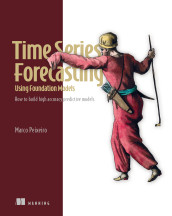
Time Series Forecasting Using Foundation Models
Context length is the fixed number of preceding sequence elements that a model can consider when processing an input.
- How it is used
- Controls the historical input available to time-series forecasting models and provides a parameter for model comparison.
- How deep it goes
- Defines the input window, relates it to tokenization and inference cost, and stops short of a universal selection rule.
- Examples
- Uses Walmart weekly sales, Lag-Llama lengths of 16, 32, and 64, Moirai historical inputs, and TimesFM limits of 32-step multiples up to 2048.
- What you can do after
- Apply it via Lag-Llama by testing candidate lengths with rolling cross-validation and MAE or sMAPE evaluation.
Read how Time Series Forecasting Using Foundation Models explains context window →
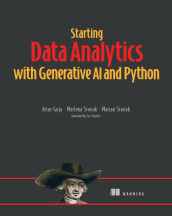
Starting Data Analytics with Generative AI and Python
The maximum amount of conversational or input-output context that a language model implementation can process in one exchange.
- How it is used
- Guides management of long prompts, conversations, reviews, and code within a model’s input-output limit.
- How deep it goes
- Explains tokens, truncation symptoms, and practical mitigation strategies without detailing model internals.
- Examples
- Uses direct frequency analysis of customer reviews and optimization of long code to illustrate context constraints.
- What you can do after
- Practice/perform chunking and summarization to manage long exchanges, then test or inspect the resulting output.
Read how Starting Data Analytics with Generative AI and Python explains context window →
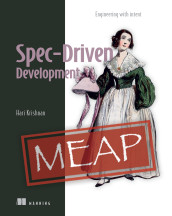
Spec-Driven Development
A context window is the bounded amount of information an AI model can consider during one interaction.
- How it is used
- Frames context engineering as supplying the information an agent needs for independent implementation without flooding its working context.
- How deep it goes
- Defines the limit and explains compaction, lost constraints, and overcrowding symptoms without specifying a model’s capacity.
- Examples
- Follows a growing coding-agent session through a Codex CLI capacity check, forgotten decisions, repeated corrections, and restored behavior.
- What you can do after
- Diagnose/debug with it when a crowded session loses decisions, then preserve important intent in artifacts for later sessions.
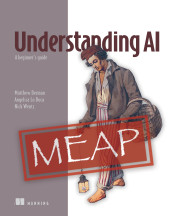
Understanding AI
A context window is the bounded amount of input and generated text that a model can access simultaneously when producing an output.
- How it is used
- Explains why long prompts or conversations can lose instructions, details, and coherence.
- How deep it goes
- Defines the window through tokens and attention, using desk and conversation examples without mathematical treatment.
- Examples
- Uses a concert-review opening and a long-form climate-scientist profile whose early details disappear.
- What you can do after
- Evaluate/understand whether a lost detail reflects a context-window visibility limit rather than a failed instruction.

AI Agents in Action, Second Edition
The finite amount of input and conversational context that an agent can retain or process in one interaction.
- How it is used
- Guides decisions about what conversational history, tool output, and retrieved knowledge an agent includes in its current context.
- How deep it goes
- Defines the token limit and explains management trade-offs, while deferring detailed memory architectures and context strategies.
- Examples
- Uses conversation history, tool results, and retrieved documents to illustrate competing demands on context.
- What you can do after
- Evaluate context budgets by measuring tokens and choosing what history, tool output, and retrieved information to include.
Read how AI Agents in Action, Second Edition explains context window →
Grokking AI Algorithms, Second Edition
A context window is the maximum sequence of tokens a language model processes as contextual input at one time.
- How it is used
- Uses the context window to divide token streams for training and to set how much preceding text the model can process.
- How deep it goes
- Explains the definition, token batching, architecture role, and tuning trade-offs without developing the model’s internal computations.
- Examples
- Uses a 32-token toy model, token-ID streams, visual batches, and a Python slicing routine.
- What you can do after
- Apply it via token batching and choose it as a Transformer hyperparameter for the longest required prompt.
Read how Grokking AI Algorithms, Second Edition explains context window →

Build AI-Enhanced Web Apps
A context window is the maximum amount of tokenized input and generated content a language model can process in one interaction.
- How it is used
- Guides prompt budgeting, provider selection, token billing, and tool design for language-model applications.
- How deep it goes
- Explains token allocation, provider limits, billing, and agent constraints, then demonstrates JavaScript counting without detailing tokenizer internals.
- Examples
- Uses GPT and Gemini limit comparisons, a tiktoken counter, and a LangChain agent constrained by tool descriptions and arguments.
- What you can do after
- Apply it via @dqbd/tiktoken to measure prompt tokens and reserve capacity for generated output.
Read how Build AI-Enhanced Web Apps explains context window →
Grokking AI Applications
A context window is the maximum number of tokens a language model can process in one prompt.
- How it is used
- Limits prompt content and guides tool allocation and agent decomposition.
- How deep it goes
- Defines token capacity, gives a GPT-3 example, and explains practical degradation without detailing context implementation.
- Examples
- Uses GPT-3’s 2,048-token prompt limit and an overloaded solo-agent scenario.
- What you can do after
- Evaluate prompt and tool-load trade-offs when designing language-model agents.
The Art of AI Product Development
The maximum amount of tokenized input and retained conversational or task information that a language model can process in one operation.
- How it is used
- Guides agents in retaining the right task information while managing prompt limits, latency, token costs, and accuracy risks.
- How deep it goes
- Explains prompt contents, memory choices, and operational trade-offs, but stops short of specifying a context-management algorithm.
- Examples
- Uses multistep trend research, roadmap synthesis, conversation history, tool contexts, and retrieved prior-quarter interactions.
- What you can do after
- Diagnose agent bottlenecks by separating useful current context from information better stored and retrieved externally.
Read how The Art of AI Product Development explains context window →
Context Engineering
A context window is the bounded amount of token context a language model can process for an inference request.
- How it is used
- Treats the context window as a resource to design, measure, and budget for each model call.
- How deep it goes
- Defines the hard ceiling, contrasts token and attention budgets, and outlines four context-management techniques.
- Examples
- Uses a support agent's return eligibility decision to illustrate policy retrieval and ticket-history compression.
- What you can do after
- Evaluate context choices against relevance, completeness, cost, and latency constraints.
Machine Learning Platform Engineering
A context window is the maximum amount of tokenized input and output that a language model can process in one interaction.
- How it is used
- Guides retrieval, prompt construction, response limits, and decomposition for production LLM applications.
- How deep it goes
- Explains token budgeting, failure modes, and decomposition, but stops short of model-specific implementation code.
- Examples
- Uses a 50-chunk RAG calculation, a 32K window, and model comparisons including GPT-4 Turbo, Claude 3.5 Sonnet, and Gemini.
- What you can do after
- Operate/configure retrieval and generation budgets to avoid request failures, truncation, wasted tokens, and degraded reasoning.
Read how Machine Learning Platform Engineering explains context window →
AI Agents and Applications
A context window is the maximum amount of input and conversational context a language model can process in one interaction.
- How it is used
- Constrains chatbot conversation history, document summarization, and knowledge-base question answering.
- How deep it goes
- Defines token-based limits and outlines chunking, summarization, and retrieval strategies without detailing model internals.
- Examples
- Uses an oversized document and an enterprise Q&A chatbot to illustrate working within prompt limits.
- What you can do after
- Apply token-based chunking with TokenTextSplitter and tiktoken to prepare long documents for summarization.
Read how AI Agents and Applications explains context window →
AI Model Evaluation
A context window is the bounded amount of input and generated text that a language model can process in one invocation.
- How it is used
- Connects token volume to latency, cost, prompt design, retrieval, and evaluator-model selection.
- How deep it goes
- Explains operational effects and measurement, but does not detail model-specific context limits or tokenizer internals.
- Examples
- Uses growing conversations, long-form evaluation evidence, oversized prompts, and noisy or conflicting context as examples.
- What you can do after
- Diagnose latency and cost pressure by measuring token usage, trimming prompts, and testing context-related failure cases.
Quantization and Fast Inference
Context length is the number of input tokens a language model can process as context for an inference.
- How it is used
- Sets how many input tokens a model can process as context during inference.
- How deep it goes
- Quantifies linear KV-cache growth and traffic at 128K versus 512 tokens, without detailing cache configuration.
- Examples
- Compares 128K-token contexts, at 78 GB of traffic per token, with 512-token contexts.
- What you can do after
- Understand how longer contexts increase KV-cache traffic and inference memory costs.
Read how Quantization and Fast Inference explains context window →
Retrieval Augmented Generation, The Foundational Ideas
Context length is the maximum amount of input text that a model can process in one input sequence.
- How it is used
- Frames context capacity as a production trade-off between broad document access, retrieval precision, efficiency, and prompt reliability.
- How deep it goes
- Defines finite capacity and explains retrieval trade-offs, but stops short of implementation details for managing context.
- Examples
- Uses 32,000-, 100,000-, and million-token windows, large knowledge bases, retrieved documents, and lost-in-the-middle behavior.
- What you can do after
- Evaluate whether longer context or retrieval better fits a knowledge-intensive, dialogue, or general-query workload.
Read how Retrieval Augmented Generation, The Foundational Ideas explains context window →
Agent Design Patterns
A context window is the maximum amount of input information a language model can consider in a single invocation.
- How it is used
- Guides decisions about splitting agent responsibilities and compressing state when too much information would degrade a model invocation.
- How deep it goes
- Defines an effective token limit and explains compaction timing and receiver integration, but does not specify a numerical threshold.
- Examples
- Uses mortgage-advice analysts, a growing user–agent transcript, and large-input cases such as video and legal archives.
- What you can do after
- Diagnose/debug with it: Recognize context-growth failures and choose task decomposition or pre-limit transcript compaction.
Effective Conversational AI
A context window is the maximum amount of input text or tokens that a language model can process in one inference request.
- How it is used
- Guides document chunking for retrieval-augmented generation so selected language models can process passages in one inference pass.
- How deep it goes
- Explains chunk sizing, computational trade-offs, diminishing returns, and attention gaps without specifying model-specific limits.
- Examples
- Uses long documents, annual reports, meeting transcripts, and HTML splitting to illustrate chunking decisions.
- What you can do after
- Operate document chunking so retrieved passages fit a model’s context window while limiting irrelevant text.
Read how Effective Conversational AI explains context window →
Designing AI Systems
A context window is the bounded amount of input and prior interaction content that a language model can process for one generation.
- How it is used
- Guides model selection and conversation-history assembly when prompts, tools, and retrieved documents compete for finite capacity.
- How deep it goes
- Explains capacity constraints through model metadata and a sliding-window example, while deferring broader strategy implementation.
- Examples
- Uses a 50-page document, patient intake with a penicillin allergy, and a 50-message history limit.
- What you can do after
- Operate model selection and session-history assembly using capability filters and bounded message retrieval.
Claude at Work
A context window is the maximum amount of tokenized input and conversational context a model can process in one interaction.
- How it is used
- Uses context size to explain long-session limits, fresh starts, and model choice for Claude conversations.
- How deep it goes
- Explains cumulative prompts, responses, and tool results, but does not detail token-counting mechanics.
- Examples
- Uses web research that loads pages, large codebase inputs, and a figure of context growth across conversation turns.
- What you can do after
- Evaluate context growth, provide essential setup in fresh sessions, and choose a model according to task demands and usage limits.
Build Python Web Apps with Streamlit
Context window length is the maximum number of tokens that a language model can process as input in a single prompt.
- How it is used
- Frames how much supporting information an LLM can receive in one prompt when designing knowledge-grounded applications.
- How deep it goes
- Defines token capacity and explains overload and cost trade-offs, but stops short of implementation limits or token-counting procedures.
- Examples
- Compares model capacities with large literary works and contrasts full knowledge-base prompts with retrieved context.
- What you can do after
- Apply Retrieval Augmented Generation to provide relevant knowledge without sending an entire knowledge base in every prompt.
Read how Build Python Web Apps with Streamlit explains context window →
Timeless Algorithms, The Foundational Ideas
The finite amount of input context a model can consider when producing an output.
- How it is used
- Constrains what information a transformer can use and shapes the computational cost of processing longer inputs.
- How deep it goes
- Defines the processing limit and explains attention-cost and reliability implications, without specifying window sizes or selection strategies.
- Examples
- Illustrates attention cost with sequence length: doubling the tokens can quadruple standard self-attention calculations.
- What you can do after
- Evaluate how context limits affect available information, reliability, and computational demand.
Read how Timeless Algorithms, The Foundational Ideas explains context window →
Learn AI Data Engineering
A context window is the finite amount of text or tokens that a language model can process in one interaction.
- How it is used
- Explains why coding companions lose schema details and how to keep SQL prompts within usable context.
- How deep it goes
- Defines token capacity, explains truncation failures, and gives prompt, schema, reset, and validation practices.
- Examples
- Uses Pagila schemas, top-five rental queries, schema excerpts, and pgAdmin result checks.
- What you can do after
- Diagnose SQL prompt failures by checking context loss, supplying schema evidence, resetting conversations, and testing generated queries.
Read how Learn AI Data Engineering explains context window →
Building Reliable AI Systems
The maximum amount of input content a model can process in a single input.
- How it is used
- Guides selection of input content for grounded responses and embedding long documents.
- How deep it goes
- Explains positional reliability and relevance filtering, and recommends chunking for long embedding inputs without detailing a chunking implementation.
- Examples
- Uses an international-roaming query and retrieved FAQ, pricing, coverage, and terms documents to illustrate passage selection.
- What you can do after
- Evaluate/understand how input length, passage relevance, and position can affect model use of context.
Read how Building Reliable AI Systems explains context window →
Build Applications with Local AI Models on a Mac
Context length is the maximum number of tokens a language model can consider at once.
- How it is used
- Uses context windows to manage how much chatbot history reaches the model while retaining the visible conversation.
- How deep it goes
- Defines token capacity, explains overflow and performance effects, and describes trimming history without specifying a trimming algorithm.
- Examples
- Compares local model capacities and inspects the 128,000-token reported context length of gemma3:4b.
- What you can do after
- Operate with Ollama by inspecting model capacity and active context, and manage chatbot history by trimming messages sent to the model.
Read how Build Applications with Local AI Models on a Mac explains context window →
How Large Language Models Work
Context size is the maximum number of tokens a language model can computationally process in one request.
- How it is used
- Constrains how much prompt, retrieved information, and conversation history an LLM can process in one request.
- How deep it goes
- Defines the token limit and demonstrates truncation, but stops short of explaining tokenization or implementation internals.
- Examples
- Uses GPT-3’s 2,048-token limit, long-chat history, whole-book retrieval, and Grok’s 128,000-token capacity.
- What you can do after
- Evaluate models for RAG by checking whether prompts and retrieved documents fit within their context limits.
Read how How Large Language Models Work explains context window →
Machines that Think
A context window is the bounded amount of input information that a model can process or retain at one time.
- How it is used
- Defines how much task-specific input a model can process when generating a response.
- How deep it goes
- Explains token limits, active input, and omission or compression, without detailing implementation mechanisms.
- Examples
- Uses a visual-field analogy, prompt contents, and historical token-window sizes to illustrate bounded input.
- What you can do after
- Evaluate how missing or displaced context can shape a model response and limit its reliability.
Build an AI Agent (From Scratch)
A context window is the maximum amount of tokenized input and generated context that a language model can process together.
- How it is used
- Frames context as the information budget governing model responses and agent design.
- How deep it goes
- Defines contents and failure effects, but stops short of implementation details for measuring or managing token budgets.
- Examples
- Uses long prompts, crowded tool sets, context rot, and a four-agent technical blog-writing workflow.
- What you can do after
- Evaluate context quality by identifying irrelevant information, buried details, prompt overload, and tool-selection interference.
Read how Build an AI Agent (From Scratch) explains context window →
Spring AI in Action
A context window is the maximum amount of tokenized input and output that a language model can handle in one interaction.
- How it is used
- Guides model and provider selection for prompts containing conversational history or document context.
- How deep it goes
- Defines token-based capacity and selection implications, but does not explain tokenization mechanics or implementation details.
- Examples
- Contrasts simple questions with prompts expanded by conversational history and document context.
- What you can do after
- Evaluate model fit by checking whether anticipated prompts and responses stay within the available token limit.
AI Agents in Action
A context window is the maximum amount of tokenized input and related context that a language model can consider in one interaction.
- How it is used
- Guides model selection by matching context capacity to task demands.
- How deep it goes
- Defines context size and gives task-based guidance, without detailing model architecture.
- Examples
- Contrasts simple tasks needing under 4,000 tokens with multiple agents conversing over a task.
- What you can do after
- Evaluate model context capacity against the demands of a task.
Build an Advanced RAG Application (From Scratch)
Context length is the maximum amount of input context, typically measured in tokens, that a model can process for an operation.
- How it is used
- Frames document chunking as the practical response to embedding-model input limits in a RAG pipeline.
- How deep it goes
- Explains token limits, self-attention scaling, and fixed-vector compression, but stops short of specifying a chunking algorithm.
- Examples
- Quantifies attention costs at 8,192, 16,384, and 32,768 tokens and relates them to large document datasets.
- What you can do after
- Apply it via document chunking when preparing long documents for embedding and retrieval.
Read how Build an Advanced RAG Application (From Scratch) explains context window →

Build a Large Language Model (From Scratch)
The number of preceding tokens the model conditions on when predicting the next token.
- How it is used
- Uses context_length to control GPT training, positional encoding, and text generation.
- How deep it goes
- Explains configuration, tensor-size implications, and truncation, but does not detail attention internals.
- Examples
- Demonstrates 256-token training configurations, 1,024-token GPT-2 settings, and 8 × 4 token batches.
- What you can do after
- Operate and configure GPT context sizes for training and text generation.
Read how Build a Large Language Model (From Scratch) explains context window →
Designing AI Agents
The bounded sequence of tokens that a language model can attend to during an interaction.
- How it is used
- Treats the context window as the agent’s finite working space and a budget for perception.
- How deep it goes
- Defines the window and outlines position sensitivity, memory tiers, and access costs without detailing an implementation.
- Examples
- Uses instructions, evidence, and tool results as active context, and cites MemGPT’s paging between context and external storage.
- What you can do after
- Evaluate what to keep in context or retrieve later against token cost, availability, and authority.
Also covered in
- Deep Learning with Python, Third Edition
- Building Specialized AI SystemsIn early access (MEAP)
- The AI Pocket Book
- Reinforcement Learning from Human Feedback
- Transformers in Action
- Build a DeepSeek Model (From Scratch)In early access (MEAP)
- Effective Behavior-Driven DevelopmentIn early access (MEAP)
- The Complete Obsolete Guide to Generative AI
- Enterprise RAGIn early access (MEAP)
- LLM Customization and Fine-TuningIn early access (MEAP)
- Grokking Software ArchitectureIn early access (MEAP)
- Build a Multi-Agent System (from Scratch)In early access (MEAP)
What to know first
- language modelA language model is a computational model that represents patterns in linguistic sequences to assign probabilities, predict, generate, or evaluate language.
- tokenA token is a discrete unit of text, such as a word, subword, punctuation mark, or symbol, produced by tokenization and processed by a language model.
- promptA prompt is text or other input supplied to an AI model to provide instructions, context, or other information that guides its response or generated output.
- AI agentAn AI agent is a computational system that uses artificial intelligence to interpret information and select or perform actions toward goals while interacting with an environment.
Related concepts
- tokenmeasures · A token is a discrete unit of text, such as a word, subword, punctuation mark, or symbol, produced by tokenization and processed by a language model.
- subagentused by · A subagent is an agent assigned by another agent to perform a delegated part of a larger task under its coordination or authority.
- large language modelused by · A large language model is a machine-learning model trained on extensive text data to process and generate natural language.
- context injectionused by · Context injection is the technique of adding externally supplied information to a model’s input so it can inform the model’s generated response.
- contextcontrasts with · Context is the relevant information, state, or circumstances surrounding an input, decision, or activity that influence its interpretation or behavior.
Questions about context window
What is context window?
A context window is a bounded span of sequence elements or contextual information that a model or processing operation can consider together.
Which Manning books explain context window?
Vibe Engineering, Software Testing with Generative AI, Generative AI in Action, LLMs in Production, Crack Any Codebase with AI, AI for Everyday IT, Time Series Forecasting Using Foundation Models, Starting Data Analytics with Generative AI and Python and 30 more.
What should I know before learning context window?
Manning books that teach context window usually introduce language model, token, prompt and AI agent first.
What is the difference between context window and context?
A context window is a bounded span of sequence elements or contextual information that a model or processing operation can consider together. Context is the relevant information, state, or circumstances surrounding an input, decision, or activity that influence its interpretation or behavior.
These guides are generated from the text of Manning books by Manning's knowledge graph and link to the sections they draw on. The full books are available on liveBook and at manning.com.