A prompt is the instruction, question, or request you give an AI to produce a response. It can be typed in plain language or handled as a conversation. Think of it as assigning work to an assistant: say what you need, supply useful details, and judge the result rather than accepting it automatically. section 1.3 section 3.3.2
Specificity is the main route to a more useful answer. A vague request such as “Write about a businesswoman who owns a bakery” leaves many decisions to the AI. A stronger version identifies the role, task, subject details, intended audience or purpose, and requested length. Complete descriptive sentences usually work better than a few search-style keywords because they communicate context and preferences. section 1.5 section 1.5.6
Build a practical prompt from four core elements:
- Role: tell the AI who to act as, such as an experienced site designer, editor, or website reviewer. section 1.5 section 1.5.5
- Job: state the action you want, directly—for example, brainstorm titles, revise text, analyze a design, or list a hierarchy. section 1.5 section 1.5.2
- Context: include the audience, purpose, topic, constraints, and details that make the request fit your situation. section 1.5 section 1.5.5
- Format: specify the shape of the response, such as a numbered procedure, one paragraph, a list, a genre, or an ordered hierarchy. section 1.5 section 1.5.4
A site-title brainstorming prompt
“You are an experienced professional site designer. Help me brainstorm titles for a website for bass fishermen learning to catch wide-mouth bass in Randleman Lake, NC, and buying handcrafted lures. Ask me questions, waiting for each answer. Keep titles playful and inventive, include ‘Bass Fishing’ and ‘Randleman Lake,’ and convey the site’s purpose.” This works because it combines role, job, context, constraints, tone, and a conversational format. section 1.5.5
Prompts can be iterative. Ask the AI to pause after each question, then refine the request using your answers. You can also correct an unhelpful response: ask for evidence, request a shorter answer, say it is wrong, or tell it to try again. For wording, describe what you want instead of relying on negatives; request clarity, concision, and detail when those are the goal. section 1.4.2 section 1.5.2 section 1.5.4
Use AI to strengthen the request
Start with a rough goal, then request questions before an answer: ask a decluttering adviser to pose four questions, wait after each one, produce an improved prompt, and answer that revised version. The resulting prompt can include constraints and circumstances that the original idea omitted. section 1.5.8
A prompt can direct work beyond writing. It can request a website menu hierarchy, critique a flawed home-page design, help assess blog comments, or generate visual design alternatives. Generated suggestions remain starting points: choose what is solid, ask for revisions, and make final improvements yourself. section 3.3.2 section 6.9.3 section 9.6.3
Figure 4.3 Aside from some strange vegetation, this is a design that can work nicely as our home page.
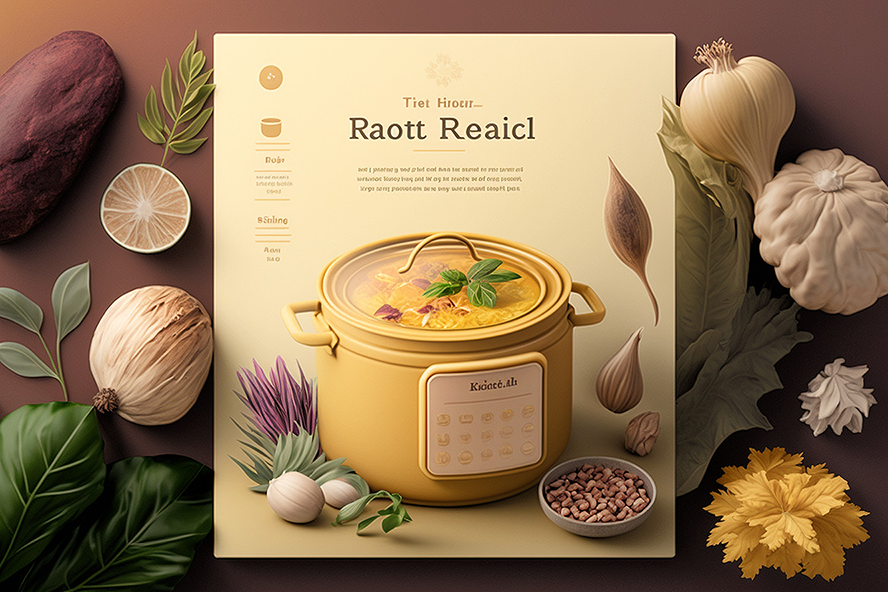
Compare a generated home-page concept with the prompt’s color, layout, and aspect-ratio instructions; use it as inspiration, then refine what does not fit the intended design. section 4.3.2

















































