Tabular data organizes information as rows and columns: each row is a record, each column is a named field with a data type. In DuckDB workflows, tables commonly hold data loaded from CSV, Parquet, JSON, or another database, then support exploration, transformation, and analysis. section 3.2.2 section 1.6
A practical tabular-data workflow typically includes:
- Load source files or database data, then create persistent tables when repeated analysis or high-performance querying is needed. section 1.6
- Correct column names, data types, and values during ingestion; flatten nested documents when relational analysis benefits from it. section 1.6
- Inspect distributions, ranges, relationships, and sample results before building more advanced SQL incrementally. section 1.6
- Evolve structures with ALTER TABLE, or duplicate a table and its contents with CREATE TABLE AS SELECT. section 3.3.2
An energy dataset
A normalized energy schema separates systems, readings, and prices into tables. Systems identify the monitored equipment, readings store measurements, and prices store energy-sale values. Each table contains named rows and typed columns; identifiers can use an external key, a sequence, or a concatenated natural key. section 3.2.2
From files to a scheduled table
A Dagster asset constructs yearly ATP match CSV URLs, loads them through the DuckDB Python API, converts tourney_date to a date, and replaces the matches table. A scheduled job then runs the asset hourly. section 8.4.1
Figure 1.3 Using DuckDB in a data pipeline
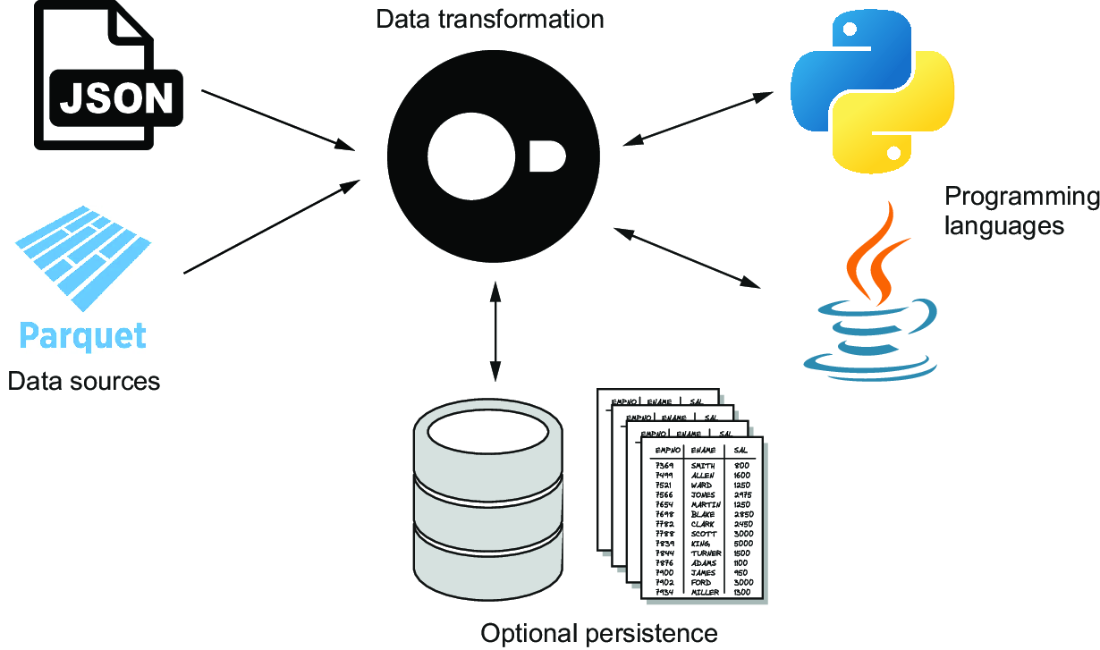
Use the pipeline diagram to trace how tabular data moves between files, DuckDB tables, transformed outputs, applications, APIs, notebooks, and dashboards. section 1.6























