Automation has software handle repetitive, manual, or time-consuming development tasks according to an established process. It saves time, reduces errors, and improves efficiency across the software development life cycle (SDLC). section 6.3.1
Identify good automation candidates by looking for work that repeatedly consumes team time or resources, such as:
- Code testing and deployment, including continuous integration and delivery (CI/CD). section 6.3.1
- Documentation, reporting, backups, and recovery. section 6.3.1
- Deployment tracking, release updates, and project-team notifications. section 7.4.2
Automated deployment tracking
A team can connect Jira with Azure DevOps and include Jira ticket numbers in branch names or deployments. Commits, pull requests, and completed deployments then update tickets automatically, reducing human error and improving reporting. The team should still add context and avoid over-engineering the workflow. section 7.4.2
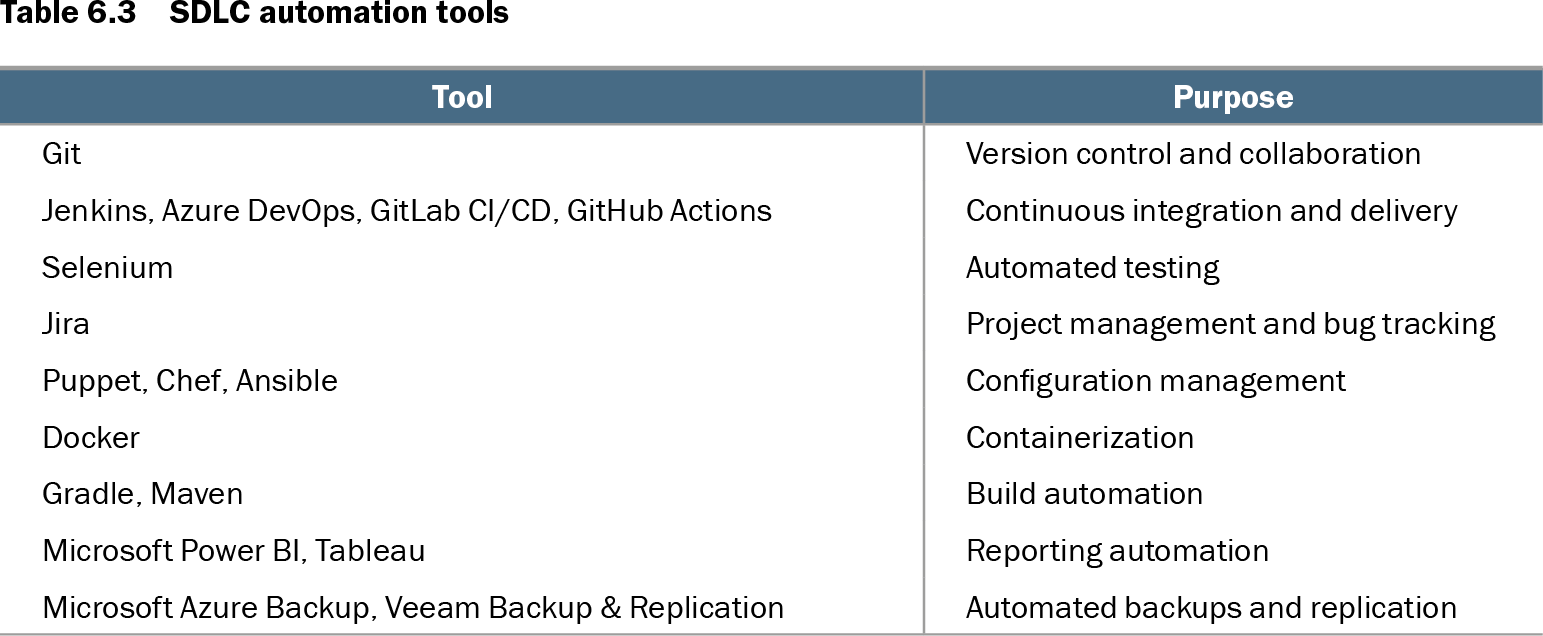
Table 6.3 SDLC automation tools (view table figure)
| Tool |
Purpose |
|---|---|
| Git |
Version control and collaboration |
| Jenkins, Azure DevOps, GitLab CI/CD, GitHub Actions |
Continuous integration and delivery |
| Selenium |
Automated testing |
| Jira |
Project management and bug tracking |
| Puppet, Chef, Ansible |
Configuration management |
| Docker |
Containerization |
| Gradle, Maven |
Build automation |
| Microsoft Power BI, Tableau |
Reporting automation |
| Microsoft Azure Backup, Veeam Backup & Replication |
Automated backups and replication |
Use the tool map to match automation needs with options for CI/CD, testing, configuration management, containerization, build automation, reporting, and backups. section 6.3.1