A dashboard is a curated collection of summary information and high-value visualizations that helps stakeholders consume data, explore analysis, and support decisions. Dynamic dashboards let users revisit analyses with new data and interactively examine subsets beyond a fixed report. section 1.1.1 section 1.2.4
Effective dashboards typically:
- Distill metrics and key performance indicators aligned with organizational objectives. section 1.1.1
- Support repeated review, drill-down analysis, filtering, and customizable grouping. section 1.2.4
- Arrange labeled visualizations and controls in a logical flow for intended users. section 12.3.3
Self-service e-commerce dashboard
Build two to four visualizations from website-engagement data, combining single-value, bar, and time-series charts with useful filters. Add instructions, publish the dashboard to a public cloud, and collect peer feedback. section 12.3.3
Figure 1.1 Line graph of a support team KPI with a threshold for the service level agreement (SLA) for resolving tickets in less than 12 hours. Metrics and KPIs generate value when tracked over time.
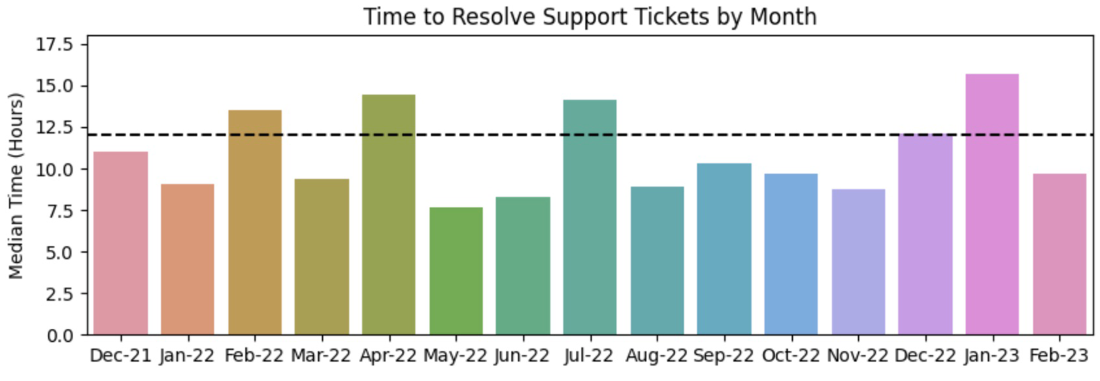
A support-team KPI line graph illustrates how a metric can be tracked against a 12-hour ticket-resolution SLA threshold. section 1.1.1
Figure 1.2 A dashboard typically contains summary information and the highest-value visualizations for quick interpretation.
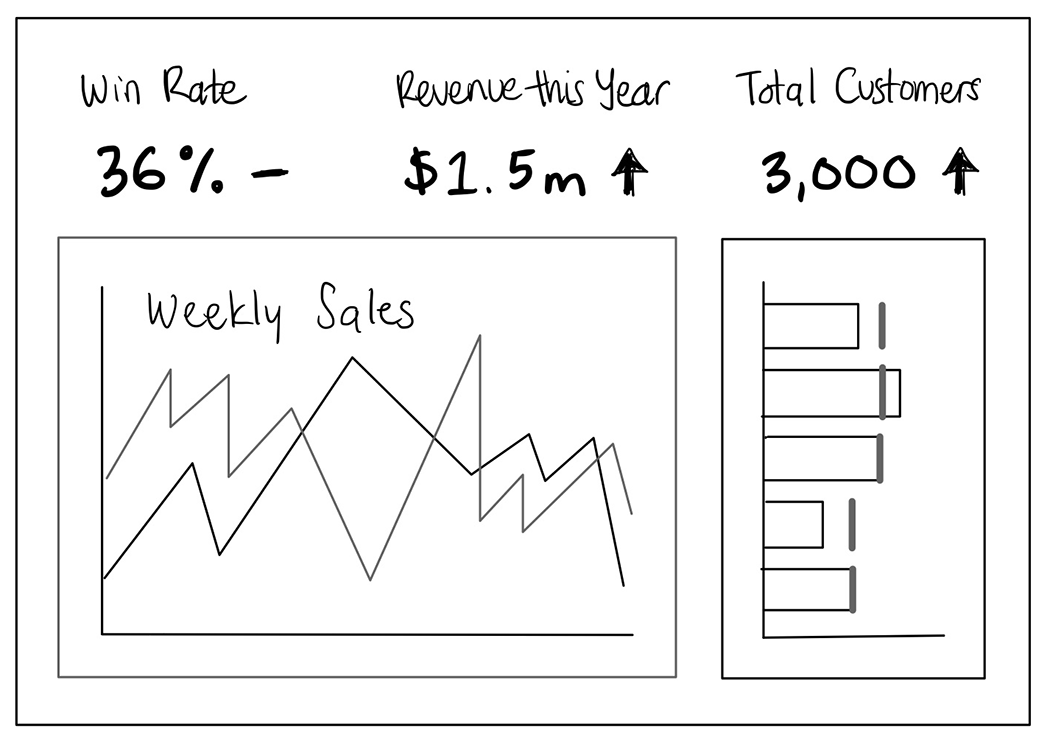
A dashboard layout emphasizes summary information and the highest-value visualizations for quick interpretation. section 1.1.1














