A dashboard is a shared interface for viewing service health, customer-use trends, operational performance, and deployment changes. It turns metrics into visible signals that help teams notice problems, investigate causes, and confirm recovery. section 12.2.5 section 12.2.4
Use a dashboard to:
- Monitor service health and customer-use trends. section 12.2.5
- Identify problems and support root-cause analysis. section 12.2.5
- Track metric changes while code moves into production. section 12.2.4
- Confirm that values return to expected ranges after mitigation. section 12.2.5
Project launch monitoring
A project team implemented separate dashboards for sales, ticketing, and customer complaints. These views supported evaluation after launch and helped guide future improvements and technical-road-map planning. section 10.1.5
Figure 12.1 Monitoring and dashboarding help provide visibility into the health of systems.
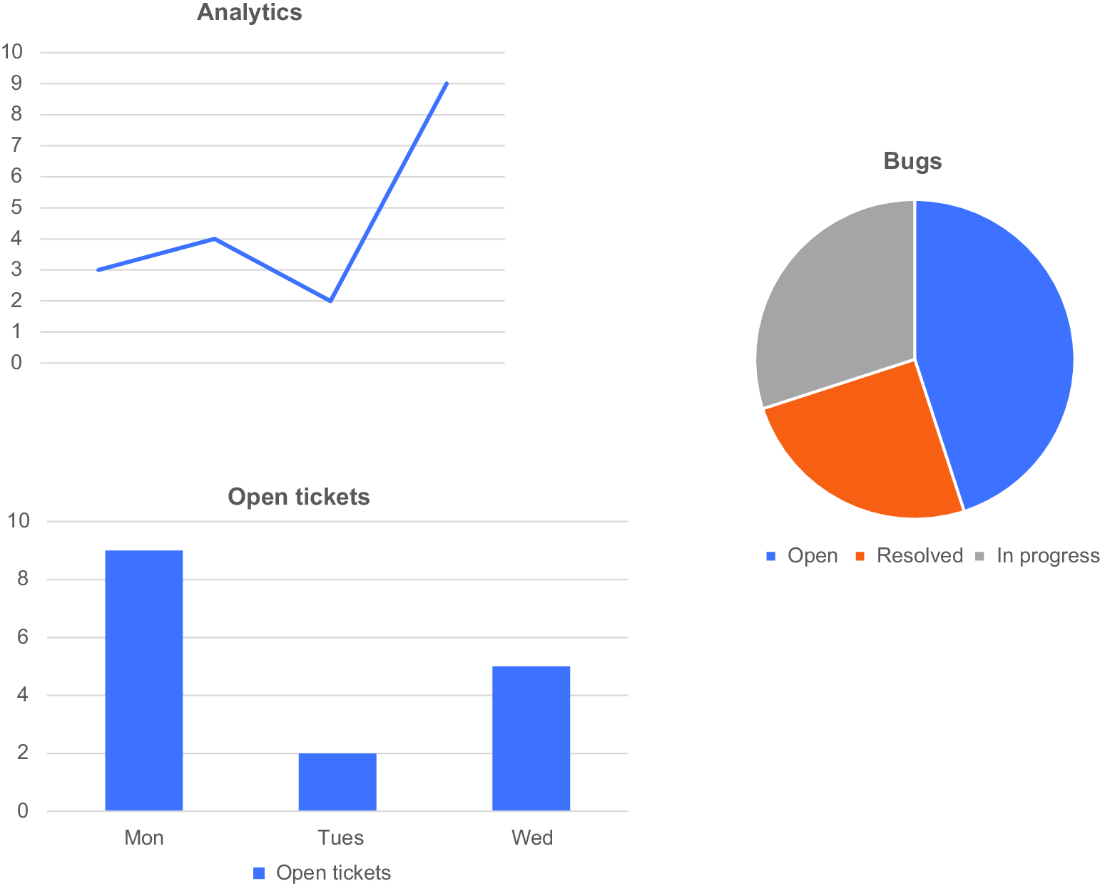
Use the system-health figure to see how monitoring and dashboarding provide operational visibility. section 12.2.5














