A dashboard is a visual interface for observing database behavior through graphs and other widgets. In ScyllaDB monitoring, Grafana reads metrics from Prometheus and organizes them into views of traffic, latency, availability, resource use, and internal activity. section 11.1.3 section 11.4
Choose a dashboard according to the question you need to answer:
- Use Overview for high-level traffic, latency, and availability. section 11.1.3
- Use Scylla CQL to inspect query volume and performance. section 11.1.3
- Use Detailed for reads, writes, compaction, tombstones, and deeper performance information. section 11.1.3
- Use Keyspace for high-level metrics by table, OS Metrics for node performance, and Advanced for scheduling groups, I/O queues, and commit logs. section 11.1.3
Watching a load test
Run a cassandra-stress workload, then open Grafana’s Overview dashboard. The resulting reads, writes, and latency appear as changing graph values. One test reached about 5,000 partitions per second with 4.5-millisecond 99.9th-percentile latency; a heavier run reached about 25,000 partitions per second but about 45 milliseconds at the same percentile. These measurements help compare traffic with acceptable latency and decide whether the cluster needs expansion. section 11.2.2
Figure 11.4 Metrics from your queries are visible in Grafana, allowing you to assess your cluster’s performance.
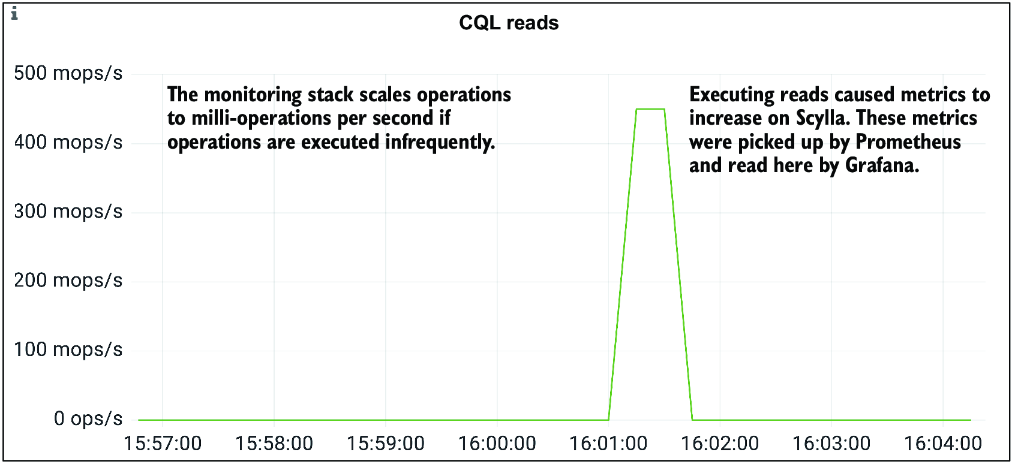
Inspect the figure showing query-generated metrics in Grafana and use it to connect database activity with visible performance changes. section 11.1.3














