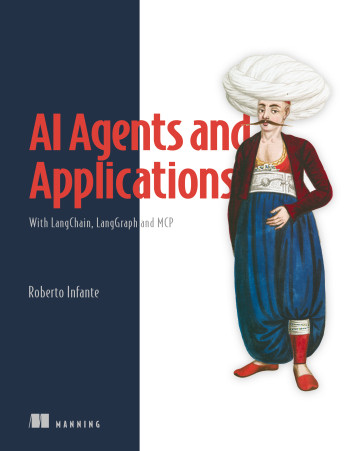
What you will learn in AI Agents and Applications
With LangChain, LangGraph, and MCP
Chapter by chapter
Chapter 1: Introduction to AI agents and applications
The introduction describes what LLM applications and agents can do and why frameworks help developers build them.
What you learn in chapter 1 →Chapter 2: Executing prompts programmatically
This introduction explains why carefully designed prompts matter to LLM application performance and defines prompt engineering as an iterative practice.
What you learn in chapter 2 →Chapter 3: Summarizing text using LangChain
The introduction explains what a summarization chain is and why automating summarization is useful for large volumes of documents.
What you learn in chapter 3 →Chapter 4: Building a research summarization engine
The introduction frames a research summarization engine as an LLM application that turns a user query and web search results into a summary.
What you learn in chapter 4 →Chapter 5: Agentic workflows with LangGraph
Introduces agentic workflows as structured, multistep processes in which an LLM makes decisions within predefined boundaries.
What you learn in chapter 5 →Chapter 6: RAG fundamentals with ChromaDB
The chapter introduces meaning-based search across documents and identifies RAG and vector stores as foundations for the Q&A systems it will build.
What you learn in chapter 6 →Chapter 7: Q&A chatbots with LangChain and LangSmith
Introduces the chapter’s planned coverage of building RAG chatbots with LangChain and tracing their execution with LangSmith.
What you learn in chapter 7 →Chapter 8: Advanced indexing
The chapter introduction explains why a basic RAG setup can produce poor answers and why improving it requires refining retrieval and application design.
What you learn in chapter 8 →Chapter 9: Question transformations
The introduction explains why a poorly phrased user question can undermine RAG retrieval even when the data has been carefully prepared.
What you learn in chapter 9 →Chapter 10: Query generation, routing, and retrieval postprocessing
The introduction connects earlier RAG accuracy improvements to the chapter’s upcoming work on query generation, routing, and retrieval postprocessing.
What you learn in chapter 10 →Chapter 11: Building tool-based agents with LangGraph
The introduction contrasts deterministic LangGraph workflows with agents that use an LLM to make context-sensitive tool decisions.
What you learn in chapter 11 →Chapter 12: Multi-agent systems
The chapter introduces the need to coordinate specialized agents in a travel assistant that handles both travel information and accommodation booking.
What you learn in chapter 12 →Chapter 13: Building and consuming MCP servers
The chapter introduction explains why integrating external context into agents is difficult and presents MCP as a shared way to expose and use remote tools.
What you learn in chapter 13 →Chapter 14: Productionizing AI agents: Memory, guardrails, and beyond
The chapter introduction explains why production agents need more than models and tools, and identifies memory and guardrails as two capabilities that support reliable behavior.
What you learn in chapter 14 →Concepts explained in this book
- similarity searchRetrieval is the process of finding relevant stored documents from an indexed collection in response to a query.
- pipelineA multi-step workflow is a process composed of several ordered or coordinated operations that collectively accomplish a task.
- promptA system prompt is an instruction message supplied to a language model to establish high-level behavior or constraints.
- vector databaseA vector store is a database specialized for storing embeddings and associated documents and retrieving them by semantic similarity.
- text chunkA text splitter is a component that divides large text into smaller chunks or document objects.
- language modelA large language model is a neural language model trained on extensive text data to understand and generate language and perform text-based reasoning.
- LangGraphLangGraph is a LangChain module for representing application workflows as graphs with branching and more complex control flow.
- AI agentAn AI agent is a software system that works with a large language model to perform multi-step tasks by selecting actions, invoking tools, and adapting to intermediate results.
- LangChainLangChain is an open-source framework for building applications that combine language models with data sources, tools, and multi-step workflows.
- conversational aiA chatbot is a conversational software interface that maintains context across multiple exchanges for dialogue and interactive question answering.
- embeddingA vector type is a database data type that represents numerical vector values as stored fields.
- retrieval-augmented generationRetrieval-augmented generation is a technique that retrieves relevant external information and supplies it to a language model as context for response generation.
- dialogueA chat message history is an ordered collection of user and language-model messages representing a conversation.
- LCELLCEL is LangChain's composition language for building modular and expressive large-language-model pipelines.
- DocumentA document is a LangChain container holding content together with metadata such as source, page number, author, or timestamp.
- tool usageA tool call is a structured model response that requests invocation of a named tool with supplied arguments.
- vectorizationAn embedding model is a model that maps text or other data to numerical vectors representing semantic or contextual properties.
- few-shot learningPrompt examples are illustrative instances supplied in a prompt to guide a language model toward a desired task behavior or output pattern.
- Runnable interfaceThe Runnable interface is a common LangChain programming interface for components that can be invoked and composed in workflows.
- routingA router function is a callable that examines workflow conditions and returns the name of the next execution path.
- templateA prompt template is a reusable structure that combines user input, context, and optionally examples into a model request.
- prompt engineeringPrompt design is the practice of formulating instructions and context to influence a language model's behavior and output.
- hallucinationA hallucination is an incorrect, misleading, or fabricated response generated by a language model.
- nodeA node is a LangGraph workflow component that performs processing by reading the current state and returning state updates.
- MCP serverAn MCP server is a service endpoint that exposes tools through the Model Context Protocol.
- guardrailA guardrail is a constraint or control that limits model behavior to satisfy safety, quality, or policy requirements.
- SQLAn SQL query is a statement written in SQL that specifies data to retrieve or filter from a relational database.
- query rewritingQuery rewriting is a technique that transforms an original search request into one or more clearer or more targeted queries to improve retrieval results.
- contextPrompt context is background text or information supplied alongside a request to help a language model interpret it and formulate an answer.
- toolA tool is an instrument or software capability that enables a person or system to perform a task, obtain information, or interact with resources.
- chat APIA chat API is an interface for exchanging conversational messages with a language model and receiving responses.
- stateState is the structured information representing a workflow's progress, intermediate results, failures, and contextual values across processing steps.
- q&a engineA Q&A engine is a software system that answers user questions using information retrieved from a knowledge base.
- MCPThe Model Context Protocol is a standard protocol for services to expose tools that AI applications can discover and access.
- conditional edgeA conditional edge is a workflow transition whose destination is selected at runtime according to state or other conditions.
- summarizationSummarization is the generation of a shorter representation that preserves the important information in source content.
- trajectoryExecution history is the recorded sequence of workflow decisions, transitions, and intermediate states produced during graph execution.
- memoryMemory is stored information that an agent or application can retain and use across steps or interactions.
- document loaderA data loader is a component that ingests source data into a form suitable for downstream language-model processing.
- agent orchestrationA supervisor agent is an agent that coordinates a group of more granular agents to accomplish a larger task.
- summarizerA summarization engine is a system that generates condensed representations of source content without requiring conversational interaction.
- LLM applicationAn LLM application is software that provides a use-case-specific interface or workflow around a large language model.
- LangSmithLangSmith is a development and observability platform for tracing, debugging, evaluating, monitoring, and refining language-model applications.
- Chroma DBChroma is a vector database that stores text, embeddings, and metadata and supports similarity-based retrieval.
- human-in-the-loopHuman-in-the-loop is a system pattern in which people provide input, judgment, review, or intervention within an automated process.
- context windowA context window is the maximum amount of input and conversational context a language model can process in one interaction.
- agent workflowAn agentic workflow is a structured, multistep application process in which a large language model orchestrates predefined components within explicit boundaries and managed state.
- prompt securityA safe prompt is an instruction that restricts a language model to supplied information and directs it to acknowledge when an answer is unavailable.
- stateful sessionA stateful session is an interaction session that retains prior exchanges and makes them available to later requests.
- checkpointerA checkpointer is a component that saves and restores workflow state, including conversational information, across executions or interactions.
- web searchWeb search is the retrieval of information from publicly accessible internet resources in response to a query.
- lexical searchLexical search retrieves content primarily by matching literal words or terms.
- reciprocal rank fusionReciprocal Rank Fusion is a result-merging method that scores documents by summing reciprocal rank contributions across multiple ranked lists.
- ReActA ReAct agent is an agent architecture that interleaves reasoning with actions such as invoking tools and observing their results.
- accuracyAccuracy is the degree to which an output, prediction, or measurement agrees with a correct or reference outcome under a specified criterion.
- MultiVectorRetrieverMultiVectorRetriever is a LangChain retriever that indexes multiple vector representations associated with source documents and returns the corresponding original documents.
- graph databaseA graph database stores entities and relationships as connected data that can be queried by those relationships.
- chain-of-thought promptingChain-of-thought prompting is a technique that elicits or guides a model to produce or follow intermediate reasoning steps before a final answer.
- question-answering stageA question-answering stage is the retrieval-and-generation phase that obtains relevant content for a user question and generates an answer from it.
- edgeAn edge is a LangGraph graph connection that determines how execution moves between nodes, optionally according to a condition.
- fine-tuningFine-tuning is the additional training of a pretrained model on a narrower or task-specific dataset to adapt its behavior.
- state managementState management is the controlled maintenance and updating of information representing a workflow's current condition across its processing steps.
- collectionA collection is a Chroma container for documents, embeddings, metadata, and identifiers.
- text-to-SQLText-to-SQL is a technique that converts natural-language questions into executable SQL queries.
- checkpointingA checkpoint is a designated point in a process at which its state or progress is recorded or evaluated, often to support recovery, continuation, or control.
- output formatAn output format is a specification of the structure or representation in which a language model should return its answer.
- MapReduceMapReduce is a processing pattern that independently transforms chunks and then combines the partial results into a final result.
- llm classificationLLM classification is the use of a large language model to assign an input to one of several specified categories.
- specialized agentA specialized agent is an agent configured with a distinct role and tool set for a particular type of task.
- mcp clientAn MCP client is a software component that connects to MCP servers and accesses the tools they expose.
- scrapingPage scraping is the programmatic extraction of content from web pages.
- chunk granularityChunk size is the amount of text contained in each document chunk produced for separate processing or retrieval.
- knowledge graphA knowledge graph is a connected representation of entities, relationships, and associated information intended to support querying and reasoning.
- multi-agent systemA multi-agent system is a software system in which multiple agents independently or cooperatively perform tasks and pursue goals.
- graph-based workflowA graph structure is a workflow organization in which nodes and edges define execution order and data flow, potentially including dynamic branches.
- FastMCPFastMCP is a Python library for building servers that expose tools through the Model Context Protocol.
- metadata filterA metadata filter is a condition that restricts retrieval to documents or chunks whose associated metadata matches specified criteria.
- structured dataA table is structured data arranged into rows and columns, typically representing related records or values.
- multi-vector retrievalMulti-vector indexing is an indexing technique that associates multiple embedding vectors with each document.
- knowledge baseAn internal knowledge base is information encoded in a language model's learned parameters and available without consulting external data sources.
- step-back promptingStep-back question generation is a technique that reformulates a specific question into a broader question to elicit useful contextual information for retrieval or answering.
- xml-style tagXML-style prompt tags are markup-like delimiters that organize prompt content into named sections.
- personaA persona is a prompt specification of the role, expertise, or perspective that a language model should adopt.
- pipe operatorThe pipe operator is syntax that passes the output of one operation to the next operation in a chain.
- web research chainThe Web Research chain is a workflow that performs multiple web searches, summarizes their results, and combines those summaries into a research report.
- LangSmith projectA LangSmith project is a collection of execution traces associated with an application or part of an application.
- evaluatorAn evaluator is a model or component that assesses outputs against specified criteria and produces judgments, scores, comparisons, or feedback.
- debuggingDebugging is the systematic diagnosis and correction of faults in software execution or behavior.
- MCP inspectorMCP Inspector is an interactive application for connecting to Model Context Protocol servers, inspecting their exposed capabilities, and invoking their tools.
- thread of thoughtThread of thought is a reasoning technique that decomposes large or chaotic contexts while filtering irrelevant details and maintaining focus on relevant information.
- Tree-of-thoughtTree of thought is a reasoning technique that lets a language model explore, evaluate, refine, and backtrack across multiple reasoning paths.
- CypherCypher is a declarative graph query language associated with Neo4j for querying and manipulating connected data.
- ParentDocumentRetrieverParentDocumentRetriever is a LangChain retriever that indexes smaller child chunks while returning their larger parent chunks as retrieval context.
- GraphRAGGraphRAG is a retrieval-augmented generation pattern that uses graph-structured knowledge for retrieval, reasoning, and response generation.
- pre-model hookA pre-model hook is a callback that runs before a language model invocation and can inspect or modify the model input.
- parallelismParallel processing is the simultaneous execution of the same or related operations on multiple independent inputs.
- costThe expense incurred when running a trained model to produce outputs, commonly calculated from usage such as processed or generated tokens.
- inverted indexAn inverted index maps terms to the documents or locations in which they occur to support lexical search.
- brand voiceBrand voice is the characteristic style, tone, and manner consistently expressed in an organization’s communications.
- GPT-5-nanoGPT-5-nano is a small GPT-5 model variant intended for fast, lower-cost language processing.
- RunnableParallelRunnableParallel is a LangChain runnable component that executes runnable operations across inputs in parallel.
- engineAn engine is an LLM-based system that produces output for a bounded request and then stops without independently selecting subsequent work.
- SelfQueryRetrieverSelfQueryRetriever is a LangChain retriever that uses a language model to infer metadata constraints from a natural-language question before retrieving documents.
These guides are generated from the text of Manning books by Manning's knowledge graph and link to the sections they draw on. The full books are available on liveBook and at manning.com.