A container packages an application with all its dependencies into a standardized executable unit. It isolates workflow processes, applies resource limits, and shares the host operating system kernel, enabling consistent deployment across environments. section 2.2.2
Choose containers when workflow isolation must balance security, startup speed, resource efficiency, and operational scale:
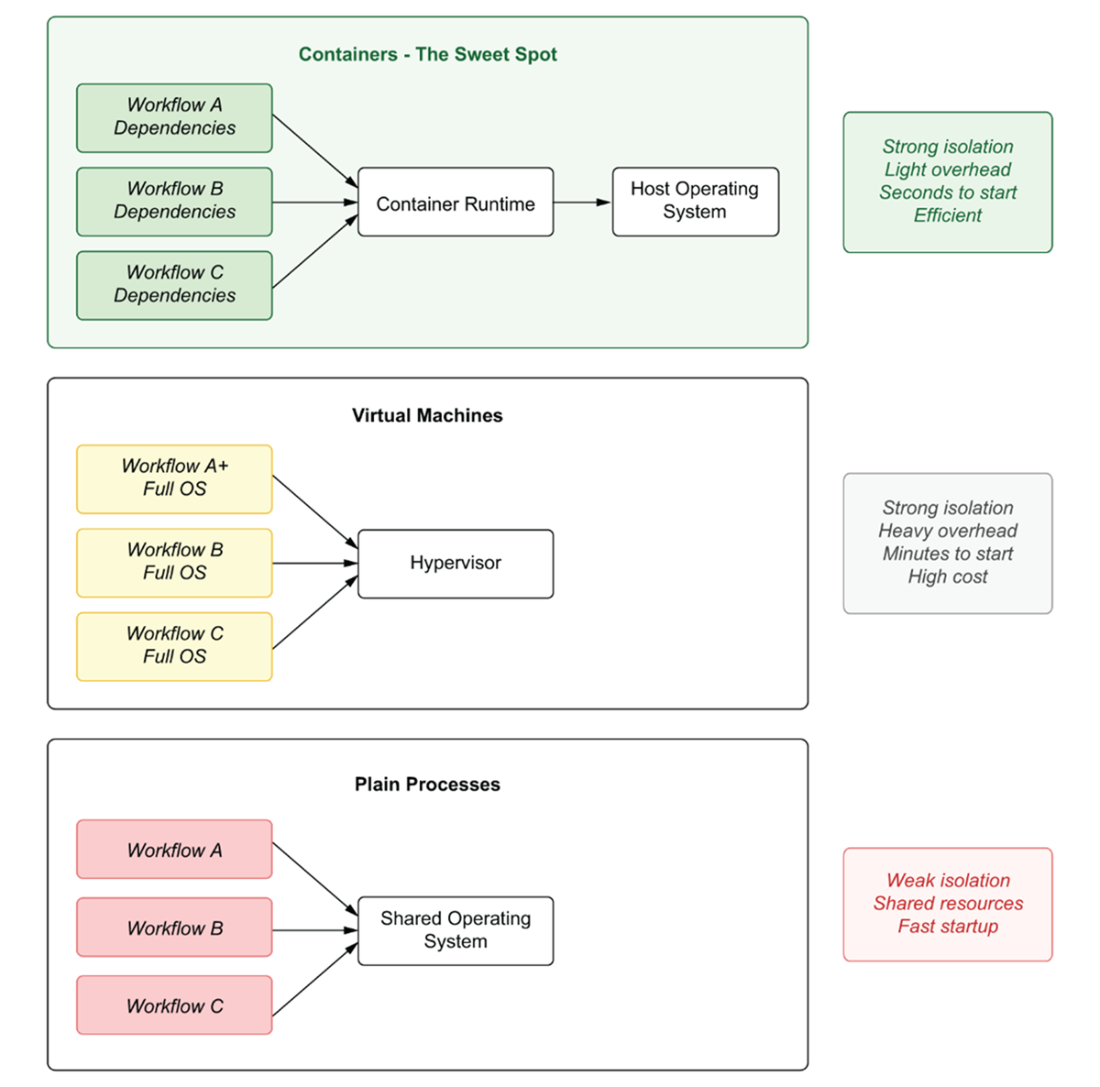
- Plain processes start quickly and use few resources, but provide weak security boundaries and allow interference through network access or resource consumption. section 2.2.2
- Virtual machines provide stronger isolation by running a complete operating system, but their startup time and resource overhead make dozens of workflows impractical. section 2.2.2
- Containers provide strong process isolation with lightweight resource usage, seconds-level startup, enforced limits, and infrastructure-level security controls. section 2.2.2
Workflow deployment
Package Sarah's patient assistant and the marketing team's content generator as separate containers. Network policies can restrict each container to only the platform services it requires, preventing cross-workflow interference. section 2.2.2
Figure 2.1 Three approaches to isolating workflows: plain processes provide weak isolation with shared resources but fast startup; virtual machines offer strong isolation but require minutes to start and consume hundreds of megabytes per instance; containers provide the optimal balance with strong isolation, lightweight resource usage, and startup times measured in seconds.
Compare plain processes, virtual machines, and containers by isolation strength, resource usage, and startup time. section 2.2.2